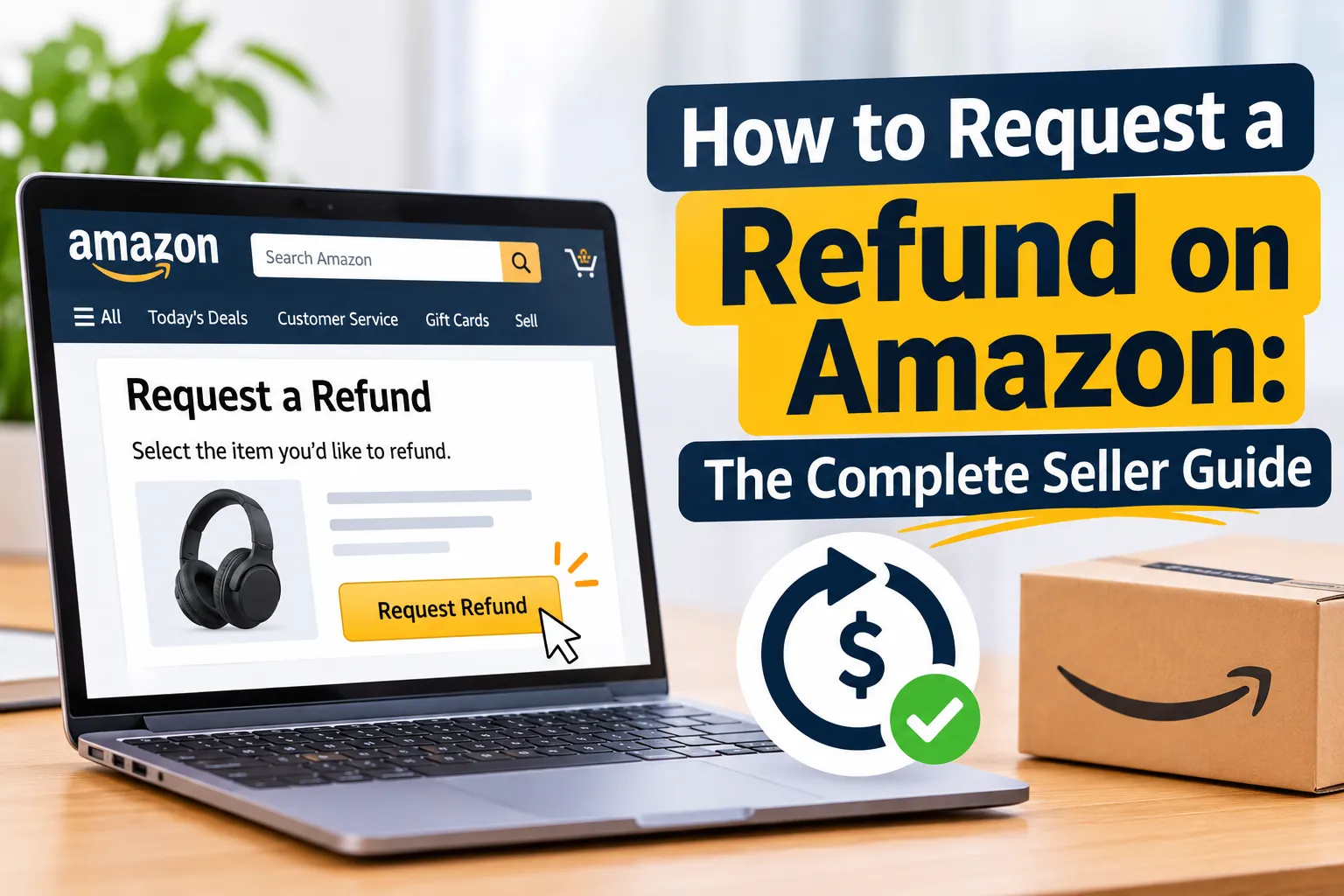

If you sell on Amazon, refunds are not a possibility. They are a certainty. Every healthy marketplace business deals with returns, refund requests, disputes and the occasional customer who simply changes their mind. What separates profitable brands from struggling ones is not whether refunds happen, but how well the seller understands the refund process, protects their account health and recovers money when Amazon gets it wrong.
This guide explains how to request a refund on Amazon from both sides of the transaction. You will see how buyers request refunds, how Amazon processes them, how FBA and FBM sellers issue and track refunds in Seller Central, how to claim reimbursement through SAFE-T and the FBA customer returns report, how to answer A-to-z Guarantee claims and chargebacks, and how to reduce the number of refunds you receive in the first place.
At EcomRanker, we manage Amazon accounts across the UK, USA, UAE and India. Refund handling is one of the most underrated levers in account management, because it quietly affects revenue, margin, Order Defect Rate, inventory accuracy and even advertising efficiency. Let us walk through everything you need to know.
Table of Contents
- Key takeaways
- Why refunds matter so much for Amazon sellers
- Understanding the Amazon refund policy
- Amazon refund policy for buyers
- Amazon refund policy for sellers
- Common reasons customers request a refund on Amazon
- How buyers request a refund on Amazon
- The Amazon refund process for FBA sellers
- The Amazon refund process for FBM sellers
- Refund fees and the real cost of a refund
- How to get reimbursed: FBA customer returns, SAFE-T and more
- A-to-z Guarantee claims and chargebacks
- How to reduce refunds on Amazon
- Refund rules by marketplace: UK, USA, UAE and India
- Common refund mistakes sellers make
- Refund metrics to track every month
- How EcomRanker helps Amazon sellers
- Frequently asked questions
- Final thoughts
Key Takeaways
- Amazon is a buyer-first marketplace, so most return and refund requests are approved quickly and automatically.
- FBA sellers do not issue refunds manually. Amazon handles the return, inspects the item and deducts the refund from your account.
- FBM sellers process refunds themselves from Manage Orders in Seller Central, so speed and accuracy matter.
- If Amazon refunds a customer and the item never comes back, you may be entitled to FBA reimbursement.
- If the refund was not your fault, the SAFE-T claim process lets you ask Amazon to compensate you.
- You usually have a very short window to respond to an A-to-z Guarantee claim. Miss it and the decision may go against you.
- The best refund strategy is prevention: accurate listings, strong images, good packaging and fast customer service.
Why Refunds Matter So Much for Amazon Sellers
A refund looks like a simple accounting entry, but it touches almost every part of your Amazon business.
Lost revenue and margin. When an order is refunded you lose the sale, and you may also lose fees, shipping costs and the product itself if it comes back damaged or never comes back at all. Even a modest rise in your return rate can erase the profit on a product that otherwise looks healthy on paper.
Account health risk. Amazon monitors metrics such as Order Defect Rate, which includes negative feedback, A-to-z Guarantee claims and credit card chargebacks. Refunds that stem from claims can damage that rating, and a poor rating can lead to restrictions, suppressed Buy Box eligibility or even suspension. If you want to understand how this fits into the bigger picture, our guide to Amazon account health explains the metrics Amazon watches most closely.
Inventory distortion. Returned stock that is not sellable, items that go missing in the returns pipeline and refunds issued without a return all create gaps between what your books say you hold and what is actually in the warehouse.
Advertising waste. If you are running ads on a product with a high return rate, you are paying to acquire customers who then send the product back. Smart Amazon PPC management takes net sales, not just gross sales, into account.
Customer lifetime value. A well-handled refund can protect a relationship. A badly handled one can turn into a one-star review.
Understanding the refund process is therefore not just a customer service task. It is a core part of running a profitable Amazon account.
Understanding the Amazon Refund Policy
Amazon operates a customer-centric returns system. The marketplace wants shoppers to feel safe buying from any seller, so its policies lean heavily toward making returns easy. For sellers, that creates both protection and pressure.
The policy has two sides. There is the buyer-facing policy, which explains how and when customers can return items and receive money back. And there is the seller-facing policy, which explains what you are responsible for, what Amazon handles for you and when you can claim compensation.
Policies vary by marketplace, product category and fulfilment method, and Amazon updates them regularly. Always confirm the current rules in Seller Central Help before making operational decisions. What follows is a practical overview of how the system works in general.
Amazon Refund Policy for Buyers
The standard return window
Most items sold on Amazon can be returned within 30 days of delivery. Certain categories carry different rules, and some products cannot be returned at all, such as items that are hazardous or perishable, or digital content once it has been accessed.
The holiday return window
Amazon typically extends the return window during the festive season. Items purchased in the weeks leading up to the end of the year are often eligible for return until late January of the following year. For sellers, this means refunds from Q4 sales can land well into the new year, so your January and February numbers may look worse than your actual Q1 performance.
How buyers get their money back
Buyers start the return from their Amazon account, choose a return reason and select a return method. Once the returned item reaches the fulfilment centre or the seller, the refund is usually issued within a few business days. Refunds typically go back to the original payment method, such as a credit or debit card, and in some cases to an Amazon gift card balance.
Items that are not returnable
Some products fall outside the standard policy. Examples include items that are restricted for safety or hygiene reasons, custom-made products and certain consumables. Even so, a defective or damaged item can still qualify for a refund or replacement.
Refunds before the item is returned
In some cases Amazon issues a refund or replacement before the returned item arrives. This is common for repeat customers with a good history and for low-value items. If the buyer does not return the item in acceptable condition, Amazon may charge them, but sellers are not always made whole automatically. That is why it is vital to monitor returns data.
Amazon Refund Policy for Sellers
Seller-issued refunds and Amazon-issued refunds
There are two broad routes by which a buyer is refunded. In the first, the seller reviews the return and issues the refund, which is typical for FBM orders. In the second, Amazon refunds the buyer directly, which is typical for FBA orders and for situations where Amazon steps in to protect the customer experience.
Return address requirements
If you fulfil orders yourself, you must provide an accurate return address and keep it up to date. If a returned parcel cannot be delivered because the address is wrong or incomplete, the item may be lost or disposed of, and you could still be on the hook for the refund.
A-to-z Guarantee and SAFE-T claims
The A-to-z Guarantee protects buyers who have a problem with an order from a third-party seller, such as late delivery or an item that is not as described. When Amazon pays out on a claim that was not the seller’s fault, the seller may be able to open a SAFE-T claim to request reimbursement. We cover both in detail later in this guide.
Chargebacks and disputes
A buyer can also dispute a transaction with their bank or card issuer. In that case you can usually submit evidence to challenge the dispute, such as proof of delivery and order details.
Partial refunds and restocking fees
If a returned item is damaged, used or different from what you sent, you may be able to issue a partial refund. Restocking fees are only permitted in limited circumstances and must follow Amazon’s rules, so never apply one without checking the current policy for your category.
Returnless refunds
For low-value items it often costs more to process a return than the product is worth. Amazon and many sellers therefore allow a returnless refund, where the customer is refunded and keeps the item. You can set rules for this in your account, and Amazon may also apply it automatically in some cases, for instance when a seller does not respond to a request in time.
Common Reasons Customers Request a Refund on Amazon
Knowing why customers ask for refunds is the first step to reducing them. Here are the most common reasons, along with what each one tells you about your business.
1. Defective or damaged items. Products that arrive broken or stop working generate legitimate refund requests. Frequent damage points to weak packaging, poor product quality control or rough handling in transit. See our guide to Amazon packaging requirements for practical ways to protect stock.
2. Wrong item received. Wrong size, wrong colour or the wrong product altogether. For FBM sellers this is often a picking and packing error. For FBA sellers it can be a mixed or commingled inventory issue.
3. Late delivery. If an order arrives after the promised date, a customer may request a refund or file a claim. This matters most for time-sensitive purchases and for FBM sellers who cannot guarantee consistent carrier performance.
4. Change of mind. Some customers simply decide they no longer want the product. These returns are not your fault, but they still cost you.
5. Order cancellation. If an order is cancelled before it ships, the buyer is refunded in full. A high cancellation rate from a seller can itself harm account health.
6. Low quality or not as expected. When photos, bullet points or A+ Content over-promise, customers feel misled. Better listing optimisation is the most effective cure.
7. Billing errors. Duplicate charges, incorrect amounts or unauthorised transactions can result in refunds, and sometimes Amazon resolves these without involving the seller.
8. Gift returns. Gifts that do not fit, duplicate gifts and unwanted presents drive a large share of returns after the holidays.
9. Fraudulent claims. Some buyers claim an item was defective, empty or never arrived when it did. This is a genuine challenge, and sellers must document everything carefully.
10. Wardrobing and return abuse. Wardrobing means using an item briefly and then returning it, for example wearing clothing for an event. It is more common in apparel and accessories.
Notice how many of these causes sit within your control. Accurate content, robust packaging and reliable fulfilment prevent a surprising share of refunds before they ever begin.
How Buyers Request a Refund on Amazon
It helps to understand the customer’s journey because it shapes what you see in Seller Central. Here is the typical process for a buyer who purchased from a third-party seller.
- Go to Your Orders. The buyer signs in and opens the orders page in their Amazon account.
- Find the order. They locate the item they want to return.
- Choose Return or Replace Items or report a problem. They select the reason, such as defective, wrong item or no longer needed.
- Choose the resolution. Depending on the item and the reason, they can choose a refund or a replacement.
- Select a return method. Options may include a drop-off point, a printed label or a pickup.
- Submit the request. Amazon, or the seller, reviews the request. Many requests are approved automatically.
If the order was fulfilled by the seller, the buyer may need to wait for the seller to respond. Where a seller does not respond in time, Amazon can step in. Buyers can follow the status of their refund in the orders section of their account.
If a buyer has a more serious problem, such as an item that never arrived or a seller who is unresponsive, they can file a claim under the A-to-z Guarantee. We explain how sellers should respond to those claims later on.
The Amazon Refund Process for FBA Sellers
When you use Fulfilment by Amazon, Amazon handles storage, shipping, customer service and returns on your behalf. That is a major convenience, but it also means you have less direct control over what happens when a customer asks for their money back. You still pay for it, so you need to know exactly how the process works.
Step 1: The customer requests a return
The buyer starts the return through Amazon’s returns centre. For most FBA items Amazon approves the request automatically and provides a prepaid return label or a drop-off option. You do not need to approve anything, and in most cases you will not be notified in advance.
Step 2: Amazon receives and inspects the item
When the item arrives at an Amazon fulfilment centre, it is scanned and assessed. Amazon assigns a disposition, such as sellable, customer damaged, carrier damaged, defective or expired. That disposition decides what happens to the item and who bears the cost.
Step 3: Amazon issues the refund and deducts it from your account
The customer receives a full or partial refund, depending on the condition of the returned product and Amazon’s policy. The refund amount is then deducted from your seller balance. In some cases Amazon refunds the customer before the item has been received, so you may see the refund in your account first and the returned unit later, or not at all.
Step 4: Review the refund in Seller Central
You can track refunds in Seller Central. Go to Reports, then Payments, and open the Transaction View. Filter by the transaction type Refund to see which orders were refunded, the amounts and the dates. For a deeper view of what physically happened to returned stock, use the FBA Customer Returns report found under Reports, then Fulfilment.
Because menus and report names change from time to time, always check the current layout of Seller Central in your marketplace. If you cannot find a report, use the search bar in Seller Central or open a case with Seller Support.
Step 5: Check whether you are owed reimbursement
If Amazon refunded the customer and the item was not returned within 45 days, you may be eligible for reimbursement. The same applies if Amazon received the item and then lost or damaged it in the warehouse. Compare your refund data with the Customer Returns report and your inventory adjustments to spot gaps. We cover this in depth in the reimbursement section below.
Step 6: Deal with returned inventory
If the returned item is sellable, Amazon returns it to your available inventory. If it is unsellable, you have options. You can create a removal order to have the stock sent back to you, so that you can inspect it, refurbish it or liquidate it. Or you can ask Amazon to dispose of it. Leaving unsellable units sitting in the warehouse costs you storage fees, so review them regularly.
The Amazon Refund Process for FBM Sellers
If you fulfil orders yourself, which Amazon calls Fulfilled by Merchant, you handle returns and refunds directly. The upside is control. The downside is that you carry the responsibility for speed, accuracy and customer experience. Here is how to issue a refund in Seller Central.
Step 1: Open Manage Orders
Sign in to Seller Central, open the Orders menu and choose Manage Orders. Find the order by order number, buyer name or date range.
Step 2: Click Refund Order
Select the order and choose the Refund Order button. This opens the refund screen where you can set the amount and the reason.
Step 3: Choose the refund type
You will typically see options to refund part or all of the order. Depending on the order, you can process:
- A full refund, which returns the entire order amount, including shipping where applicable.
- A partial refund, which returns only part of the price, useful if an item is slightly damaged and the buyer agrees to keep it.
- A tax-only refund, which refunds just the tax, for example for a tax-exempt buyer where you are responsible for collecting tax.
- A returnless refund, where the customer is refunded without having to send the item back.
Step 4: Select a refund reason
Choose the reason from the dropdown menu and add a comment if it helps. Accurate reasons give you cleaner data. If you always pick the same reason for convenience, you will lose the ability to see why customers actually send products back.
Step 5: Submit the refund promptly
Process the refund as soon as the return is confirmed. Delays can trigger complaints, negative feedback or A-to-z Guarantee claims. Amazon also expects sellers to respond to return requests within a short window, so build a daily check into your routine.
Step 6: Record and review
After issuing the refund, log the order number, reason and condition of the returned item. This record is invaluable if the customer later disputes the outcome or files a claim.
FBM returns best practice
- Provide a prepaid return label for defective or incorrect items. Asking customers to pay for the return of a faulty product invites complaints.
- Offer a clear return address and keep it current.
- Inspect returned goods quickly, so that you can refund fast and restock the item if it is in good condition.
- Use tracking on both outbound and return parcels. Proof of delivery is your best defence in a dispute.
- Respond to buyer messages within 24 hours. Amazon measures this and customers expect it.
Refund Fees and the Real Cost of a Refund
Many sellers are surprised to discover that a refund costs more than the price of the product. Here is what to include when you calculate the true cost.
The lost sale. The revenue is removed from your account.
Referral fee adjustments. In general, when you refund an order Amazon returns most of the referral fee to you, but it may retain a refund administration fee. The exact amount depends on the marketplace and the fee schedule that applies to you, so check your current fee page.
Fulfilment and shipping costs. FBA fees you paid to pick, pack and ship the order are generally not refunded. FBM sellers also lose the outbound postage and may pay for the return label.
Returns processing. Depending on your category and programme, you may be charged returns processing fees for certain returned items.
Product loss. If an item comes back damaged, used or not at all, you absorb the cost of goods.
Storage and removal costs. Unsellable returns that stay in the warehouse or are removed carry additional charges.
Advertising spend. The ad cost that produced the sale is not refunded.
When you add these up, a single refund on a modestly priced product can wipe out the profit from several successful orders. That is why return rate is a metric every serious Amazon brand should track at ASIN level, not just account level.
How to Get Reimbursed: FBA Customer Returns, SAFE-T and More
Sellers often think of refunds as one-way money. In reality, there are several situations in which Amazon owes you compensation. Learning to spot them is one of the quickest ways to improve your net profit.
Reimbursement for refunds without a returned item
If Amazon refunds a customer for an FBA order and the item is not returned within 45 days, you may qualify for reimbursement. Amazon often processes these automatically, but not always, and not always accurately. To check your eligibility:
- Go to Seller Central, then Reports, then Fulfilment, and open the FBA Customer Returns report.
- Compare returns against refunds and look for refunded orders that show no returned unit.
- Check the Reimbursements report to confirm whether Amazon has already paid you.
- If a refunded unit is missing and no reimbursement has been issued, open a case with Seller Support and include the order ID, the refund date and the relevant report data.
Reimbursement for lost or damaged inventory
Units that Amazon loses or damages in its fulfilment centres, or that get lost in an inbound shipment to Amazon, may also be reimbursable. Use the Inventory Adjustments report and the Reimbursements report to identify differences between what you sent in and what was received.
The cost of goods requirement
Amazon introduced a requirement that sellers provide cost of goods data to support certain reimbursement claims, with changes applying from March 2025. In practice this means keeping supplier invoices and cost records up to date and uploading them in the way Amazon requires, because reimbursement values can depend on this information. Sellers who ignore it may receive lower payouts or find claims rejected. Make invoice management part of your monthly routine.
SAFE-T claims
SAFE-T stands for Seller Assurance for Everyone, Transactions. It exists to protect sellers when Amazon refunds a customer in circumstances that were outside the seller’s control. Typical examples include:
- A buyer receives a refund for an item the carrier delivered correctly, and you have proof.
- An A-to-z Guarantee claim is granted even though you followed Amazon’s rules and the problem was caused by Amazon or the carrier.
- A customer returns the wrong item, an empty box or a used product and Amazon still refunds in full.
To file a claim, open the SAFE-T claim form in Seller Central, enter the order ID, choose the reason and upload evidence such as photographs, tracking data, delivery confirmation and correspondence. There is a time limit for filing, and it is short, so build a monthly or weekly review into your routine instead of waiting until the end of a quarter. Check Seller Central Help for the exact window that applies to your marketplace.
What strong evidence looks like
- Clear photographs of the returned item showing its condition, packaging and any missing parts.
- Weight comparison data where the weight of the returned parcel differs from what you shipped.
- Tracking and proof of delivery, ideally with a signature or photo.
- Order and listing screenshots that show what the customer was promised.
- A concise, factual explanation. Avoid emotional or accusatory language.
Manual versus automated recovery
Some sellers manage reimbursement by hand with spreadsheets. Others use specialist tools or hand the job to an agency. Whatever you choose, the principle is the same: reconcile refunds, returns and inventory movements on a regular schedule, and file claims promptly with good evidence.
A-to-z Guarantee Claims and Chargebacks
A-to-z Guarantee claims
The A-to-z Guarantee protects customers who buy from third-party sellers. A buyer can file a claim if an item does not arrive, arrives significantly different from how it was described, or if the seller does not handle a return or refund properly. When a claim is filed you receive a notification, and you have a limited time to respond, commonly a few calendar days. If you do not reply, Amazon may decide in the buyer’s favour and refund the customer from your account.
How to respond:
- Open Performance, then A-to-z Guarantee Claims, in Seller Central.
- Review the claim reason and the buyer’s comments.
- If appropriate, issue a refund quickly. A fast resolution can sometimes prevent the claim from affecting your metrics.
- If you disagree, provide your evidence and explanation within the response window.
- Keep your tone factual and professional.
Claims that are granted against you and not caused by Amazon can count toward your Order Defect Rate. Amazon expects sellers to keep this figure low, so every claim matters.
Chargebacks
A chargeback happens when a customer disputes the payment with their bank or card issuer. Amazon may notify you and ask for supporting information. Reply with proof of delivery, order details and any communication with the buyer. Chargebacks that go against you can also affect your account health.
The best protection is good documentation: a record of every order, delivery confirmation and customer message, stored somewhere you can access quickly.
How to Reduce Refunds on Amazon
You cannot eliminate returns, but you can reduce the avoidable ones. The following tactics consistently lower refund rates for the brands we work with.
1. Respond to refund and return requests promptly
Fast responses prevent escalation. If you do not answer in time, Amazon may approve the request automatically or decide an A-to-z Guarantee claim against you. Set a daily routine for checking return requests, buyer messages and claims, and make sure someone covers weekends and holidays. A good Amazon account management service will do this for you as part of daily operations.
2. Make your listing brutally accurate
The single biggest driver of avoidable returns is a gap between what the customer expected and what arrived. Review your listing with fresh eyes:
- Do the title and bullets state the size, colour, material, quantity and compatibility clearly?
- Do the images show the product at true scale, in real use and from every angle?
- Does the main image match the exact variation being sold?
- Does the content mention what is not included, such as batteries, cables or accessories?
- Are claims such as waterproof, hypoallergenic or dishwasher safe truthful and specific?
Professional listing optimisation and well-designed A+ Content set honest expectations and improve conversion at the same time. Pair that with strong Amazon SEO so that the right shoppers find your product in the first place. Attracting the wrong audience is a hidden cause of returns.
3. Use size charts, comparison tables and sizing guidance
For apparel, footwear and anything that depends on fit, a clear size chart cuts returns dramatically. Add measurements in both metric and imperial units, explain how to measure and say whether the item runs small or large. For technical products, add compatibility tables so customers know the product fits their device.
4. Fix packaging problems
Damage in transit leads to refunds, bad reviews and negative feedback. Test your packaging with drop and compression tests, use the right inserts and protective materials and make sure the outer carton meets Amazon’s requirements. Our guide to Amazon packaging requirements covers FBA prep, labelling and protective packaging in detail.
5. Read your return reasons and customer reviews
The FBA Customer Returns report and the customer reviews on your listing are free market research. Look for patterns, for example:
- Many returns marked “too small” suggest a sizing problem.
- Many marked “does not work” suggest a quality or instruction issue.
- Many marked “not as described” suggest a content problem.
Group the reasons by ASIN and by month, then fix the top one first. Our guide to Amazon review management explains how to turn review feedback into product improvements.
6. Improve the unboxing and instructions
A surprising number of returns come from customers who could not work out how to use the product. Include a short quick-start guide, QR code to a how-to video and a customer support contact. Customers who can reach you directly often contact you before they request a refund.
7. Strengthen quality control
If defects are driving returns, tighten inspection at the factory and before shipping to Amazon. Pre-shipment inspections, batch testing and supplier scorecards cost far less than the refunds they prevent.
8. Choose your fulfilment method wisely
FBA gives you Prime eligibility and handles returns for you, but it also gives Amazon control. FBM gives you control but demands operational discipline. Some brands use a hybrid model. Look at your return rates, margins and operational capacity before deciding.
9. Watch for fraud and abuse patterns
Monitor your refund data for unusual behaviour: repeated refunds to the same buyer, a spike in empty box claims or a sudden rise in high-value returns. When you detect a pattern, gather evidence and raise it with Seller Support or through a SAFE-T claim. Do not accuse customers directly in messages.
10. Take care of your advertising
Advertising is how many customers discover your product, so it affects who buys and who returns. Make sure your campaigns target relevant search terms and avoid broad or misleading targeting that attracts mismatched buyers. If a product has an unusually high return rate, consider reducing ad spend until the root cause is fixed. If you want a hand with this, see our guide to Amazon PPC management.
11. Offer returnless refunds selectively
For low-value items where the return cost exceeds the product’s value, a returnless refund can save money, reduce handling time and improve the customer experience. Set a threshold that reflects your margins and review it regularly. Be careful with high-value or abuse-prone products.
12. Consider subscription and repeat purchase programmes
Customers who buy on a schedule tend to know the product well and are less likely to return it. If your category suits it, programmes such as Subscribe and Save can improve retention and lower the share of impulse returns.
Refund Rules by Marketplace: UK, USA, UAE and India
Amazon operates differently in each country. At EcomRanker we manage accounts across the UK, USA, UAE and India, and the nuances matter.
United States. The 30-day return window is standard for most items, with an extended holiday window. FBA returns are largely automated, and the SAFE-T and reimbursement systems are well established. The A-to-z Guarantee claim process and Order Defect Rate targets apply.
United Kingdom. UK consumers also benefit from consumer protection law that gives them a right to cancel most distance sales within a set period, so sellers should be ready for returns even where the product is not faulty. Faulty goods carry additional statutory protections. UK sellers should also be familiar with the specific refund timelines that Amazon.co.uk applies and with the requirement to provide a UK return address in some circumstances.
United Arab Emirates. Amazon.ae follows its own return policy and category rules. Cash on delivery is common in the region and affects refund methods, so make sure you know how refunds are processed for those orders. Fulfilment and returns logistics can differ from other marketplaces.
India. Amazon.in has its own return reasons, return windows by category and refund flows. Many categories use a replacement-first approach, and pick-up based returns are common. Check Seller Central India for the category-specific windows and for the programmes that govern return fees.
Always verify the current policy in the Seller Central Help pages for the marketplace you are selling in, because the details change regularly.
Common Refund Mistakes Amazon Sellers Make
After years of managing accounts, we see the same errors repeatedly.
Ignoring refund data. Many sellers only look at sales and advertising reports. They never review the returns report, so they never discover that a single ASIN is quietly draining their margin.
Missing the reimbursement window. Claims have time limits. Waiting too long means money is lost for good.
Not keeping invoices. Without supplier invoices and cost data, reimbursement claims can be rejected or undervalued.
Responding too slowly to claims. An A-to-z Guarantee claim that goes unanswered is usually lost.
Using vague evidence. A claim with a blurry photo and a one-line explanation rarely succeeds. Evidence should be clear, specific and organised.
Using the same refund reason every time. This destroys your data and hides the real cause of returns.
Arguing with customers. Aggressive messages escalate disputes and can lead to negative feedback or policy violations. Stay calm and factual.
Letting unsellable returns pile up. Units sitting in the warehouse accrue fees and tie up cash. Decide quickly whether to remove, refurbish, liquidate or dispose of them.
Treating refunds as a customer service issue only. Refund rate affects advertising efficiency, inventory planning, product development and account health. It deserves attention at the management level.
Refund Metrics to Track Every Month
What you do not measure, you cannot improve. Build a simple monthly dashboard with these metrics:
- Return rate by ASIN: units returned divided by units sold.
- Refund value as a percentage of revenue: shows the financial impact.
- Top return reasons: grouped by ASIN.
- Order Defect Rate: includes negative feedback, A-to-z Guarantee claims and chargebacks.
- A-to-z Guarantee claims filed and granted: tracks how many are resolved in your favour.
- Refunds without returns: the pool of potential reimbursements.
- Reimbursements received versus claimed: measures your recovery performance.
- Unsellable returned inventory: quantity and value waiting for action.
- Customer service response time: how quickly you respond to messages and requests.
- Refund administration and returns processing fees: the hidden cost of returns.
Review these numbers monthly, compare them with the previous month and with the same period last year, and act on any ASIN that moves in the wrong direction.
A Simple Refund Management Checklist
Use this checklist as a routine for your team.
Daily
- Check new return requests and buyer messages.
- Process FBM refunds promptly.
- Respond to any new A-to-z Guarantee claim or chargeback.
Weekly
- Review the FBA Customer Returns report for unusual patterns.
- Check for refunds without returned items.
- File SAFE-T claims for eligible cases with full evidence.
Monthly
- Reconcile refunds, returns and reimbursements.
- Update cost of goods and upload supplier invoices.
- Review top return reasons by ASIN and plan fixes.
- Deal with unsellable inventory through removal, refurbishment or liquidation.
Quarterly
- Audit listings for accuracy, especially for ASINs with rising return rates.
- Review packaging and supplier quality.
- Revisit your returnless refund thresholds.
- Review your account health and Order Defect Rate trends.
How EcomRanker Helps Amazon Sellers Manage Refunds and Protect Profit
EcomRanker is a full-service Amazon agency working with sellers and brands across the UK, USA, UAE and India. Founded in 2017, we handle the work that sellers rarely have time for, including the daily and monthly tasks that keep refund losses under control.
When you work with us, our team can help you:
- Monitor returns, refunds and account health across your marketplaces as part of our Amazon marketplace management services.
- Reduce avoidable returns through listing optimisation, better imagery and accurate A+ Content.
- Improve profitability with Amazon PPC management that looks at net sales, not just revenue.
- Respond to A-to-z Guarantee claims and escalations with clear evidence.
- Identify reimbursement opportunities and prepare organised documentation.
- Protect your seller account and, if something goes wrong, support you through account suspension and reinstatement.
If refunds are eating into your margin, or you simply want an expert second opinion, contact EcomRanker for a conversation about your account.
Frequently Asked Questions About Requesting a Refund on Amazon
How do I request a refund on Amazon as a seller?
How long does a refund take on Amazon?
Can I refuse a refund request on Amazon?
What is a returnless refund?
Can I charge a restocking fee?
How do I get reimbursed if a customer was refunded but never returned the item?
What is a SAFE-T claim?
How do I respond to an A-to-z Guarantee claim?
Do refunds affect my Amazon account health?
How can I lower my return rate on Amazon?
Is it worth hiring an agency to manage refunds and reimbursements?
Final Thoughts
Refunds are part of the cost of doing business on Amazon, but they do not have to be a silent drain on your profit. When you understand how the Amazon refund process works for buyers and sellers, track your returns data, claim the reimbursements you are owed and fix the root causes of avoidable returns, you protect both your margin and your account health.
The practical steps are straightforward. Respond quickly. Keep your listings honest. Protect your products in transit. Reconcile your refunds and reimbursements on a schedule. And treat return data as a source of insight rather than just a cost.
If you would like expert help with refunds, account health or any other part of your Amazon business, the EcomRanker team is ready to help. Get in touch today and let us show you where your account can improve.