
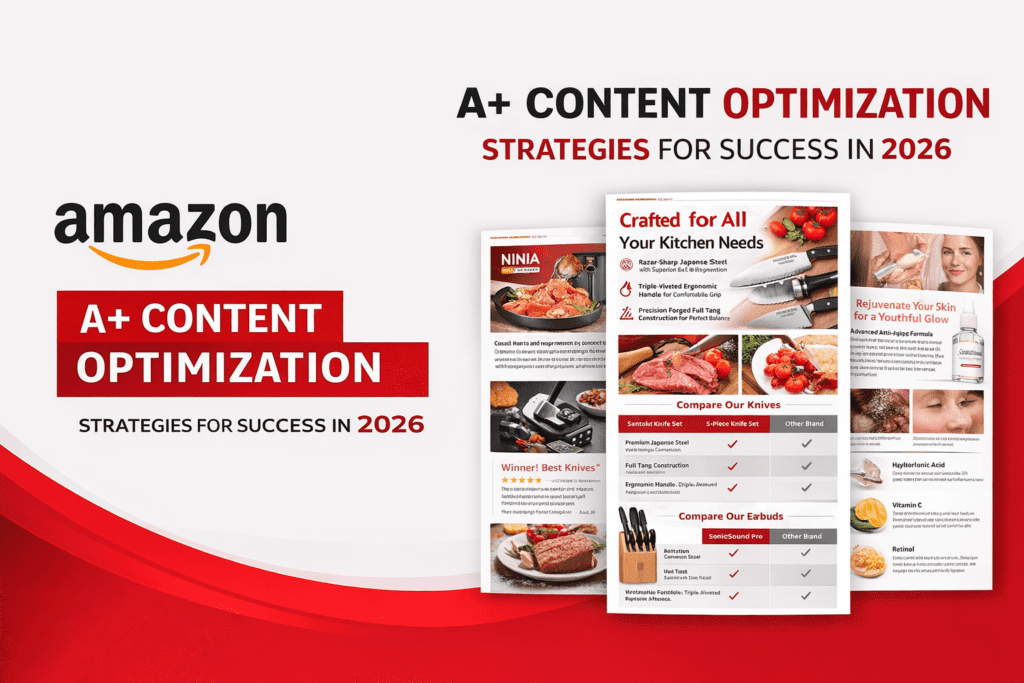
Why January Optimization Decides Your Whole Year
After working with Amazon brands for more than 10 years, I can tell you something most sellers don’t realize:
Your Q1 optimization decides your entire year’s performance.
January is not just another month—it’s a strategic reset point.
- Traffic begins to stabilize after Q4
- Competition recalibrates pricing and listings
- Customers start browsing with intent (not just impulse buying)
This creates a unique opportunity:
If your listings (especially A+ Content) are optimized early, you gain a compounding advantage.
Most sellers delay this.
And that’s exactly why smart sellers win.
What A+ Content Really Does (Beyond Basic Definition)
Most blogs will tell you:
“A+ Content improves visuals and branding.”
That’s surface-level.
Let me explain what actually happens:
A+ Content = Conversion Engine
A+ Content directly impacts:
1. Decision Clarity
Customers don’t just scroll—they evaluate.
A+ Content answers:
- Is this product right for me?
- Why should I choose this over competitors?
- Can I trust this brand?
2. Objection Handling
Every customer has doubts:
- Quality
- Usage
- Value for money
Your A+ Content should silently answer these.
3. Emotional Connection
Without A+:
You are just another seller
With A+:
You become a brand
Learn fundamentals here:
https://ecomranker.com/amazon-a-plus-content-guide/
Why You MUST Refresh A+ Content in 2026
Let’s be practical.
Amazon in 2026 is:
More competitive
More visual
More conversion-driven
Old A+ content fails because:
- Trends change
- Customer expectations evolve
- Competitors improve
What Happens If You Don’t Update?
- Lower conversion rate
- Higher PPC costs
- Reduced ranking
- Weak brand perception
What Happens When You Refresh?
From real campaigns:
Conversion increases 15–35%
And this directly affects:
- Organic ranking
- PPC performance
- Profit margins
Step 1: Replace Seasonal & Outdated Images (Deep Strategy)
This is the most ignored—and most important—step.
What Most Sellers Do Wrong
They use:
- Christmas-themed creatives in February
- Old product photos
- Low-resolution images
- Overcrowded visuals
This creates:
Trust issues + confusion
What Customers Actually Expect
Modern Amazon shoppers want:
✔ Clean visuals
✔ Real-life usage
✔ Quick understanding
Advanced Image Strategy
Use Evergreen Lifestyle Images
Instead of seasonal visuals:
Show real use cases
Examples:
- Product in daily life
- Natural lighting
- Real environment
Optimize for Mobile First
Remember:
70–80% traffic is mobile
So:
- Keep text minimal
- Use large visuals
- Avoid clutter
https://ecomranker.com/how-to-optimize-amazon-listings/
Step 2: Master Comparison Charts (Conversion Weapon)
If you are not using comparison charts properly:
You are losing easy sales.
What Makes Comparison Charts Powerful
Customers don’t want to:
Open multiple listings
They want:
Quick decision inside ONE page
Psychology Behind It
Comparison charts:
✔ Reduce decision fatigue
✔ Increase perceived transparency
✔ Guide customer choice
Common Mistakes
- Outdated product info
- Missing SKUs
- No clear differentiation
Advanced Optimization
Highlight Differences Clearly
Don’t just list features.
Show WHY product A is better than B
Use Strategic Positioning
- Place best product in center
- Use visual cues (✔ / ✖)
Upsell Smartly
Show:
Basic → Premium → Best
https://ecomranker.com/amazon-product-listing-services/
Step 3: Video Modules (Massive Growth Opportunity)
Most sellers still underestimate video.
Big mistake.
What Video Actually Does
Video reduces:
- Confusion
- Doubts
- Return rates
And increases:
- Engagement
- Trust
- Conversion
Customer Behavior Insight
Customers don’t read everything.
They watch.
High-Converting Video Types
Demo Video
Shows product in action
Problem-Solution Video
Before → After
How-to Guide
Builds trust
Lifestyle Video
Emotional connection
Pro Tips
- Keep under 45 seconds
- Focus on ONE message
- Use subtitles (mobile users)
https://ecomranker.com/amazon-ab-testing-listing-optimization/
Step 4: Brand Story Module (Underrated Goldmine)
This is where most sellers fail.
What Sellers Do
They:
- Ignore brand story
- Add generic content
- Copy competitors
What You Should Do
Tell:
Why your brand exists
What problem you solve
Why customers should trust you
Emotional Selling Formula
Story → Trust → Purchase
Example Structure
- Brand mission
- Product philosophy
- Customer benefits
- Future vision
Step 5: Align A+ Content with SEO Strategy
Many sellers think:
A+ Content = No SEO
That’s wrong.
Real Impact
A+ Content improves:
Conversion rate
Which improves:
Ranking
SEO Loop
Better A+ → Higher conversion → Higher ranking → More traffic
https://ecomranker.com/amazon-seo-strategy/
Step 6: A/B Testing (Where Real Growth Happens)
Without testing:
You are guessing
What to Test
- Image style
- Layout
- Messaging
- Comparison charts
Example
Version A: Feature-focused
Version B: Benefit-focused
Often, benefit-focused wins.
https://ecomranker.com/amazon-ab-testing-listing-optimization/
Step 7: Customer Psychology Optimization
This is where expert-level optimization happens.
Customers Buy Based On:
✔ Trust
✔ Clarity
✔ Simplicity
✔ Confidence
Your Job:
Remove friction.
Example:
Instead of:
“High-quality material”
Say:
“Durable material that lasts 3x longer”
Advanced Strategy (Agency-Level Framework)
Here’s what actually works:
Complete A+ Optimization System
- High-quality visuals
- Clear messaging
- Smart comparison charts
- Video integration
- Continuous testing
Real Insight
Winning listings are not created once—they are improved continuously.
Common Mistakes
Overloading Content
Too much info = confusion
Ignoring Mobile
Kills conversion
No Storytelling
No brand connection
No Testing
No growth
Final Results You Can Expect
After proper optimization:
✔ Higher conversion rate
✔ Better ranking
✔ Lower ad costs
✔ Strong brand
Final Thoughts
After 10+ years working in Amazon:
A+ Content is not decoration—it’s your sales engine.
And January is your best chance to:
Reset
Optimize
Scale
FAQs
1. What is Amazon A+ Content and how is it different from a normal product description?
Amazon A+ Content is an enhanced version of your product description that allows you to present your product in a much more visual, structured, and engaging way.
Unlike a normal description—which is mostly plain text—A+ Content gives you the ability to:
- Add high-quality images
- Create structured modules
- Use comparison charts
- Showcase brand storytelling
- Include video content (in premium A+)
From practical experience, the biggest difference is:
A normal description informs — A+ Content converts.
A standard listing answers basic questions, but A+ Content:
- Builds trust
- Reduces hesitation
- Helps customers visualize product usage
If you’re serious about improving performance, you should also explore a full Amazon A+ Content guide:
2. Does A+ Content really improve conversion rates on Amazon?
Yes—and this is not theoretical.
From real account data across multiple categories, optimized A+ Content can increase conversion rates by:
10% to 35% (sometimes even higher)
Here’s why:
- Customers understand the product better
- Visual clarity reduces confusion
- Comparison charts simplify decision-making
- Brand storytelling builds trust
Amazon itself also indicates that A+ Content improves engagement and purchase confidence.
However, the key point is:
Just having A+ Content is not enough—optimized A+ Content is what drives results.
3. How often should I refresh or update my A+ Content?
Most sellers make the mistake of treating A+ Content as a one-time task.
In reality:
A+ Content should be updated every 3 to 6 months
You should refresh it when:
- You launch new products
- Customer behavior changes
- Your competitors improve their listings
- You notice declining conversion rates
- Seasonal content becomes outdated
January is especially important because:
It sets the foundation for your Q1 and overall yearly growth.
4. What type of images work best in A+ Content?
From experience, the highest-converting images follow 3 rules:
1. Lifestyle-Based
Show the product in real-life usage
2. Benefit-Focused
Instead of showing just the product, show:
What problem it solves
3. Mobile-Optimized
- Minimal text
- Clear visuals
- Easy to understand at a glance
Avoid:
❌ Overcrowded designs
❌ Too much text
❌ Low-resolution images
If you want deeper optimization strategies, refer to:
https://ecomranker.com/how-to-optimize-amazon-listings/
5. Are comparison charts really important in A+ Content?
Yes—and most sellers underestimate them.
Comparison charts are one of the highest-impact conversion tools in A+ Content.
They help customers:
- Compare products quickly
- Understand differences clearly
- Make faster decisions
From a strategy point of view:
They allow you to guide customers toward your best-selling or premium products.
For example:
- Entry product → Budget option
- Mid product → Best value
- Premium → Upsell
This structure increases average order value (AOV).
6. Do videos in A+ Content really make a difference?
Absolutely—and even more in 2026.
Customers today prefer:
Watching over reading
A good product video can:
- Explain usage in seconds
- Build trust faster
- Reduce returns
- Improve engagement
From real data:
Listings with video often see higher conversion rates compared to those without.
Best practices:
- Keep videos short (15–45 seconds)
- Focus on one clear message
- Show real product usage
7. Does A+ Content help with Amazon SEO and ranking?
Directly, A+ Content does NOT index keywords.
But indirectly, it plays a huge role.
Here’s how:
Better A+ Content → Higher Conversion Rate → Better Ranking
Amazon’s algorithm prioritizes listings that:
- Convert well
- Provide good customer experience
So even without direct indexing:
A+ Content improves your SEO performance indirectly.
For deeper understanding:
8. Should I use emotional storytelling in A+ Content?
Yes—and this is where most sellers fail.
Customers don’t just buy products.
They buy solutions and feelings.
A strong A+ Content should
- Tell a story
- Show benefits
- Build connection
For example:
Instead of saying:
“High-quality material”
Say:
“Designed to last longer so you don’t have to replace it again and again”
That’s emotional + practical selling.
9. What are the most common mistakes sellers make in A+ Content?
From auditing hundreds of listings, here are the biggest mistakes:
❌ Too much information
Leads to confusion
❌ No structure
Customers can’t scan content
❌ Ignoring mobile users
Major traffic loss
❌ No comparison charts
Missed upsell opportunity
❌ No testing
No improvement over time
10. How do I test if my A+ Content is working?
The best way is:
A/B Testing (Split Testing)
You can test:
- Image styles
- Layout changes
- Messaging
- Comparison charts
Then measure:
- Conversion rate
- Sales
- Engagement
If you want a complete testing framework:
https://ecomranker.com/amazon-ab-testing-listing-optimization/
11. Is A+ Content necessary for new sellers?
Yes—especially for new sellers.
Without A+ Content:
- Your listing looks basic
- Customers trust competitors more
- Conversion rate remains low
With A+ Content:
You can compete with established brands