Every out-of-stock disaster, duplicate listing, or lost review history on Amazon traces back to the same root cause: a catalog that was never built on a clean ASIN and SKU structure. It sounds like a small administrative detail until it isn’t — until a merge goes wrong, a barcode conflict blocks an FBA shipment, or a parentage error strips reviews off your best-selling variation.
This guide breaks down exactly what ASINs and SKUs are, how they’re different, how to create and structure both correctly, and how to fix the errors that actually show up in Seller Central — barcode conflicts, title conflicts, parentage mismatches, and duplicate SKUs. It’s written for sellers managing their own catalog and for brand teams evaluating whether to bring in outside help.
Quick Answer: ASIN vs SKU
| ASIN | SKU |
| Assigned by Amazon | Created by the seller |
| 10-character alphanumeric code | Up to 40 characters, seller-defined |
| Identifies a product across all sellers on that listing | Identifies inventory for one specific seller |
| Unique per marketplace (US, UK, UAE, India each assign their own) | Can follow the same convention across every marketplace you sell in |
| Tied to reviews, ratings, and organic search rank | Tied to inventory tracking, pricing, and fulfillment routing |
| Books use ISBNs instead | No exceptions — every listing needs one |
What Is an ASIN on Amazon?
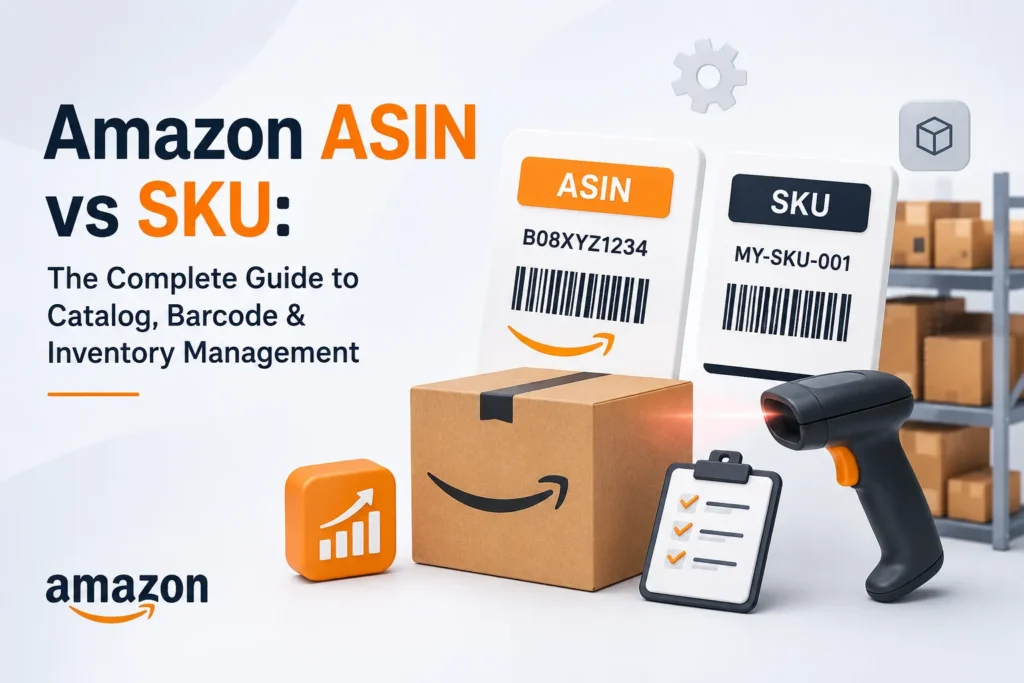
An ASIN (Amazon Standard Identification Number) is the 10-character alphanumeric code Amazon assigns to every product in its catalog, except books, which use an ISBN instead. The ASIN is what Amazon’s search and catalog systems actually index — it’s the anchor for reviews, star ratings, Best Seller Rank, and organic keyword rankings, which is exactly why mishandling one (through a bad merge or an unnecessary re-listing) can wipe out months of ranking history.
Where to find a product’s ASIN
- In the product URL, in the string that follows “/dp/”
- In the “Product information” or “Additional details” section of the listing page
- In Seller Central, under the product’s listing details or the Manage Inventory screen
Key things sellers get wrong about ASINs
- An ASIN is marketplace-specific. The same physical product sold on Amazon.com, Amazon.co.uk, Amazon.ae, and Amazon.in will have a different ASIN in each marketplace — they are not shared globally, and reviews earned on one marketplace do not transfer to another.
- One ASIN can have multiple offers. Several third-party sellers can sell against the same ASIN (the Buy Box exists because of this), but each seller still needs their own SKU to track their own inventory against it.
- A new ASIN is not always the answer. Sellers sometimes create a new ASIN to “reset” a listing with bad reviews or a suppressed ranking. This also resets everything else — reviews, BSR history, and any organic keyword rank that took months to earn.
What Is a SKU on Amazon?
A SKU (Stock Keeping Unit) is the code you create to track your own inventory internally. Amazon will auto-generate one if you don’t supply your own during listing creation, but a self-defined SKU is almost always worth the extra thirty seconds — it’s the difference between an inventory report you can read at a glance and one you have to cross-reference against a spreadsheet.
SKU basics
- Up to 40 characters, letters and numbers
- Must be unique within your own seller account — but the same SKU string can be reused by a different seller, since it isn’t a global identifier the way an ASIN is
- Editable at any time from Seller Central, unlike an ASIN
A SKU naming convention that actually scales
Most sellers land on a SKU disaster by year two — hundreds of auto-generated strings with no logic to them. A convention that holds up as the catalog grows generally combines four elements:
- Vendor or supplier code — e.g., RA for Royal Apparel, AB for a specific Alibaba supplier
- Product/category code — e.g., FB for fiction books, HK for home & kitchen
- Attribute block — two letters for color, one for size, one for condition (e.g., YL-L-N for yellow, large, new)
- Optional price or margin flag — e.g., 20D for a $20 item, useful for a fast profitability scan without opening a report
Example: RA-HK-YL-L-N-20D reads, at a glance, as a new, large, yellow home & kitchen item from Royal Apparel priced around $20 — without opening a single report.
How to Create an Amazon ASIN
Option 1: List a brand-new product
- In Seller Central, go to Catalog → Add Products
- Enter the product’s GTIN/UPC and search — if it doesn’t already exist in Amazon’s catalog, select “Create a new listing”
- Complete the required fields: title, brand, category, variations, images, bullet points, description, and backend search terms
- Set price, quantity, condition, and fulfillment channel (FBA or FBM)
- Submit for review — Amazon assigns the ASIN automatically once the listing is approved
If your brand doesn’t hold a GTIN exemption, a legitimate UPC is required at this step — a mismatched or resold barcode is one of the more common causes of a suspended listing later.
Option 2: Match an existing ASIN
If your product is already listed by another seller, you don’t create a new ASIN — you match your offer to theirs. Search by GTIN, ASIN, or product name in Add Products, select the correct condition, click “Sell this product,” and enter your price, quantity, and fulfillment details. The Amazon Seller app supports the same flow by scanning the product’s barcode directly.
How to Create and Assign a SKU
- Go to Catalog → Add Products in Seller Central
- Search for the product by GTIN, ASIN, or name
- If the listing exists, select it and enter your SKU in the designated field; if it’s new, add the SKU while creating the listing
- Apply your naming convention consistently — this matters more once you’re managing dozens of variations than it does on day one
Create a separate SKU for every distinct variation — size, color, bundle, or pack count — even when they share the same parent ASIN. This is what makes catalog management accurate at scale instead of a guessing game once you’re past a few dozen SKUs.
ASIN, SKU, or FNSKU: The Difference That Actually Trips People Up
A frequent source of confusion — and one the original catalog-management conversation online rarely separates out clearly — is where the FNSKU fits. Sellers using Fulfillment by Amazon deal with three different codes on the same product, and mixing them up causes real shipment problems:
| Code | What it actually does |
| ASIN | Identifies the product in Amazon’s catalog (search, reviews, ranking) |
| SKU | Identifies your inventory for that product in your own records |
| FNSKU | The barcode Amazon scans inside its fulfillment centers to route FBA inventory — required on every unit unless the manufacturer barcode is eligible for “Stickerless, Commingled” inventory |
A unit labeled with the wrong FNSKU — or the manufacturer barcode when Amazon expected an FNSKU label — is the single most common cause of “unexpected item” and receiving discrepancies at FBA warehouses. If a shipment keeps getting flagged, checking label type against fulfillment method is the first thing to verify before opening a case with Seller Support.
Updating Product Variations Without Losing Reviews or Rank
Replacing an existing product with an updated version is one of the situations where sellers most often create unnecessary damage by defaulting to a new ASIN. Keeping the original ASIN preserves everything tied to it — reviews, star rating, BSR, and organic rank.
- Create a new SKU for the updated variation, linked to the same existing ASIN
- Keep the new SKU inactive while the old inventory sells through — don’t let both compete for the same buy box position simultaneously
- Once old stock is nearly depleted, update the listing’s images, description, and details to reflect the new version
- Close the old SKU once inventory hits zero and activate the new one in its place
- Update any live PPC campaigns and DSP targeting to reference the new SKU so ad delivery doesn’t lapse mid-transition
Duplicating ASINs and SKUs (When It’s Actually Useful)
Duplication has a bad reputation because it’s usually accidental — but it’s a deliberate, useful tactic in two situations:
- A SKU becomes “bugged” and stops accepting inventory — recreate it under the same ASIN with a suffix (e.g., -NEW) rather than troubleshooting indefinitely
- Running parallel FBA and FBM SKUs on the same ASIN, so an FBM listing can keep fulfilling orders if FBA stock runs out unexpectedly — a common approach for protecting Buy Box share during peak season stockouts
Merging Amazon ASINs: Process and Risk
Merging consolidates duplicate or near-duplicate listings onto a single ASIN, combining reviews and concentrating sales velocity instead of splitting it across competing listings.
- Identify which ASIN has the strongest review count and sales velocity — that’s the one to retain
- Submit the merge request through Seller Support or the Brand Registry case system, depending on account type
- Expect “product details don’t match” rejections even on apparent duplicates — this is usually caused by mismatched hidden attributes in the Category Listing Report, not the visible listing content
- After the merge completes, manually verify the review count and product data — reviews occasionally fail to consolidate and require a follow-up escalation
Common ASIN & SKU Errors — and the Actual Fix
Barcode/ASIN conflict on FBA shipment creation
Copy the conflicting ASIN into your catalog as a new SKU with a distinguishing suffix, generate FBA labels for the new SKU, and phase out the old one once existing stock sells through.
“Title conflicts with previously provided title” error
Amazon rejects large title rewrites submitted in one shot. Paste the original title back in, make a small edit, submit, wait several minutes for it to process, then repeat with additional changes until the title reflects the full intended edit.
Parentage reviews not combining
Usually a mismatch in product type or item type category across the child ASINs. Pull the Category Listings Report from Seller Central, correct the category and product-type fields, and re-upload. If reviews still won’t merge after the data is corrected, escalate to Brand Registry Support with documentation.
Incomplete listings or parent variations
Check “Complete Your Drafts” in the Catalog menu for invalid search terms or missing required fields, correct them, and save — listings typically go live within 24 hours of resubmission.
Catalog Backups: A Habit Most Sellers Skip Until It’s Too Late
A Category Listings Report is the fastest way to recover from an accidental bulk-edit or a listing that gets corrupted mid-update. Pull it from Reports → Inventory Reports in Seller Central, and store dated exports somewhere outside Seller Central itself.
- Back up before any parentage change, UPC update, or bulk flat-file upload
- On a recurring 10–14 day cycle if the catalog changes frequently
- Immediately before troubleshooting any listing issue, so there’s a known-good state to revert to
ASIN & SKU Best Practices Checklist
Inventory management
- Every variation — size, color, bundle — gets its own SKU, no exceptions
- Use one naming convention across the whole catalog, not one per product line
- Reflect any SKU or ASIN change in your external inventory system immediately, not at the next audit
Sales and marketing
- Build titles, bullets, and backend terms around real buyer search behavior — not guesses about what shoppers type
- Segment SKU-level performance data to catch underperforming variations before they drag down the parent listing’s conversion rate
- Classify ASINs by lifecycle stage (emerging, flagship, longtail) so budget and attention go where they’ll move the most revenue
Customer service
- Confirm every ASIN maps to the correct physical product before scaling ad spend against it
- Keep return instructions specific to each ASIN’s actual condition and variation
Multi-Marketplace Catalogs: What Changes Across US, UK, UAE & India
A catalog structure that works cleanly on Amazon.com rarely survives contact with a second marketplace unchanged. Brands selling across the US, UK, UAE, and India in particular run into a few recurring issues:
- ASINs do not carry across marketplaces — a product launched on Amazon.com starts with zero reviews and zero rank on Amazon.in or Amazon.ae, even if it’s identical
- GTIN/UPC requirements and category gating differ by marketplace, which affects how quickly a new ASIN can go live
- SKU naming conventions should stay consistent globally even when ASINs don’t, so a single inventory system can report across marketplaces without a translation layer
- Vendor Central catalogs follow different merge and update rules than Seller Central — a distinction worth understanding before assuming a Seller Central fix applies
Brands running both models often lean on Amazon Vendor Central management support specifically because the catalog rules diverge enough from Seller Central to trip up teams used to one or the other.
If your team is still adjusting to the newer six-workspace layout, the new Seller Central interface changes where several of these catalog tools live, without changing the underlying ASIN/SKU logic covered above.
Frequently Asked Questions
What’s the actual difference between an ASIN and a SKU?
An ASIN is assigned by Amazon and identifies the product across the entire marketplace — it’s what reviews, ratings, and rank attach to. A SKU is created by the seller and identifies that seller’s own inventory for the product. Multiple sellers can share one ASIN; only one seller ever uses a given SKU.
Can I sell on Amazon without an ASIN?
No. Every listing needs an ASIN (or, for books, an ISBN) before it can go live.
Can I create my own ASIN?
Yes — listing a product that isn’t already in Amazon’s catalog generates a new ASIN automatically once the listing is approved.
Is an ASIN the same as a UPC?
No. A UPC is a universal barcode used across retailers; an ASIN is Amazon-specific and generated only after the product is listed.
How many characters can an Amazon SKU be?
Up to 40 characters, combining letters and numbers in whatever structure the seller chooses.
Do I need to make up my own SKU, or does Amazon assign one?
Amazon will auto-generate one if you leave the field blank, but defining your own during listing creation makes inventory reporting far easier to read later.
Are Amazon SKUs case-sensitive?
Yes — treat SKU capitalization as fixed once assigned, since inconsistent casing between systems can cause matching issues in inventory feeds.
What causes an Amazon barcode/ASIN conflict?
It typically happens when creating an FBA shipment for a SKU whose barcode data conflicts with an existing catalog entry. Recreating the SKU with a suffix and using fresh FBA labels resolves it.
Why won’t my parentage reviews combine after merging?
Almost always a mismatch in product type or item type category between the child ASINs, hidden in fields most sellers never open. Correcting the Category Listings Report data usually fixes it; persistent cases need a Brand Registry escalation.
How often should I back up my Amazon catalog?
Every 10–14 days for an actively changing catalog, and always immediately before a parentage change, UPC update, or large bulk upload.
Getting Your Amazon Catalog Right the First Time
A clean ASIN and SKU structure isn’t glamorous work, but it’s the foundation everything else — Amazon SEO and keyword research, PPC campaigns, and inventory forecasting — sits on top of. A single bad merge or an unnecessary new listing can undo months of ranking work in an afternoon.
If your catalog has grown past the point of a spreadsheet or you’re expanding into a new marketplace, EcomRanker’s Amazon Seller Central management team handles the full structure — ASIN and SKU architecture, listing optimization, and account health — across the US, UK, UAE, and India. Talk to our Amazon agency about auditing your current catalog before the next update goes out.