

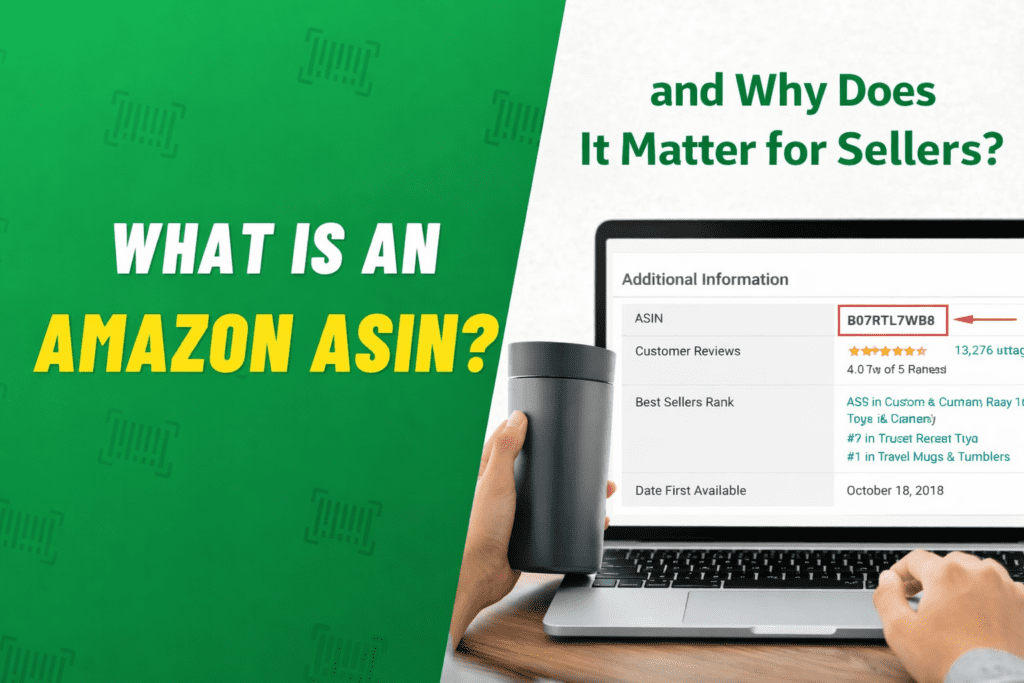
If you’ve ever explored Amazon Seller Central or analyzed a competitor’s product listing, you’ve probably come across the term ASIN.
For many new sellers, it looks like just another random code on a product page. But in reality, the Amazon ASIN is one of the most important elements in the entire Amazon ecosystem.
Think of it as the DNA of a product listing.
Every product listed on Amazon has a unique identifier that connects it to:
- reviews
- sales history
- advertising campaigns
- search rankings
- inventory tracking
Without ASINs, Amazon would not be able to organize its massive catalog of products.
To understand the scale of this system, consider that Amazon currently lists hundreds of millions of products globally. Managing this enormous inventory would be impossible without a structured identification system.
After working with Amazon sellers and brands for more than a decade at EcomRanker, one thing has become very clear:
Understanding ASINs is essential for managing listings, running ads, and scaling an Amazon business successfully.
In this complete guide, we’ll cover:
• What an Amazon ASIN is
• Why ASINs matter for sellers
• How to find an ASIN
• How to create an ASIN
• Advanced strategies to maximize ASIN performance
By the end of this article, you’ll understand how ASINs play a critical role in Amazon SEO, catalog management, and advertising performance.
What Is an Amazon ASIN?
ASIN stands for Amazon Standard Identification Number.
It is a unique 10-character combination of letters and numbers that Amazon assigns to every product in its catalog.
For example, an ASIN might look like this:
B08XY12345
Each ASIN represents a single product listing on Amazon.
This means the ASIN connects multiple elements of that product together, including:
- product description
- images
- customer reviews
- seller offers
- ranking data
When multiple sellers sell the same product, they usually share the same ASIN but compete for the Buy Box.
Why Amazon Uses ASINs
Amazon operates one of the largest product databases in the world.
Without a structured identification system, managing this enormous catalog would be impossible.
ASINs allow Amazon to:
• organize products efficiently
• track product performance
• link customer reviews
• manage inventory
They also help ensure that identical products are grouped together on a single product detail page.
Why Amazon ASINs Are a Seller’s Secret Weapon
Many beginners overlook the importance of ASINs.
But experienced sellers know that ASINs are extremely powerful when used correctly.
Let’s look at why they matter.
1. Accurate Product Cataloging
ASINs help Amazon organize its massive product catalog.
When a product is listed, Amazon assigns an ASIN that connects the product to its detail page.
This allows customers to easily find the product using Amazon search.
Proper catalog organization also improves Amazon keyword search visibility, making it easier for shoppers to discover your product.
2. Inventory Management
Sellers use ASINs to manage inventory efficiently.
Each product variation—such as color or size—may have its own ASIN.
This helps sellers track:
- stock levels
- variations
- fulfillment status
Without ASIN management, inventory tracking would become extremely confusing.
3. Advertising Targeting
ASINs are widely used in Amazon advertising.
Sellers can target specific competitor ASINs in product targeting campaigns.
This allows advertisers to place their products directly on competitor product pages.
Understanding how ASIN targeting works is also important for optimizing Amazon PPC campaigns.
4. Competitor Analysis
ASINs allow sellers to analyze competitor products.
Using tools like reverse ASIN lookup, sellers can discover:
- competitor keywords
- ranking positions
- advertising strategies
This data is extremely valuable for product research.
5. Brand Protection
Brand owners rely on ASINs to protect their listings.
Programs like Amazon Brand Registry help ensure that only authorized sellers can modify product information.
This helps prevent:
- counterfeit products
- listing hijackers
- inaccurate product details
6. Sales Performance Tracking
Each ASIN collects performance data over time.
Sellers can track metrics such as:
- conversion rate
- sessions
- sales volume
Improving these metrics often requires optimizing listings using strategies like Amazon conversion rate optimization.
How to Find an ASIN on Amazon
Finding an ASIN is extremely easy once you know where to look.
Here are several common methods.
Method 1: Check the Product URL
The easiest way to find an ASIN is in the product page URL.
For example:
amazon.com/dp/B08XY12345
The code after /dp/ is the ASIN.
Method 2: Look in Product Details
Scroll down to the Product Details section of the listing.
You will find the ASIN listed among other product information.
Method 3: Use Seller Central
If you are a seller, you can locate ASINs inside Seller Central.
Steps:
- Go to Inventory
- Click Manage Inventory
- Locate the product listing
Each listing will display its ASIN.
Method 4: Use Amazon Tools
Many sellers use third-party tools to retrieve ASIN data.
These tools help with bulk research and competitor analysis.
How to Create an Amazon ASIN
Creating a new ASIN is necessary when launching a brand-new product that does not already exist in the Amazon catalog.
This process happens when adding a new product in Seller Central.
Step 1: Verify Product Uniqueness
Before creating a new ASIN, search Amazon to ensure the product does not already exist.
Creating duplicate ASINs can cause listing suppression.
Step 2: Use “Add a Product”
Inside Seller Central, go to:
Inventory → Add a Product
Then choose “I’m adding a product not sold on Amazon.”
Step 3: Select the Correct Category
Choosing the correct category helps Amazon understand your product.
This improves search visibility.
Understanding how categories affect ranking also requires understanding the Amazon algorithm.
Step 4: Add Product Information
Provide detailed information including:
• product title
• brand name
• manufacturer
• product description
High-quality images and accurate descriptions improve conversion rates.
Step 5: Add Product Identifiers
Amazon requires product identifiers such as:
• UPC
• EAN
• ISBN
These identifiers help Amazon confirm that the product is unique.
Step 6: Submit Listing
Once the information is submitted, Amazon will assign a unique ASIN to the product.
This ASIN becomes the permanent identifier for that listing.
Pro Tips for ASIN Creation
Experienced sellers follow several best practices when creating ASINs.
These include:
• avoiding duplicate listings
• verifying product identifiers
• optimizing listing content
Proper listing optimization is essential for success on Amazon.
For sellers launching new products, it’s also helpful to understand the Amazon product launch strategy.
Final Thoughts (Part 1)
ASINs are much more than simple product codes.
They are the foundation of Amazon’s entire catalog system.
Understanding how ASINs work allows sellers to:
• manage listings efficiently
• run targeted advertising campaigns
• analyze competitors
• track product performance
At EcomRanker, we often see sellers struggle with catalog issues, duplicate listings, and suppressed ASINs simply because they don’t fully understand how Amazon’s product identification system works.
Learning how to properly manage ASINs can significantly improve your visibility, rankings, and sales performance.