
Amazon continues to expand its platform beyond simple search and advertising, giving brands more opportunities to engage shoppers throughout the buying journey. One of the most overlooked yet valuable tools available to brand-registered sellers is Amazon Posts—a free organic marketing feature that allows brands to publish social-style product content directly inside Amazon’s shopping ecosystem.
While many sellers focus heavily on Amazon PPC, listing optimization, and SEO, fewer take full advantage of Amazon’s brand-building tools. However, experienced sellers understand that sustainable Amazon growth requires more than paid traffic alone. Building brand awareness, increasing shopper engagement, and improving product discovery all play a critical role in long-term marketplace success.
Amazon Posts helps brands accomplish exactly that.
When used strategically, Amazon Posts can increase visibility across Amazon, improve branded engagement, drive additional traffic to listings and storefronts, and support a stronger full-funnel Amazon marketing strategy—all without direct advertising spend.
In this complete guide, we’ll explain what Amazon Posts are, how they work, where they appear, how to optimize them, and advanced strategies brands use to maximize results.
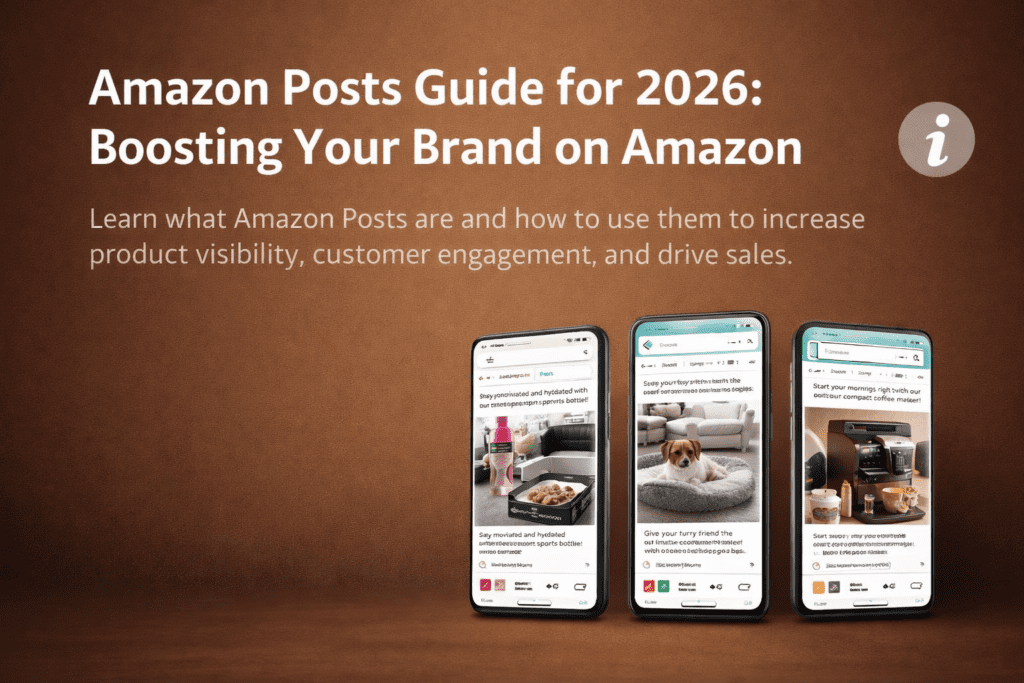
Amazon Posts is a free feature for Brand Registry sellers and vendors that lets you publish social-style lifestyle images with captions and tagged products. Posts appear in Amazon feeds, on product pages and in your Brand Store, helping shoppers discover your products without ad spend.
Key takeaways
- Posts are free but require Brand Registry.
- They support discovery and brand awareness, not instant sales.
- Posts do not directly change search rankings, but the traffic and engagement they bring can support your wider Amazon strategy.
- Strong lifestyle images, clear benefit-led captions and relevant product tags matter most.
- Follow Amazon’s content rules, or your Posts will be rejected.
What Are Amazon Posts?
Amazon Posts is a free content marketing feature available to sellers enrolled in Amazon Brand Registry. It allows brands to publish social-media-style content featuring lifestyle imagery, short captions, and tagged products that shoppers can click to visit product detail pages.
Think of Amazon Posts as Amazon’s internal version of Instagram or Pinterest—but designed specifically for product discovery within the shopping journey.
Each Amazon Post typically includes:
- A high-quality lifestyle image
- A short branded caption
- Tagged ASINs/products
- Brand logo/profile identity
Unlike standard listings or ads, Amazon Posts are not designed purely for direct response selling. Instead, they support product discovery, shopper engagement, and brand storytelling.
This makes Amazon Posts particularly valuable for brands with multiple products, strong visual branding, or lifestyle-focused products.
Why Amazon Posts Matter for Amazon Sellers
Amazon Posts matters because it gives brands an additional organic visibility channel within Amazon’s ecosystem—without requiring paid advertising spend.
Many sellers rely heavily on Amazon PPC to generate traffic, but paid ads alone can become expensive and increasingly competitive. Amazon Posts offers a free supplementary traffic source that can improve visibility and reduce overdependence on advertising.
Amazon Posts also strengthens brand-building efforts by repeatedly exposing shoppers to your products and brand identity throughout Amazon’s ecosystem. Repeated exposure increases familiarity, improves trust, and can influence future purchase decisions.
For brands focused on long-term marketplace growth, Amazon Posts provides a way to build awareness and engagement beyond traditional search-based traffic.
Amazon Posts vs Brand Store vs A+ Content vs Sponsored Brands
| Tool | Cost | Main job | Where shoppers see it |
|---|---|---|---|
| Amazon Posts | Free | Discovery and brand storytelling | Feeds, product pages, Brand Store |
| Brand Store | Free | Branded destination for your catalogue | Your Store page |
| A+ Content | Free | Convert shoppers on the product page | Product detail page |
| Sponsored Brands | Paid | Pay to promote your brand and products | Search results |
| Instagram or Pinterest | Free (plus ad spend) | Build an audience off Amazon | Social platfor |
Where Amazon Posts Appear
One of the biggest advantages of Amazon Posts is that they can appear in multiple placements across Amazon, creating several opportunities for shoppers to discover your brand and products.
Product Detail Pages
Amazon Posts often appear lower on product detail pages in branded or related content sections. This placement helps capture shopper attention after they have already shown interest in a product category, increasing the likelihood of engagement.
Posts shown here may feature your own products or related branded content, helping drive cross-sells and encourage deeper catalog exploration.
Amazon Brand Store Feed
All of your published Amazon Posts automatically populate within your Amazon Store feed, creating a social-style browsing experience for shoppers visiting your storefront.
This helps transform your Store from a static catalog into a more dynamic branded content hub.
Category Discovery Feeds
Amazon may distribute your Posts into category-specific discovery feeds, allowing shoppers browsing a category to discover your products organically.
This can expose your brand to entirely new shoppers who may not have searched for you directly.
Search Results / Discovery Placements
In some cases, Amazon Posts may surface in experimental or discovery-based search placements, increasing additional visibility opportunities.
Mobile Inspire / Discovery Feeds
Amazon increasingly surfaces visual product content in mobile-first discovery experiences such as Inspire, further increasing the value of high-quality Post content.
How Amazon Posts Support Organic Growth
Although Amazon Posts is not a direct ranking factor in Amazon’s algorithm, it can support organic growth indirectly by improving behavioral and engagement signals.
When shoppers engage with your Posts, click through to listings, browse additional products, or perform branded searches later in their journey, Amazon gains stronger signals that your brand is relevant and engaging.
Amazon Posts can support organic growth by helping increase:
- Product detail page traffic
- Brand store visits
- Cross-product discovery
- Branded search behavior
- Catalog exploration
- Shopper engagement
Over time, this can strengthen your broader Amazon ecosystem and complement your Amazon SEO efforts.
Who Can Use Amazon Posts?
To create Posts you generally need:
- Amazon Brand Registry: an active registered brand (see our Amazon Brand Registry guide)
- A brand profile: a name and logo shoppers will see on your Posts
- A Seller Central, Vendor Central or Amazon Ads account with the right user permissions
- A supported marketplace: availability varies by country, so check your own dashboard
Vendors and registered sellers can both use Posts. If you are not enrolled yet, our Brand Registry and trademark registration service can help. Amazon changes eligibility rules from time to time, so confirm current requirements in your account before publishing this section.
How to Create Amazon Posts
Creating Amazon Posts is simple from a technical perspective, but strategic content creation matters significantly for performance.
- Open the Posts tool. Sign in through Amazon’s Posts site or the Amazon Ads console (look for Brand Content, then Posts), using the account linked to your brand.
- Set up your brand profile. If it is your first time, add your brand name and logo. Shoppers see these on every Post.
- Choose Create Post. Select the brand you are posting for.
- Upload your image. Use a high-quality lifestyle image that meets Amazon’s size and ratio rules (see the specs below).
- Write the caption. Lead with the benefit, keep it short, and avoid anything the content policy bans.
- Tag products. Add the ASINs that appear in or relate to the image. Only tag products that fit the picture.
- Preview. Check how the Post looks on mobile, where most shoppers browse.
- Publish or schedule. You can publish straight away or schedule for later. Scheduled Posts typically need a few hours’ lead time.
- Check status. Posts go through review. If one is rejected, read the reason, fix it and resubmit.
- Edit when needed. You can usually update a live Post’s caption, image or tagged products later, so keep improving what works.
Amazon Posts Image and Caption Requirements
| Element | Guideline |
|---|---|
| Minimum image size | About 640 x 320 px, larger is better |
| Aspect ratio | Between roughly 9:16 and 16:9 |
| File type | JPG or PNG |
| Images per Post | One main image |
| Image style | Lifestyle, real-use scenes, clear product visibility |
| Caption | Short, benefit-led, one clear idea |
| Tagged products | Relevant ASINs only |
Keep your product clearly visible, avoid heavy text overlays, and make sure the image still reads well on a small phone screen. For more image guidance, see our Amazon listing images service.
Amazon Posts Best Practices
Simply publishing random Posts is not enough. High-performing brands follow a structured strategy.
Use High-Quality Lifestyle Images
Lifestyle images consistently outperform plain product photos because they help shoppers visualize real-world product use.
Strong visuals increase engagement and make Posts feel more native to discovery feeds.
Focus on Benefits, Not Features
Captions should emphasize outcomes, use cases, and value rather than dry specifications.
Shoppers respond better to benefit-driven messaging.
Maintain Brand Consistency
Use consistent visual style, tone, and messaging across Posts to strengthen brand recognition.
Post Consistently
Brands that publish regularly typically gain more impressions and stronger cumulative visibility.
A common recommendation is 3–5 Posts per week.
Tag Multiple Relevant Products
Cross-tagging complementary products can improve click-through opportunities and increase average catalog exploration.
Advanced Amazon Posts Strategies
Use Amazon Posts During Product Launches
Publishing Posts during launches can help support discovery and reinforce broader launch campaigns.
Align Posts With PPC Campaigns
Coordinate Posts around promoted products to reinforce awareness and improve conversion likelihood.
Repurpose High-Performing Social Content
Reuse top-performing Instagram, UGC, or influencer content where appropriate.
Create Content Pillars
Develop recurring themes such as:
- Product education
- Lifestyle/inspiration
- Seasonal content
- Product comparisons
- Use-case demonstrations
Amazon Posts vs Amazon PPC
Amazon Posts and PPC serve different roles in your funnel.
| Feature | Amazon Posts | Amazon PPC |
|---|---|---|
| Cost | Free | Paid |
| Purpose | Discovery/Brand Awareness | Immediate Sales |
| Traffic Type | Upper/Mid Funnel | Lower Funnel |
| Placement | Organic Discovery Areas | Sponsored Placements |
Best results typically come from using both together.
Common Amazon Posts Mistakes to Avoid
Posting Inconsistently
Irregular posting limits long-term visibility.
Using Poor Creative
Low-quality or non-lifestyle imagery reduces engagement.
Writing Weak Captions
Uninspiring messaging lowers click-through rates.
Ignoring Performance Data
Optimization requires testing and refinement.
Treating Posts as an Afterthought
Brands that use Posts strategically outperform brands posting randomly.
How to Measure Amazon Posts Performance
Track performance metrics including:
- Impressions
- Clicks
- Product Detail Page Visits
- Store Visits
- Engagement Rate
- Post-to-Click Trends
Analyzing these metrics helps identify winning content themes and optimize future Posts.
Final Thoughts
Amazon Posts is one of the most underutilized free marketing tools available to Amazon sellers.
While it may not replace PPC or SEO, it provides meaningful support for brand building, organic visibility, product discovery, and shopper engagement throughout Amazon’s ecosystem.
Brands that consistently use Amazon Posts as part of a broader Amazon marketing strategy often create stronger brand presence and better long-term marketplace performance.
For sellers serious about maximizing Amazon growth, Amazon Posts should be treated as an ongoing strategic channel—not a secondary feature.