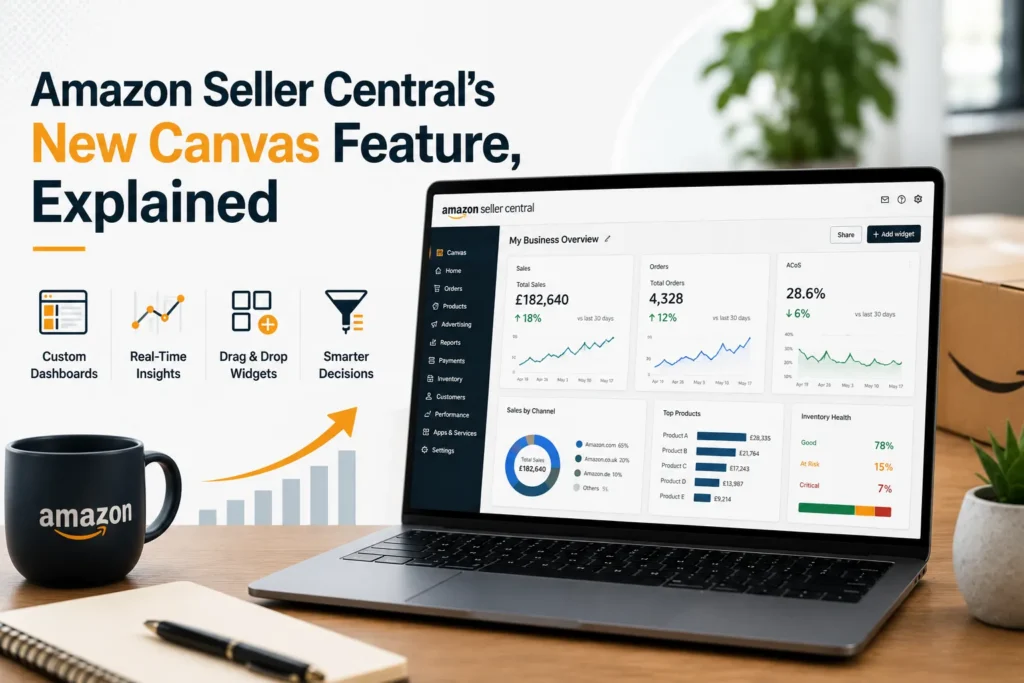
On March 3, 2026, Amazon rolled out a feature that quietly changes how sellers interact with their own data: Canvas. Instead of clicking through Business Reports, the Advertising Console, and Inventory Planning as three separate destinations, sellers can now just ask a question in plain English — “how are my products performing?” — and watch an entire interactive dashboard assemble itself in seconds, built specifically from their account’s data.
Amazon’s own framing, from VP of Worldwide Selling Partner Experience Mary Beth Westmoreland, captures the shift well: this is closer to handing sellers a financial advisor who understands their business than handing them a better calculator. This guide breaks down exactly what Canvas is, how it works, real examples of what it can do, and — just as importantly — where it still can’t replace a human strategist. We manage Amazon accounts for brands across the UK, US, UAE, and India, so we’ve been testing Canvas against real client data since launch, not just reading Amazon’s press release.
At Ecom Ranker, we manage Amazon accounts for brands across the UK, US, UAE, and India. Our work spans Amazon PPC management, Amazon listing optimization, Seller Central account management, advertising strategy, catalogue development, and A+ Content design. That means we assess tools like Canvas in the context of real marketplace decisions, not simply as another Seller Central feature announcement.
What Is Canvas, Exactly?
Canvas is an AI-powered visual workspace built into the new Seller Central, launched as an extension of Seller Assistant — the conversational AI tool sellers already use for quick questions. Where Seller Assistant answers in text, Canvas answers in an interactive dashboard: charts, trend lines, comparisons, and recommended next steps, all generated live in response to a natural-language question.
It’s built on the same agentic AI architecture as Seller Assistant, running on Amazon Bedrock with a mix of Amazon Nova and Anthropic Claude models. The distinction Amazon draws is simple: Seller Assistant tells you something, Canvas shows you something — and lets you keep asking follow-up questions until the picture is genuinely clear.
For anyone searching for an Amazon Seller Assistant guide, the distinction is important:
It launched at no additional cost to all sellers in the US and UK, with EU marketplace rollout planned for Q2 2026 and broader language and regional support expected later in the year.
How to Access Canvas
There’s no opt-in, application, or waitlist for eligible sellers — if you’re in the US or UK on the new Seller Central experience, it’s already there.
- Open the new Seller Central experience (use the New Seller Central toggle at the top of any page if you haven’t switched yet).
- Open Seller Assistant, the chat box on your homepage.
- Type a question — such as “can you analyze my sales performance?” — or select one of the suggested prompts.
- Seller Assistant assembles a personalised canvas: charts, insights, and recommended actions, built from your account’s actual data.
- Ask a follow-up question, or request a different view, and the canvas updates instantly rather than requiring a new report pull.
Why Canvas Is a Genuinely Different Kind of Tool
Sellers have always had access to their data — Business Reports, the Advertising Console, Inventory Planning, Brand Analytics. The problem was never data availability; it was fragmentation. Each of those lived in its own corner of Seller Central, and building a genuinely complete picture meant manually exporting and stitching together four or five different reports before you could even start interpreting them.
Canvas solves that stitching problem directly, combining sales data, customer traffic, product performance, and recommended actions into one adaptive view. One independent seller who tested Canvas early, Charlene Anderson of Purveyor of All Things Creative, described work that used to take her hours now surfacing in seconds — with recommendations specific enough to make her comfortable acting on decisions like shifting inventory or launching a new product line.
That’s the real shift: Canvas doesn’t just display your data faster, it interprets it — flagging a sales spike on a specific product alongside the context and a concrete recommendation, like increasing inventory, before you’d have thought to ask.
For brands working with a full-service Amazon agency, this can also improve the speed of initial investigation. However, the value still depends on whether the resulting insight is interpreted within the wider context of margins, competition, inventory, positioning, and long-term growth objectives.
What Canvas Can Actually Do: Real Examples
1. Sales & Product Performance Analysis
Ask “how are my products performing?” or “can you analyze my sales performance?” and Canvas builds a dashboard pulling sales trends, traffic, and product-level performance into one view — the same exercise that used to mean exporting Business Reports and building a pivot table by hand.
2. Advertising & Marketing Effectiveness
Ask something like “how can my promotional campaigns perform better?” and Canvas analyses campaign spend, impressions, conversions, and product-level sales lift — then goes beyond a simple diagnosis to propose several forward-looking strategies, each with its own rationale and projected outcome. You can even set your own constraints mid-conversation — “I want to reduce spending this month” or “focus only on excess inventory” — and Canvas adjusts the plan around them. You can also directly compare ad types: asking Canvas to compare Sponsored Products against Sponsored Brands performance for the month builds a side-by-side view of ACoS, ROAS, impressions, and conversions.
3. Restock & Inventory Decision Simulation
This is arguably Canvas’s most genuinely useful feature. Instead of just telling you what to restock, Canvas acts as a decision simulator for one of the hardest calls a seller makes: restock now, delay to gauge demand, or discount the excess. It models how each path could affect revenue, cash flow, stockout risk, and storage costs, so you’re comparing real trade-offs instead of guessing.
4. What-If Scenario Modelling
Canvas can run hypothetical scenarios before you commit to anything — a sudden demand drop, a pricing change, or a fee increase. Ask something like “what happens to my margins if fulfillment costs go up 5%?” and Canvas builds a rough model against your historical data, giving you a starting point for price adjustments before the change actually hits.
5. Automatic Anomaly Detection
Canvas doesn’t wait to be asked. If sales for a specific product spike sharply, it surfaces that shift on its own, along with relevant context and a concrete recommendation — increasing inventory, for example — rather than leaving you to notice the trend buried in a report days later.
Canvas Rollout Timeline
| When | What’s happening |
| March 3, 2026 | Canvas launches free for all US and UK sellers, starting with performance analysis tools. |
| Coming months (2026) | Amazon has confirmed marketing optimisation, inventory planning, and product launch features are next. |
| Q2 2026 | EU marketplace rollout planned. |
| H2 2026 | API access for third-party tools expected, opening the door to pulling Canvas insights into external reporting systems. |
| Later in 2026 | Additional regional and non-English language support planned. |
The Honest Take: Where Canvas Falls Short
Amazon’s launch messaging is understandably upbeat. Seller forum sentiment has been more mixed — an earlier Seller Assistant update announcement reportedly drew far more negative reactions than positive ones from sellers, with complaints about broken links, generic recommendations, and in one case an AI response that suggested legal action in response to a policy dispute, rather than the practical guidance a seller actually needed. Amazon’s own response to that criticism pointed to its roughly 90% recommendation-acceptance rate as evidence the tool is working — a fair data point, but not a reason to skip your own judgment.
Beyond forum sentiment, there are concrete functional limits worth knowing before you rely on Canvas for a real decision:
- Data lag, not real-time. Canvas dashboards reflect data up to 24–48 hours old — the same latency as standard Seller Central reporting, not a live feed.
- No cost-of-goods integration. You can’t input your actual COGS, so every profit and margin figure Canvas shows is based on Amazon’s fee structure alone, not your true landed cost. Treat it as a directional read, not your P&L.
- Scenario models use historical trends only. What-if projections don’t account for sudden seasonality shifts, a competitor’s move, or a broader market change — they extrapolate from what’s already happened.
- No API access yet. You can’t currently pull Canvas’s insights into your own reporting stack or BI tools; Amazon has said this is planned for the second half of 2026.
- US and UK only for now. If you sell in other regions, Canvas isn’t in your Seller Central yet — you’re working from standard reports until the EU and further rollout lands.
None of this makes Canvas gimmicky — the underlying capability is genuinely strong. It just means Canvas is best treated as a fast, on-the-fly exploration layer sitting on top of Amazon’s data, not a replacement for your own accounting, your competitive intelligence, or a dedicated cross-channel analytics stack.
How to Get the Most Out of Canvas: Practical Tips
- Start broad, then narrow. Ask a general question first — “how are my products performing?” — then use follow-up questions to drill into the specific ASIN, campaign, or time period that catches your attention.
- Cross-check profit figures against your own accounting. Since Canvas doesn’t see your true cost of goods, use it for directional trend-spotting, not final margin decisions.
- Use the restock simulator before every reorder. Comparing restock now vs. delay vs. discount against Canvas’s cash-flow and stockout-risk modelling is one of the highest-value habits a growing seller can build.
- Treat what-if scenarios as a starting point, not a forecast. Because they’re built on historical trends, sanity-check any scenario against known upcoming changes — a seasonal push, a planned price change, a competitor launch — that Canvas has no way of knowing about.
- Don’t skip your own judgment on recommendations. A 90% acceptance rate is a strong signal Canvas is generally useful, not a reason to stop reviewing what it suggests before you act.
Why Canvas Doesn’t Replace an Amazon Agency (and What It Changes)
Canvas is a genuine leap forward for on-platform data visibility, and every seller should be using it. But it’s worth being direct about what it is and isn’t. Canvas is a mirror held up to your Amazon account — a good one, but still a mirror. It can’t see your off-Amazon channels, your true cost structure, your supplier lead times, or how your competitive positioning should evolve against a shifting market. Amazon has confirmed cross-marketplace context and API access are coming, but even then, Canvas will still be interpreting Amazon’s data, not building your brand’s overall growth strategy.
That’s precisely the gap a full-service Amazon and ecommerce marketing agency exists to close: taking Canvas’s fast, on-platform signals and turning them into an actual PPC strategy, listing roadmap, and inventory plan — decisions that require judgment about trade-offs Canvas can surface but was never built to make on your behalf.
At EcomRanker, our account managers use Canvas as part of daily monitoring for client accounts across the UK, US, UAE, and India — not instead of strategy, but as a faster starting point for it. Canvas tells us what changed in the account; our team decides what that means for PPC budget, listing priorities, and the next quarter’s growth plan.
Amazon Canvas: Frequently Asked Questions
Q1. What is Amazon Canvas?
Canvas is a free, AI-powered visual workspace inside the new Seller Central. It turns natural-language questions into interactive dashboards — charts, comparisons, and recommended actions — built from your account’s own sales, inventory, and advertising data.
Q2. When did Canvas launch?
Canvas launched on March 3, 2026, free for all sellers in the US and UK.
Q3. Is Canvas free to use?
Yes. There’s no additional cost, application, or opt-in for eligible sellers — it’s already built into the new Seller Central experience.
Q4. How is Canvas different from Seller Assistant?
Seller Assistant is the conversational chat layer — you ask a question, you get a text answer. Canvas is a visual extension of Seller Assistant: the same underlying AI, but it responds with an interactive dashboard instead of a paragraph.
Q5. How do I access Canvas?
Open the new Seller Central experience, open Seller Assistant, and either type a question or select a suggested prompt. Canvas assembles a personalised dashboard automatically.
Q6. What kinds of questions can I ask Canvas?
Performance questions (“how are my products performing?”), marketing questions (“how can my promotional campaigns perform better?”), inventory questions (“what should I restock?”), and what-if scenarios (“what happens to my margins if fulfillment costs increase 5%?”) are all within scope.
Q7. Can Canvas tell me what to restock?
Yes — and it goes further than a simple list. Canvas acts as a decision simulator, comparing restocking now, delaying to gauge demand, or discounting excess inventory, and models the revenue, cash flow, and stockout-risk impact of each option.
Q8. Does Canvas show real-time data?
No. Canvas dashboards currently reflect data up to 24–48 hours old, consistent with standard Seller Central reporting, not a live feed.
Q9. Can Canvas calculate my true profit margin?
Not fully. Canvas’s profit and margin figures are based on Amazon’s fee structure only — it doesn’t let you input your actual cost of goods sold, so it won’t reflect your true landed-cost profitability without a separate accounting tool.
Q10. Is Canvas available outside the US and UK?
Not yet. EU marketplace rollout is planned for Q2 2026, with further regional and language expansion expected later in the year.
Q11. Can I export Canvas data or connect it to my own reporting tools?
Not currently. API access for third-party tools is planned for the second half of 2026, according to Amazon.
Q12. What AI models power Canvas?
Canvas runs on Amazon Bedrock, using a combination of Amazon Nova and Anthropic Claude models — the same architecture behind Seller Assistant.
Q13. Do sellers actually trust Canvas’s recommendations?
Amazon reports sellers act on Seller Assistant and Canvas recommendations roughly 90% of the time. That said, seller forum feedback has been mixed on some AI recommendations, including complaints about generic suggestions — a healthy reminder to review recommendations rather than approve them automatically.
Q14. Does Canvas replace the Advertising Console or Business Reports?
No. Canvas works alongside them, adding a visual, conversational interpretation layer on top of the same underlying data rather than replacing the source reports.
Q15. Can Canvas run what-if scenarios for fee changes or pricing?
Yes. You can ask Canvas to model the impact of a fee increase, a pricing change, or a demand shift against your historical data — useful for rough planning, though the projections are based on past trends rather than future market conditions.
Q16. Should I still hire an Amazon agency if I’m using Canvas?
Canvas is excellent for fast, on-platform data exploration, but it can’t see your off-Amazon costs, your competitive landscape beyond Amazon, or make judgment calls between competing business priorities — the work a full-service Amazon agency is built to do alongside the tool.
Final Thoughts
Canvas is one of the more genuinely useful AI features Amazon has shipped inside Seller Central — not a gimmick bolted onto a chat box, but a real answer to the years-old problem of scattered, hard-to-stitch-together reporting. For sellers without a dedicated analyst, it’s a legitimate replacement for hours of manual spreadsheet work every week.
But it’s a starting point for decisions, not the decision-maker itself. The sellers getting the most value out of Canvas are pairing its speed with real strategic judgment on PPC, listings, and inventory planning — whether that’s in-house or through a specialist partner. If you’d rather have an experienced team turning Canvas’s insights into an actual growth plan, EcomRanker’s account managers do exactly that for brands across the UK, US, UAE, and India. Get in touch for a free Seller Central and PPC audit.