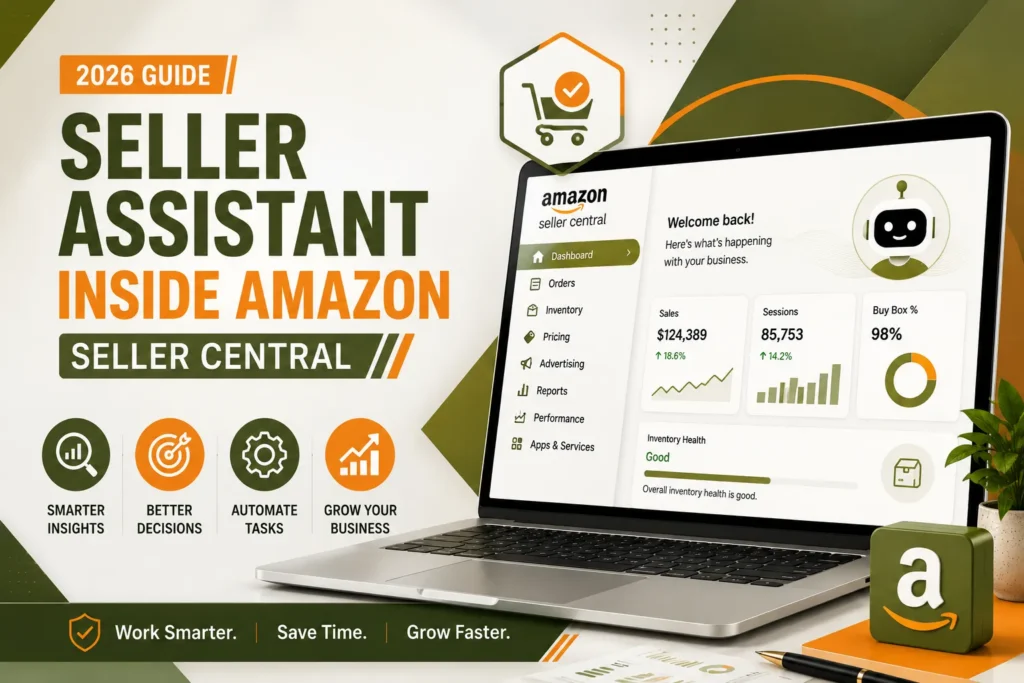
Open the new Seller Central and the first thing that greets you isn’t a menu — it’s a chat box. “Hi, I’m your Amazon Seller Assistant — here to help grow your business with data-driven insights and expert guidance.” For a lot of sellers, that’s easy to click past on day one. That’s a mistake. Seller Assistant has quietly become one of the most useful tools inside Seller Central, and by mid-2026 it had more than 230,000 monthly users, with sellers acting on its recommendations roughly 90% of the time.
This guide is a practical look at what Seller Assistant actually does, how it evolved from a simple Q&A chatbot into an agentic AI that can plan and act on a seller’s behalf, and — just as importantly — where it still falls short and a human strategist earns its keep. We manage Amazon accounts for brands across the UK, US, UAE, and India every day, so this isn’t theoretical: it’s what we’ve seen Seller Assistant genuinely change for sellers, and where it hasn’t.
What Is Seller Assistant ?
Seller Assistant is the AI-powered chat tool built directly into the new Amazon Seller Central. Amazon first introduced it as a generative-AI expert that gave sellers immediate answers to common questions and pointed them to helpful resources. On its own, an opening screen like the one below covers most of what new sellers ask about in their first few months:
- Understanding Amazon fees
- Popular Amazon programmes to enrol in
- How FBA works
- How to list products
- Multi-Channel Fulfilment features
- The Account Health Rating System
- Best listing practices
- How to manage inventory and improve inventory health
- How to improve Best Seller Rank
- Ways to increase brand awareness
- Discount programmes offered by Amazon
- How to increase sales
- Why sellers should register their brand
That original version was genuinely helpful, but it was still fundamentally a smarter FAQ page — it answered questions, it didn’t do anything. What changed everything was the agentic upgrade Amazon shipped on September 17, 2025.
Why Amazon Introduced Seller Assistant
Amazon Seller Central has evolved significantly over the past decade.
What began as a relatively straightforward platform for listing products and managing orders has grown into a sophisticated business management system with hundreds of tools, reports, dashboards, and programs. Sellers today need to manage inventory, fulfilment, advertising, pricing, customer feedback, compliance, international expansion, taxes, and financial reporting—all from a single platform.
While this expansion has created enormous opportunities, it has also introduced a new challenge: complexity.
Many sellers, particularly small businesses and growing brands, spend more time trying to locate information than acting on it. Amazon recognized this challenge and redesigned Seller Central around workspaces, AI-powered guidance, and personalized dashboards to reduce friction.
Seller Assistant is one of the most important components of this transformation.
Instead of expecting sellers to memorize where every report or feature lives, Amazon now enables them to ask questions in plain English and receive contextual guidance. This reduces the learning curve for new sellers while helping experienced sellers navigate the platform more efficiently. The introduction of Seller Assistant also aligns with Amazon’s broader investment in artificial intelligence across Seller Central. AI-generated listing content, enhanced analytics, and intelligent recommendations all point toward a future where sellers spend less time gathering information and more time making informed decisions.
From Chatbot to Agent: How Seller Assistant Evolved
It’s worth understanding the timeline, because each stage unlocked a genuinely different kind of usefulness:
| When | What changed |
| 2023 – 2024 | Seller Assistant launches as a generative AI-powered expert, answering seller questions and guiding them to relevant help resources inside Seller Central. |
| September 17, 2025 | Amazon ships the agentic AI upgrade. Seller Assistant moves from simply responding to reasoning, planning, and — with a seller’s permission — taking action. This is the point where it stops being a search box with a personality and starts being a genuine assistant. |
| Late 2025 | New Seller Central rolls out with Seller Assistant embedded as the default landing experience, alongside the six-workspace navigation redesign. |
| March 3, 2026 | Amazon launches Canvas, a visual, dashboard-style extension of Seller Assistant. Instead of just answering in text, Seller Assistant can now assemble interactive charts and scenario models in response to a question. |
| 2026 and beyond | Amazon has confirmed more agentic actions are coming — deeper Amazon Ads integration, cross-marketplace context for sellers running multiple regions, and progressively more autonomous execution of routine tasks. |
The practical implication of that agentic shift is worth sitting with: Seller Assistant is now designed to work seamlessly throughout the entire selling experience, meaning sellers can move from handling every task themselves to collaborating with an assistant that works proactively on their behalf around the clock, while the seller stays in control of anything that actually commits money or changes a listing.
How Seller Assistant Actually Works Under the Hood
Seller Assistant runs on Amazon Bedrock, using a mix of Amazon Nova and Anthropic Claude models, with Amazon’s own architecture built to swap models as needed rather than being locked to one provider. Structurally, it isn’t one monolithic AI — Amazon has described it internally as a multi-agent system, with a planner and task orchestrator that receives a seller’s request, breaks it into subtasks, and routes each subtask to the specialised agent best suited to handle it, whether that’s inventory analysis, listing content, or advertising strategy.
That matters because it explains why Seller Assistant feels noticeably better at account-specific reasoning than a general-purpose AI chatbot. It isn’t guessing based on general Amazon knowledge — it’s pulling your actual account data, your actual sales history, and your actual inventory position into the reasoning process before it answers.
Who Should Use Amazon Seller Assistant?
One of the biggest misconceptions is that Seller Assistant is only designed for beginners.
In reality, its benefits vary depending on the seller’s experience level.
New Amazon Sellers
For someone launching their first product, Seller Assistant acts as a personal guide. Instead of feeling overwhelmed by Seller Central, new sellers can ask questions naturally and receive guidance without needing extensive platform knowledge.
Typical questions include:
- How do I list my first product?
- What are Amazon selling fees?
- Should I choose FBA or FBM?
- How do I ship inventory to Amazon?
- What is Brand Registry?
- How do I create an advertising campaign?
This significantly reduces the learning curve during the first few months of selling.
Growing Private Label Brands
As brands expand their product catalogs and advertising budgets, Seller Assistant becomes a valuable productivity tool.
Rather than manually searching through multiple reports, brand owners can quickly understand:
- Inventory health
- Listing quality
- Brand programs
- Growth opportunities
- Advertising concepts
- Operational best practices
This allows teams to focus more on execution and less on navigation.
Established Amazon Brands
Larger businesses often manage thousands of SKUs across multiple marketplaces. For these organizations, even small efficiency improvements can save hours every week.
Seller Assistant can help teams:
- Locate reports quickly.
- Understand new Seller Central features.
- Train new employees.
- Explore Amazon programs.
- Stay informed about operational workflows.
While experienced teams may already know where tools are located, Seller Assistant reduces the time spent searching and helps standardize internal processes.
Amazon Agencies
Agencies managing multiple client accounts can also benefit from Seller Assistant.
Rather than replacing strategic expertise, it can accelerate routine tasks such as:
- Explaining Amazon features to clients.
- Finding documentation.
- Navigating updated workspaces.
- Training junior account managers.
- Introducing new Amazon programs.
For agencies, Seller Assistant becomes a productivity enhancer rather than a replacement for strategic consulting.
Six Ways Seller Assistant Genuinely Helps Sellers and Brands
1. Instant, Account-Aware Answers to Operational Questions
This is still the core use case, and it’s easy to underrate. Instead of opening a support case or digging through help articles for something like “why was my listing suppressed” or “what’s affecting my account health right now,” you get an answer in seconds — one that reflects your actual account, not a generic policy page. For a solo seller or a lean in-house team, this alone recovers hours a week that used to go into searching Seller Central’s help centre.
2. Proactive Inventory Monitoring and Restock Planning
This is where the agentic upgrade shows up most clearly. Seller Assistant now actively monitors inventory levels rather than waiting to be asked. When reviewing FBA inventory, it proactively flags slow-moving products before they incur long-term storage fees, and recommends which items to leave as-is versus which ones would benefit from a markdown or removal. It also analyses demand patterns to prepare shipment recommendations in advance, helping reduce both excess inventory costs and stockouts — the two most expensive inventory mistakes a seller can make.
3. Faster Listing Optimisation with Enhance My Listing
Alongside the agentic upgrade, Amazon introduced Enhance My Listing, which uses the same generative AI foundation to make listing improvement genuinely fast rather than a manual rewrite from scratch. Quality varies — some suggestions are specific and useful, others lean generic (“add more descriptive language”) — so the best practice is treating it as a fast first pass: let it flag weak spots, then apply human judgment on which suggestions actually fit your brand voice and your category’s search behaviour.
4. AI-Generated Advertising Creative with Creative Studio
Amazon has extended agentic AI to advertising through Creative Studio, which builds professional-quality ad concepts from simple conversational prompts, turning what used to be a weeks-long creative process into hours. Amazon’s own case study is a useful benchmark of what’s possible: a seller of smart bird feeders used Creative Studio to build a Sponsored Video ad for Father’s Day, and the result was a 338% increase in click-through rate versus the seller’s other active Sponsored Video ads, an 89% new-to-brand rate, and 121% ROAS. That’s not a guaranteed outcome for every campaign, but it’s a real signal of what well-prompted, agentic ad creation can achieve for a seasonal push.
5. Data Analysis and Visualisation Through Canvas
When a question needs more than a text answer, Seller Assistant now hands off to Canvas — building an interactive dashboard around your question instead of a paragraph of text. Ask “which products have declining sales” and instead of a written summary, you get a visual, filterable answer pulling from Business Reports, advertising spend, and inventory data together. This is genuinely useful for a weekly business review, replacing a fair amount of manual spreadsheet work for sellers who don’t have a dedicated analyst.
6. Guided Decision-Making for Newer Sellers
For sellers still learning the platform, Seller Assistant functions as a genuinely patient, always-available mentor — one that doesn’t get tired of explaining what TACoS means or why a listing got flagged for a policy violation. Amazon’s own data backs this up indirectly: independent sellers used Amazon’s generative AI listing tools to create more than 12 million listings in 2025, a volume that simply wasn’t achievable when every listing required a fully manual build.
What This Means Specifically for Brands and Agencies Managing Multiple Accounts
Everything above helps an individual seller. For a brand — or an agency managing several brand accounts — the value compounds differently. Seller Assistant reduces the routine, repetitive workload that used to eat into strategic time: junior account managers spend less time manually pulling reports and more time interpreting what the reports mean. That’s a genuine efficiency gain, not a replacement for expertise.
But it’s worth being direct about the limits, because overselling AI tools helps no one. Seller Assistant reasons within a single seller account. It doesn’t have cross-account context, it doesn’t understand your specific margin structure beyond Amazon’s fee data, and it doesn’t know what your competitors outside Amazon are doing. Amazon’s own roadmap acknowledges this is coming — cross-marketplace context for sellers running multiple Amazon regions is on the near-term plan — but as of today, a brand running accounts in both the UK and US still needs a human team (in-house or agency) to connect the dots Seller Assistant can’t yet see across markets.
This is precisely where a full-service Amazon and ecommerce marketing agency adds value that AI alone doesn’t replace: taking Seller Assistant’s account-level signals and turning them into a coordinated cross-marketplace strategy — PPC budget allocation across regions, listing localisation, and A+ Content that’s built once and adapted intelligently for each market, rather than treated as separate, disconnected projects.
Where Seller Assistant Still Falls Short (An Honest Assessment)
Sellers deserve a straight answer here, not marketing spin — from Amazon or from us.
- Generic suggestions on listing content. Enhance My Listing’s quality is genuinely hit or miss. Treat its output as a first draft that needs a human edit pass, not a finished listing.
- No true cost-of-goods or off-Amazon context. Seller Assistant and Canvas both reason from Amazon’s fee structure, not your actual landed costs, so profit and margin guidance should be sanity-checked against your own accounting.
- Regional limitations. Canvas’s full dashboard functionality launched for US and UK sellers first, with EU, Japan, and Australia expansion still rolling out — sellers in other regions get a narrower experience for now.
- No competitive intelligence beyond Amazon’s own data. Seller Assistant can’t tell you what a competitor is doing on Google Ads, TikTok Shop, or their own DTC site — its view of “the market” is limited to what’s visible inside Amazon’s ecosystem.
- It recommends, it doesn’t strategise. Seller Assistant is genuinely good at flagging a problem — slow-moving stock, a declining conversion rate, a policy risk. It’s far less equipped to tell you why that’s happening in the context of your brand’s broader positioning, or what trade-off to make between two competing priorities. That’s still squarely a human judgment call.
How to Get the Most Out of Seller Assistant: Practical Tips
- Check it daily, not just when something breaks. The proactive inventory flags and account health nudges are most valuable before a problem escalates, not after.
- Ask specific, account-aware questions. “Why did my conversion rate drop last week” gets a far more useful answer than “how do I get more sales,” because it forces Seller Assistant to reason from your actual data rather than general advice.
- Use Enhance My Listing as a starting point, not a final draft. Accept the structural suggestions, rewrite the voice and specifics yourself, and always sanity-check keyword placement against your own research.
- Pair Creative Studio output with a real campaign strategy. A strong ad creative still needs the right budget, targeting, and placement decisions around it — Seller Assistant builds the asset, not the media plan.
- Escalate to Canvas for anything you’d normally build a spreadsheet for. If a question needs a chart or a trend line to actually answer it, don’t settle for a text response — ask Canvas directly.
- Don’t treat its recommendations as automatically correct. A 90% acceptance rate is high, but it also means 1 in 10 recommendations gets overridden by seller judgment — which is exactly the ratio you’d want from a genuinely useful advisor, not a rubber stamp.
Why Sellers Still Work With an Amazon Agency Even With AI in Seller Central
It’s a fair question: if Seller Assistant is free and genuinely useful, why pay an agency? The honest answer is that Seller Assistant and a good Amazon PPC agency solve different problems, and the strongest accounts we manage use both.
Seller Assistant is excellent at the things AI is naturally good at: fast pattern recognition inside a single account, tireless monitoring, and instant answers to well-defined questions. What it can’t do is set brand strategy, negotiate positioning against a shifting competitive set, build a cross-marketplace launch plan, or make the judgment call between two defensible but conflicting priorities — protect margin this month, or invest in rank for the next quarter. Those are the decisions that actually determine whether an Amazon business scales or plateaus, and they’re exactly the work a full-service agency exists to do.
At EcomRanker, our account managers actively use Seller Assistant and Canvas as part of daily account monitoring across the UK, US, UAE, and India — not instead of expertise, but as a faster starting point for it. The AI flags what needs attention; our team decides what to do about it, and builds the PPC, listing, and A+ Content strategy that Seller Assistant was never designed to build in the first place.
Amazon Seller Assistant Isn’t a Replacement for Amazon Expertise
Artificial Intelligence is transforming the way Amazon sellers operate, but it’s important to understand what Seller Assistant is—and what it isn’t. Seller Assistant is designed to help sellers navigate Seller Central, understand Amazon programs, explain workflows, and surface relevant information faster. It can reduce the time spent searching for answers and make the platform more approachable, especially for new sellers.
However, growing a profitable Amazon business requires much more than understanding how the platform works. Every successful Amazon brand makes strategic decisions about pricing, inventory, advertising, product positioning, customer acquisition, profitability, and expansion. These decisions depend on market conditions, competitor behaviour, customer demand, and business objectives—factors that AI alone cannot fully evaluate.
Think of Seller Assistant as a highly knowledgeable navigator. It can help you understand the road ahead. It cannot decide where your business should go.
What Amazon Seller Assistant Does Really Well
To get the most value from Seller Assistant, it’s important to understand its strengths.
1. Explaining Amazon Features
Seller Assistant excels at answering questions like:
- What is Amazon Vine?
- How does Brand Registry work?
- What is Multi-Channel Fulfilment?
- How do Amazon coupons work?
- How do I improve Account Health?
Instead of searching through documentation, sellers receive contextual explanations within Seller Central.
2. Helping New Sellers Learn Faster
For first-time sellers, Seller Assistant significantly reduces the learning curve. Instead of memorizing hundreds of menus and reports, they can ask questions naturally while completing tasks. This makes onboarding far less overwhelming.
3. Improving Navigation
Seller Central now contains hundreds of tools. Seller Assistant acts as a shortcut by directing sellers toward the correct workspace, report, or workflow.
4. Introducing Underused Amazon Programs
Many sellers never explore programs because they don’t know they exist.
Seller Assistant can introduce opportunities such as:
- Amazon Vine
- Brand Registry
- Amazon Warehousing & Distribution (AWD)
- Subscribe & Save
- Brand Tailored Promotions
- Multi-Channel Fulfilment
- Amazon Business
5. Saving Time
Perhaps the biggest benefit is productivity. Instead of spending 30 minutes searching through reports, sellers can ask a question and begin working immediately. Even saving 15–20 minutes every day adds up to dozens of hours over the course of a year.
Where Seller Assistant Has Limitations
As impressive as Seller Assistant is, it’s equally important to understand its current boundaries.
Using AI effectively means knowing when to rely on it—and when to validate its recommendations.
1. It Doesn’t Know Your Business Strategy
Seller Assistant understands Amazon’s platform.
It doesn’t understand:
- Your target audience.
- Your brand positioning.
- Your competitive advantages.
- Your supplier relationships.
- Your long-term goals.
- Your profit expectations.
For example:
Two brands may sell nearly identical products.
One competes on price.
The other competes on premium positioning.
The correct advertising strategy for each business is completely different.
Seller Assistant cannot determine which strategy best fits your business model.
2. It Doesn’t Replace Market Research
Suppose you’re considering launching a new kitchen gadget.
Seller Assistant can explain:
- Listing requirements.
- FBA.
- Brand Registry.
- Product setup.
However, it cannot replace:
- Competitor analysis.
- Keyword research.
- Market demand forecasting.
- Review sentiment analysis.
- Pricing intelligence.
- Product differentiation.
These activities still require human judgment and specialized research tools.
3. It Doesn’t Manage Your Advertising Campaigns
Seller Assistant can explain advertising concepts such as:
- ACOS
- ROAS
- Sponsored Products
- Sponsored Brands
- Sponsored Display
However, it does not replace strategic campaign management.
High-performing PPC requires:
- Search term harvesting.
- Bid optimization.
- Budget allocation.
- Placement adjustments.
- Negative keyword management.
- Dayparting strategies.
- Profitability analysis.
These decisions require ongoing optimization based on real performance data.
4. It Doesn’t Write Winning Copy Automatically
Seller Assistant may explain listing best practices, but creating a listing that converts requires:
- Customer psychology.
- Keyword research.
- Competitor analysis.
- Persuasive copywriting.
- High-quality product images.
- A+ Content.
- Brand storytelling.
This is where professional Amazon Listing Optimization Services continue to deliver measurable value.
5. AI Can Be Confident—but Context Still Matters
Like any AI system, Seller Assistant provides guidance based on available information and established workflows.
That guidance is often useful, but it should not replace business judgment.
Before making significant pricing, advertising, or inventory decisions, sellers should verify recommendations using their own performance data and business objectives.
The strongest results come from combining AI assistance with informed human decision-making.
10 Common Mistakes Sellers Make When Using AI
Many sellers expect AI to solve every business problem. In reality, the quality of the outcome depends heavily on how AI is used. Avoid these common mistakes.
Mistake 1
Asking vague questions.
❌
“How do I increase sales?”
✅
“My conversion rate dropped after changing my product images. What should I investigate?”
Mistake 2
Following every recommendation without reviewing account data.
AI should support decision-making—not replace it.
Mistake 3
Ignoring profitability.
Higher sales don’t always mean higher profits.
Always review:
- Net margins
- Amazon fees
- Advertising costs
- Returns
- Storage costs
Mistake 4
Thinking AI replaces testing.
Successful sellers continuously test:
- Images
- Pricing
- Titles
- A+ Content
- Advertising
- Promotions
Mistake 5
Expecting AI to know competitors’ future strategies.
Markets change rapidly.
Human analysis remains essential.
Mistake 6
Ignoring customer feedback.
Negative reviews often reveal problems long before dashboards do.
Mistake 7
Treating Seller Assistant like Google Search.
Ask complete questions with business context rather than isolated keywords.
Mistake 8
Using AI only when something goes wrong.
The best sellers use Seller Assistant proactively as part of their daily operating routine.
Mistake 9
Overlooking Amazon’s official notifications.
Always prioritize policy warnings, compliance requests, and account health alerts.
Mistake 10
Assuming AI eliminates the need for strategic planning.
Technology accelerates execution.
Strategy still determines direction.
Amazon Seller Assistant vs Seller Support
Many sellers confuse Seller Assistant with Seller Support.
They serve completely different purposes.
| Amazon Seller Assistant | Amazon Seller Support |
| AI-powered guidance | Human support team |
| Explains features and workflows | Resolves account-specific issues |
| Helps navigate Seller Central | Handles cases and investigations |
| Educational | Operational |
| Available instantly | May require case creation |
| Best for learning and productivity | Best for technical or policy issues |
A practical approach is to use Seller Assistant first to understand the issue. If the problem involves account-specific data, policy enforcement, reimbursements, or technical errors, open a case with Seller Support.
Amazon Seller Assistant vs ChatGPT
Many Amazon sellers also use ChatGPT, which raises an interesting question: which tool should you use?
| Seller Assistant | ChatGPT |
| Built into Seller Central | External AI assistant |
| Focused on Amazon workflows | Broad knowledge across many domains |
| Guides you through Seller Central | Can help with strategy, copywriting, planning, and analysis |
| References Amazon programs | Can assist with content creation and business planning |
| Best for platform navigation | Best for brainstorming, documentation, and marketing |
Rather than choosing one over the other, many sellers will benefit from using both. Seller Assistant is ideal for understanding Amazon’s ecosystem, while ChatGPT can help with broader strategic planning, content creation, and idea generation.
Amazon Seller Assistant vs Hiring an Amazon Agency
This isn’t an “either/or” decision.
The best-performing brands often combine AI with experienced professionals.
| Seller Assistant | Amazon Growth Agency |
| Answers questions | Executes growth strategies |
| Explains features | Optimizes listings and advertising |
| Educational guidance | Hands-on account management |
| Helps you navigate | Builds long-term growth plans |
| Always available | Provides strategic expertise and accountability |
For example:
Seller Assistant can explain how Sponsored Products work.
An experienced Amazon PPC Management Agency can:
- Structure campaigns.
- Reduce wasted spend.
- Increase profitable sales.
- Improve TACoS.
- Scale advertising across marketplaces.
- Analyze attribution and profitability.
Similarly, Seller Assistant can explain A+ Content, while specialists in Amazon A+ Content Design Services and Amazon Store Design Services can create persuasive brand experiences that improve conversion rates.
The Future of Seller Assistant and AI in Seller Central
Amazon has only begun integrating AI into Seller Central.
Over the next few years, we expect AI to become more deeply embedded across nearly every seller workflow.
Potential future capabilities could include:
- Personalized growth recommendations based on account performance.
- Predictive inventory forecasting.
- Automated advertising optimization suggestions.
- Profitability dashboards with AI-generated explanations.
- Listing quality scoring and improvement recommendations.
- Competitive trend analysis.
- Voice-enabled Seller Central interactions.
- AI-generated executive business summaries.
- Automated task prioritization.
- Cross-marketplace performance comparisons.
As these capabilities evolve, sellers who embrace AI early will likely spend less time on repetitive tasks and more time on strategic growth.
Expert Opinion from EcomRanker
At EcomRanker, we see AI as a force multiplier—not a replacement for experience.
Our team uses AI to accelerate research, identify opportunities, and streamline workflows, but every recommendation is validated by marketplace specialists who understand advertising, catalog optimization, inventory planning, compliance, and profitability.
The most successful brands don’t choose between AI and human expertise.
They combine both.
AI helps answer questions faster.
Experienced consultants turn those answers into measurable business results.
Whether you’re optimizing listings, scaling advertising, launching internationally, or improving operational efficiency, combining Seller Assistant with expert support through Amazon Account Management Services, Amazon PPC Management Services, Amazon Listing Optimization Services, and Amazon Advertising Strategy can help you move from simply managing your Amazon account to building a sustainable, profitable brand.
Seller Assistant: Frequently Asked Questions
Q1. What is Amazon Seller Assistant?
Seller Assistant is a free, built-in AI chat tool inside the new Amazon Seller Central that answers seller questions, monitors account health and inventory, and — since its September 2025 agentic upgrade — can plan and take action on a seller’s behalf with permission.
Q2. Is Seller Assistant free to use?
Yes. Seller Assistant is available at no additional cost to sellers using the new Seller Central experience.
Q3. How is Seller Assistant different from Canvas?
Seller Assistant is the conversational layer — you ask questions and get answers or actions. Canvas is a visual extension of Seller Assistant, launched March 2026, that builds interactive dashboards and scenario simulations in response to a question instead of a text reply.
Q4. What AI models power Seller Assistant?
Seller Assistant runs on Amazon Bedrock, using a combination of Amazon Nova and Anthropic Claude models, according to Amazon’s own announcements.
Q5. Can Seller Assistant take actions on my account automatically?
Today, it can plan and recommend actions, and sellers approve before anything is executed. Amazon has said the roadmap includes Seller Assistant taking on more automated actions over time, such as creating restock orders or adjusting pricing, but a human currently approves the final step.
Q6. How many sellers use Seller Assistant?
Amazon reported more than 230,000 monthly users as of 2025, with sellers acting on its recommendations roughly 90% of the time.
Q7. What is Enhance My Listing?
It’s a generative AI tool, introduced alongside the agentic upgrade, that suggests improvements to listing content. Quality varies — some suggestions are specific and useful, others are generic — so it’s best used as a fast first pass rather than a finished listing.
Q8. What is Creative Studio?
Creative Studio is Amazon’s agentic AI tool for advertising creative, letting sellers build ad concepts — including Sponsored Video ads — from conversational prompts, turning a process that used to take weeks into hours.
Q9. Can Seller Assistant help with inventory management?
Yes — this is one of its strongest features. It proactively monitors FBA inventory, flags slow-moving stock before long-term storage fees hit, and prepares shipment recommendations based on demand pattern analysis.
Q10. Does Seller Assistant know my true profit margin?
Not fully. Its financial reasoning is based on Amazon’s fee structure, not your actual cost of goods sold, so margin guidance should be checked against your own accounting rather than treated as final.
Q11. Is Seller Assistant available outside the US and UK?
Seller Assistant itself is broadly available, but Canvas’s full dashboard capability launched first for US and UK sellers, with wider regional and language expansion planned through 2026.
Q12. Will Seller Assistant replace the need for an Amazon PPC agency?
No — it changes what an agency spends time on, not whether one is needed. Seller Assistant handles fast, account-level pattern recognition well; it doesn’t set brand strategy, manage cross-marketplace budgets, or make judgment calls between competing business priorities.
Q13. How do I access Seller Assistant?
It’s the default landing chat box in the new Seller Central experience. If you’re still on classic Seller Central, switch using the New Seller Central toggle at the top of any page.
Q14. Does Seller Assistant work for Vendor Central accounts?
No. Seller Assistant is built for Seller Central, used by third-party marketplace sellers; Vendor Central operates as a separate platform.
Q15. Is Seller Assistant subject to Amazon’s third-party AI agent policies?
No. Amazon’s March 2026 agent policy is aimed at third-party tools acting on a seller’s account. Seller Assistant is Amazon’s own first-party AI and isn’t classified as a third-party agent under that policy.
Q16. What should I ask Seller Assistant first if I’m new to it?
Start with account-specific questions — “what’s affecting my account health right now” or “which of my listings need attention” — rather than generic questions, since account-aware answers are where it adds the most value over a search engine.
Q17. Can Seller Assistant help brands running multiple Amazon marketplaces?
It reasons within a single marketplace account today. Amazon has said cross-marketplace context is on its roadmap, but coordinating strategy across regions currently still needs a human team or agency to connect the dots.
Q18. Does Creative Studio actually improve ad performance, or is it just faster?
A: Both, based on Amazon’s own published case study — a smart bird feeder seller used Creative Studio to build a Sponsored Video ad for Father’s Day and saw a 338% increase in click-through rate compared to their other active Sponsored Video ads, an 89% new-to-brand rate, and 121% ROAS. That’s one seasonal campaign, not a guaranteed outcome across every product and category, but it’s a real signal that well-prompted, agentic ad creation can meaningfully outperform manually built assets, not just produce them faster.
Q19. Why does Seller Assistant seem better at account-specific questions than a general AI chatbot?
A: Because it isn’t one model answering from general knowledge — Amazon has described it internally as a multi-agent system with a planner and task orchestrator that breaks a seller’s request into subtasks and routes each one to a specialised agent (inventory analysis, listing content, advertising strategy, and so on). Crucially, it pulls your actual account data, sales history, and inventory position into that reasoning process before answering, which is why “why did my conversion rate drop” gets a genuinely account-aware response rather than generic advice.
Final Thoughts
Seller Assistant is one of the genuinely useful AI tools to land inside Seller Central, not just an AI feature bolted on for the sake of having one. Between fast operational answers, proactive inventory monitoring, faster listing and ad creative production, and the Canvas data layer behind it, it earns the daily habit sellers are building around it.
But it’s a co-pilot, not an autopilot. The sellers and brands getting the most out of the new Seller Central are the ones combining Seller Assistant’s speed with real strategic judgment — whether that’s in-house or through a specialist partner. If you’d rather have an experienced team turning Seller Assistant’s signals into an actual growth plan across PPC, listings, and A+ Content, EcomRanker’s account managers do exactly that for brands across the UK, US, UAE, and India. Get in touch for a free Seller Central audit.