On July 27, 2026, Amazon cut product titles from roughly 200 characters to a hard 75-character limit in every category except media — which means your product description and bullets now have to carry information that used to live comfortably in a long title. Your standard description is capped at 2,000 characters, plain text only, and must follow Amazon’s current AI-content and claims rules. Here’s the current template, current limits, and what actually changed.
Key Takeaways
- Amazon’s title limit dropped to 75 characters on July 27, 2026 — down from roughly 200 — with a new 125-character “Item Highlights” field added to hold comparison and use-case details that no longer fit in the title.
- Standard product descriptions are capped at 2,000 characters, plain text only — HTML formatting was removed from this field back in 2021 and hasn’t returned.
- Amazon can now AI-rewrite non-compliant bullets and descriptions under policy updates that ban emojis, guarantee language, and unverifiable claims — meaning a violation doesn’t just underperform, it can get replaced with content you didn’t write.
- Descriptions increasingly need to work for AI shopping assistants, not just human readers — specific, verifiable claims are more likely to be surfaced correctly when an AI system summarizes or compares your listing.
- A+ Content remains the stronger format when eligible — Standard A+ allows 5 modules, Premium A+ allows 7 with video support, both requiring active Brand Registry enrollment.
Why This Guide Needed a 2026 Rewrite
Most “how to write an Amazon product description” content in search results today, including strong pieces from 2021 through 2024, was written before Amazon’s July 2026 title overhaul. That single change reshapes how the rest of your listing needs to work: titles that used to double as keyword-and-detail warehouses now have to say what a product is in 75 characters or less, full stop. Everything else — materials, use cases, comparisons, the story that used to get crammed into a long title — has to live somewhere else now: Item Highlights, bullets, the description, and A+ Content. A product description template that doesn’t account for this shift is solving a problem that no longer exists in its original form.
Current Character Limits and Formatting Rules
| Field | Limit | Format Notes |
| Title | 75 characters (all categories except media), effective July 27, 2026 | Down from ~200; Amazon will AI-rewrite non-compliant titles |
| Item Highlights (new field) | 125 characters | Comma-separated phrases (materials, use cases), not sentences; indexed separately from title |
| Bullet points | Roughly 200–255 characters each, 5 bullets | No emojis, no guarantee/refund language, no unverifiable claims (per Aug 2024 policy update) |
| Standard product description | 2,000 characters | Plain text only — HTML support was removed in 2021 |
| Backend search terms | 249 bytes (US/UK/EU), 500 bytes (Japan), 200 bytes (India) | Measured in bytes, not characters — exceeding by even one byte can silently de-index the term |
A practical note on the description field specifically: at 2,000 characters, it’s roughly triple the space of your bullets combined, making it the field with the most room to expand on benefits, use cases, and objection-handling that titles and bullets no longer have space for.
How to Prepare Before You Write
Research Your Customer
Pull demographic and purchase behavior data from Amazon Brand Analytics, then read customer reviews — particularly three- and four-star reviews, which tend to be more detailed and specific than five-star praise or one-star complaints. Note the exact language customers use to describe their problem; it’s free, direct research you can pull straight into your description.
Research Your Competitors
Search your primary keywords and see what’s currently ranking. Read competitor descriptions, bullets, and reviews — both what customers praise and what they complain about. Don’t assume a top-ranking listing has the best description; low competition or a temporary sales spike can rank a mediocre listing for a while. Base your approach on what customers actually respond to, not just what’s currently visible.
Don’t Skip Keyword Research
Start with a seed keyword in Amazon’s search bar and see what auto-populates — that’s real search behavior, not guesswork. Long-tail keywords are often more valuable early on: lower competition and clearer buyer intent than broad, high-volume terms. Each keyword only needs to appear once anywhere in your listing to be indexed — repeating it doesn’t add ranking value and wastes space you could use for persuasive copy instead.
The Amazon Product Description Template
Use this structure as a starting framework, adjusting length and emphasis to your product and category:
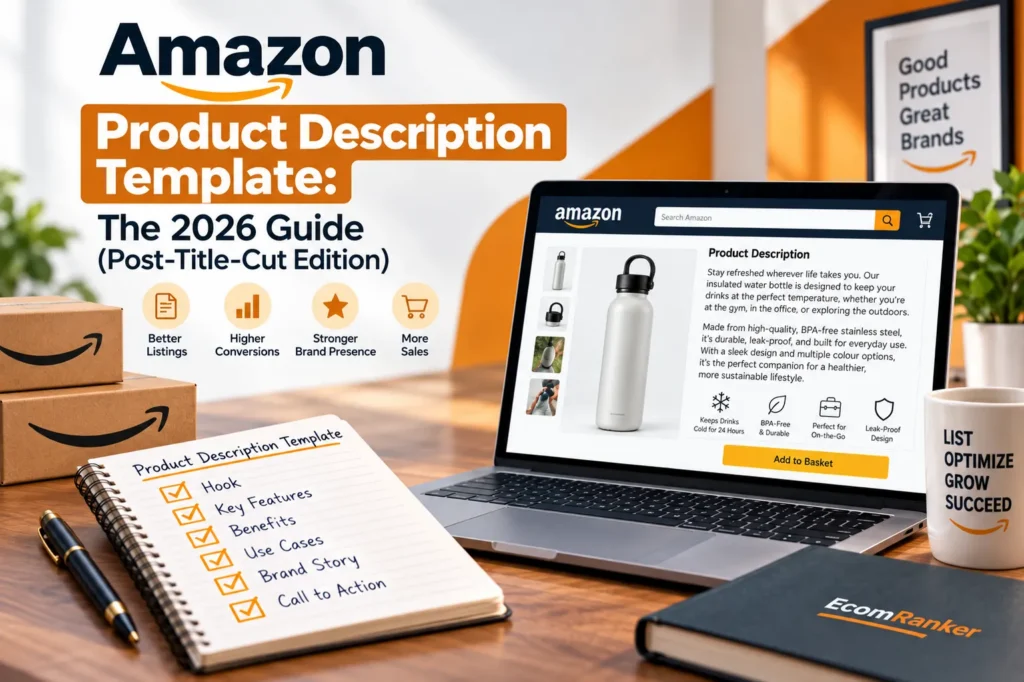
[Opening line — 1 sentence] State who this product is for and the core problem it solves. Lead with the benefit, not a feature list.
[Body paragraph 1 — 2–3 sentences] Expand on the primary benefit from your bullets — don’t repeat bullet content word-for-word, build on it. Include a concrete, specific detail (a spec, a certification, a use case) rather than a generic quality claim.
[Body paragraph 2 — 2–3 sentences] Address the most common objection or question your competitor research and reviews surfaced. If customers frequently ask about a specific detail (material, sizing, compatibility), answer it here directly.
[Body paragraph 3 — 1–2 sentences, optional] Cover a secondary use case or a detail that broadens who the product appeals to, if genuinely relevant — don’t force this if the product doesn’t warrant it.
[Closing line — 1 sentence] A soft call to action, often paired with a guarantee or return policy statement (e.g., “Try it — if it’s not right for you, our return policy has you covered”), without using prohibited guarantee language that violates current content policy (see below).
This structure fills roughly 800–1,400 of your available 2,000 characters for most products — leaving room to expand rather than needing to trim, which is the more common problem once a description is written to this structure.
The 2026 AI Content Rules You Need to Know
Since an August 2024 policy update, Amazon has explicitly banned emojis and most special characters in bullet content, prohibited guarantee and refund language in certain contexts, and barred unverifiable claims. Critically, Amazon has reserved the right to remove non-compliant content and generate replacement copy with AI when a violation is detected — meaning a policy-violating bullet or description doesn’t just risk suppression, it can be silently rewritten into content you never approved, still displaying under your brand name. Review your existing descriptions against these rules specifically:
- No emojis or decorative special characters
- No “guaranteed,” “risk-free,” or similar absolute language without qualification
- No unverifiable superlative claims (“the best,” “the only”) without a specific, defensible basis
- No medical or health claims outside what’s permitted for your specific category
Beyond compliance, there’s a second, forward-looking reason precision matters more now: AI shopping assistants like Amazon’s Rufus increasingly summarize and compare listings on a shopper’s behalf rather than the shopper reading raw search results. A description built around specific, verifiable claims is more likely to be extracted and represented accurately by an AI system than one built around vague, generic language — the same claims Amazon’s content policy already discourages tend to be the ones that give an AI assistant nothing concrete to work with.
The A+ Content Description (For Brand-Registered Sellers)
A+ Content replaces the plain-text description with a modular, visual format — images, comparison charts, and (for eligible sellers) video — and is available only to sellers enrolled in Amazon Brand Registry with an approved trademark.
| A+ Content Tier | Module Limit | Video Support |
| Standard A+ Content | Up to 5 modules | Limited |
| Premium A+ Content | Up to 7 modules | Yes |
A+ Content still commonly cites a 3–10% conversion lift over plain-text descriptions according to Amazon’s own guidance, alongside benefits like lower return rates (customers arrive better-informed) and fewer negative reviews driven by unmet expectations. If you’re brand-registered and not yet using A+ Content, it’s generally the higher-leverage investment over further polishing a plain-text description alone — see our full A+ Content guide for setup and module strategy.
Three Things to Never Do
- Never plagiarize a competitor’s description. Use it for inspiration on structure and gaps, not as source material — copied language flattens your differentiation rather than building it.
- Never rely on AI generators without human review and customer research behind them. Generic AI output not grounded in your actual customer language and competitive research tends to underperform, and under current policy, non-compliant AI-generated content is subject to Amazon’s own AI rewrite regardless.
- Never keyword-stuff the description. Each keyword only needs to appear once to be indexed — stuffing beyond that hurts readability without adding ranking value, and readability is what actually drives the conversion that ranking depends on.
How to Know If Your Description Is Working
For a standard plain-text description, conversion rate is the primary signal — traffic arriving without converting points to a description (or image) problem specifically. A high volume of basic product questions or negative reviews citing unmet expectations signals the description isn’t answering what customers actually need to know before buying. If you have A+ Content, Amazon’s “Manage Your Experiments” tool allows direct A/B testing of description and image variants — the most reliable way to know which version is actually working rather than guessing.
How EcomRanker Approaches Product Content
We treat the description field as one piece of a coordinated listing system, not an isolated copywriting task — especially now, with the July 2026 title cut redistributing so much of what used to live in titles into descriptions, bullets, and Item Highlights. Our Amazon product content writing service covers titles, bullets, descriptions, and A+ Content together, checked against a defined positioning strategy so every field reinforces the same claim rather than working at cross purposes. If you haven’t yet reviewed your titles against the new 75-character limit, start with our title optimization guide.
Want your current descriptions reviewed against the 2026 rules and character limits? Get in touch for a listing content audit.
Frequently Asked Questions
1 . What is the current character limit for Amazon product descriptions?
2,000 characters, plain text only. HTML formatting support was removed from this field in 2021 and has not returned.
2 . How did Amazon’s 2026 title change affect product descriptions?
Titles dropped from roughly 200 characters to a hard 75-character limit as of July 27, 2026, meaning details that used to fit in a long title (materials, use cases, comparisons) now need to live in the new Item Highlights field, bullets, the description, or A+ Content instead.
3 . What is the Item Highlights field?
A new field introduced alongside the 2026 title change, holding up to 125 characters of comma-separated phrases (materials, use cases) that appear in search results and carry separate indexing weight from the title.
4 . Can Amazon rewrite my product description if it violates policy?
Yes. Under current content policy, Amazon can remove non-compliant content (banned language, unverifiable claims) and generate AI-written replacement copy, which then displays under your brand without your original wording.
5 . Should I use an AI tool to write my product description?
AI tools can help draft content, but output not grounded in real customer research and competitive analysis tends to underperform, and doesn’t guarantee compliance with current content policy on its own. Human review against your actual customer language remains important.
6 . Does a better product description improve my Amazon ranking?
Indirectly. The description itself carries less direct ranking weight than title and bullets, but a description that improves conversion rate feeds Amazon’s ranking algorithm, since conversion performance is a significant ranking factor.
7 . What’s the difference between a standard description and A+ Content?
A standard description is plain text, available to all sellers, capped at 2,000 characters. A+ Content is a modular, visual format (images, comparison charts, video for Premium tier) available only to Brand Registry-enrolled sellers with an approved trademark, and generally converts better.
8 . How many keywords should I include in my description?
Each relevant keyword only needs to appear once anywhere in your listing to be indexed. Repeating a keyword beyond that doesn’t add ranking value and can hurt readability, which affects the conversion rate that does influence ranking.
9 . Should my description mention a guarantee or return policy?
You can reference your return policy, but avoid absolute guarantee language (“100% guaranteed,” “risk-free”) that may violate current content policy — frame it factually (e.g., referencing your actual return window) rather than as an unconditional promise.