
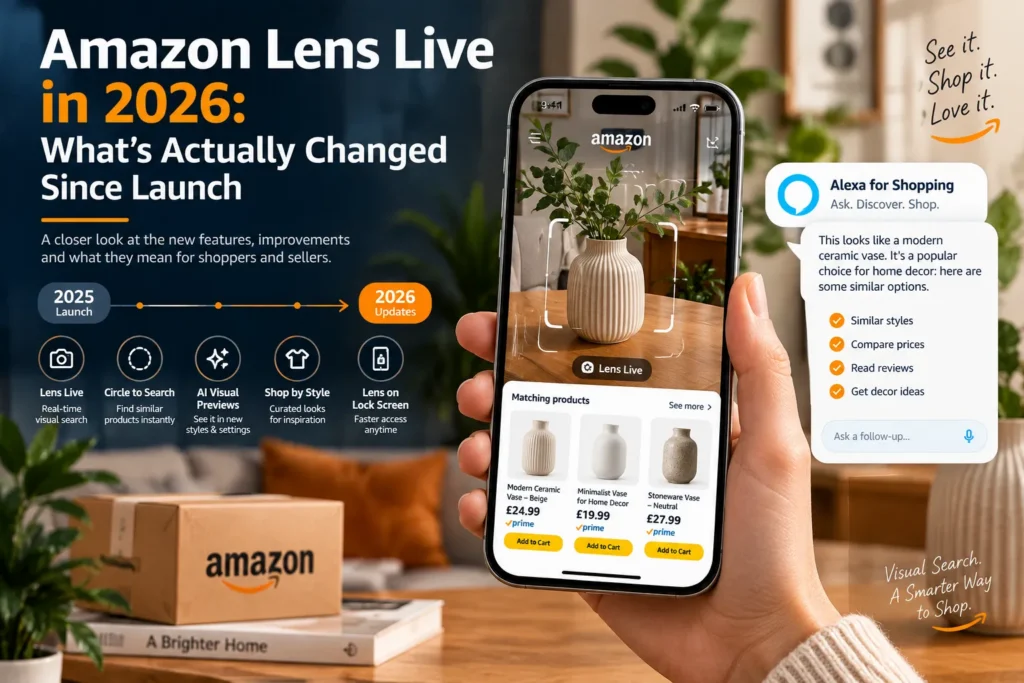
A shopper stands in a friend’s living room, sees a ceramic planter they love, opens the Amazon Shopping app, points the camera at it, and within a second a swipeable row of matching products appears at the bottom of the screen. No typing. No keywords. No guessing what the thing is called.
That is Amazon Lens Live, and if you sell on Amazon, it changes one uncomfortable truth: in this channel, your product image is your search term.
This guide explains what Amazon Lens Live is, how the technology works, what it means for your visibility, ACoS and conversion rate, and exactly how to optimize your images and listings so your products are the ones that show up in that carousel. It is written from the seller side, based on how we manage catalogs at EcomRanker across the USA, UK, UAE and India.
Quick Summary
- Amazon Lens Live is a real-time visual search feature inside the Amazon Shopping app. Shoppers point their camera and see matching products instantly in a swipeable carousel.
- It sits on top of the original Amazon Lens (take a photo, upload an image, scan a barcode), and it does not replace it.
- Matching is driven by a visual embedding model that compares what the camera sees against Amazon’s catalog, so your images, not your keywords, decide whether you appear.
- Amazon’s AI shopping assistant, previously called Rufus and renamed Alexa for Shopping on May 13, 2026, now adds summaries and suggested questions inside the camera view.
- Sellers should prioritise clean main images, multi-angle coverage, lifestyle context, readable packaging and consistent branding across every ASIN.
- Visual search traffic is still under-optimised by most sellers, which makes the next few months an early-mover window.
What Is Amazon Lens Live?
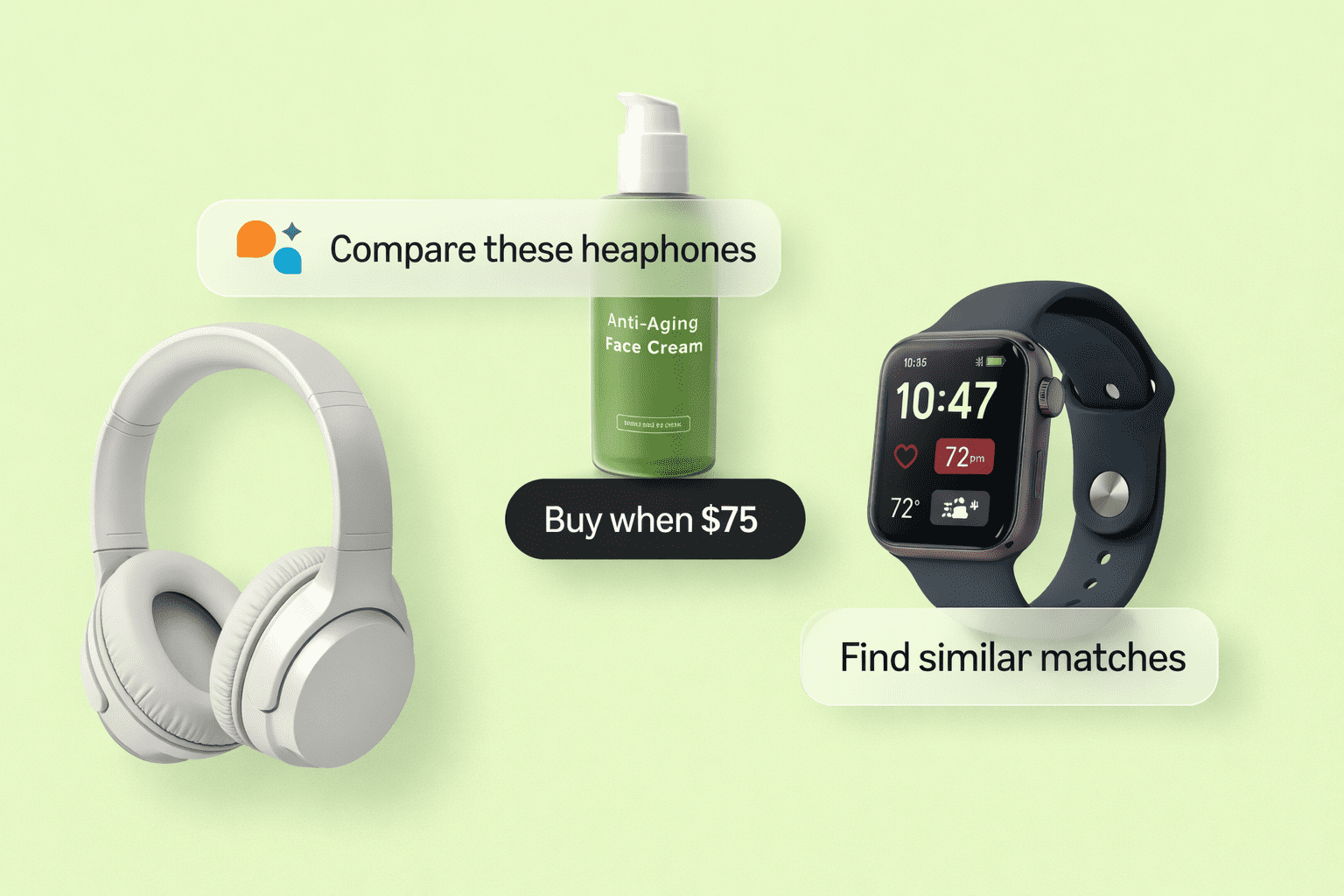
Amazon Lens Live is an AI-powered upgrade to Amazon Lens, the visual search tool built into the Amazon Shopping app. Instead of snapping a photo and waiting for results, Lens Live starts scanning the moment the camera opens. As the shopper pans across a scene, the app detects products in view and shows top matches in a swipeable carousel at the bottom of the screen.
From the camera view, a shopper can:
- Tap an item to focus on one specific product in a busy scene
- Add a match straight to their cart with the + icon
- Save a match to a wish list with the heart icon
- Read quick summaries of what makes a product stand out
- Tap suggested questions or use the “Ask about this” bar to ask the AI shopping assistant anything about the product
Amazon introduced Lens Live in September 2025, starting with tens of millions of U.S. customers in the Amazon Shopping app on iOS and Android. It is designed to catch the moment of inspiration: spotting a lamp in a cafe, a pair of trainers on social media, or a gadget in a friend’s kitchen.
For sellers, that moment of inspiration is the highest-intent top-of-funnel traffic there is. The shopper already wants this type of product. The only question is whether your listing is among the matches.
Amazon Lens vs Amazon Lens Live: What Is the Difference?
Many sellers use the two terms interchangeably. They are related but not identical.
| Feature | Amazon Lens | Amazon Lens Live |
| How the shopper searches | Takes a photo, uploads an image or scans a barcode | Points the camera; scanning starts instantly |
| Speed | Capture, then results | Real-time matches as the camera moves |
| Results display | Results page | Swipeable carousel over the camera view |
| AI assistant | Limited | Summaries and suggested questions in camera view |
| Add to cart / wish list | After opening a product or results page | Directly from the camera view |
| Still available? | Yes | Yes, alongside the original Lens |
The important point for sellers: both rely on matching images to images. Optimising for one improves your odds in the other.
How Amazon Lens Live Works (The Technology Behind It)
Understanding the mechanics helps you make better image decisions. According to Amazon, Lens Live uses a lightweight computer vision object detection model running on the shopper’s device to identify the primary objects as the camera moves. Once an object is detected, a deep learning visual embedding model compares it with billions of Amazon products to retrieve exact or highly similar items. The system runs on AWS-managed Amazon OpenSearch and Amazon SageMaker.
In plain English, here is the sequence:
- Detect. The phone finds the object in the camera frame.
- Embed. The image is converted into a numeric fingerprint of its shape, colour, texture and style.
- Match. That fingerprint is compared against fingerprints of product images in Amazon’s catalog.
- Rank and show. The closest matches appear in the carousel.
- Explain. The AI shopping assistant adds summaries and suggested questions, and generates descriptive captions when no exact or similar product can be identified.
Two things follow from this. First, the matching signal is largely visual, which is why keyword stuffing will not help you here. Second, the quality, clarity and variety of your catalog images directly shape how well your product can be recognised from a real-world angle.
Amazon has not published a ranking formula for the carousel, and nobody outside Amazon can claim to know every factor. What we can say, based on how visual and e-commerce relevance systems typically work, is that image clarity, similarity and listing quality signals such as availability, price competitiveness and conversion history are all sensible levers to pull. Treat anything beyond Amazon’s own statements as informed practice rather than confirmed fact.
Where Amazon Lens Live Is Available
Amazon launched Lens Live for U.S. customers in the Amazon Shopping app, and its own announcement describes availability on iOS and Android. Amazon Lens itself also operates in other marketplaces, and Amazon has been expanding its AI shopping features over time. Availability can vary by user, app version and region, so if you sell in the UK, UAE or India, check the Amazon Shopping app in your own marketplace and test it on your own catalog rather than assuming parity with the U.S.
There is an iOS lock screen widget that launches the Lens camera directly, which shortens the path from “I like that” to “scanning” even further.
Why Amazon Lens Live Matters for Sellers
1. It creates a new discovery channel that does not depend on keywords
Traditional Amazon SEO starts with the shopper’s typed query. Lens Live starts with a physical object. A shopper who cannot name a product, or does not know the brand or style term, can still find it. That opens demand you were previously invisible to.
2. It rewards visual quality over keyword density
When the entry point is a camera, the winners are listings whose images are easy for an AI to recognise and match. That is a different skill set from writing bullet points.
3. The audience is high intent
Someone who points a camera at an item in the real world is usually already interested in buying something like it. Matches can be added to a cart without leaving the camera view.
4. Most sellers have not adapted yet
Because the feature is still relatively new, many catalogs still use a single hero image and a few lifestyle shots shot from the same angle. Sellers who improve now can capture visual matches before the space gets crowded, in the same way early optimisation helped sellers during previous shifts in Amazon search.
5. It reinforces brand and packaging value
A shopper might scan your product in a store, at a friend’s home or in a photo on social media. If your design, colour and shape are distinctive, you become easier to match and harder to substitute.
How Visual Search Affects ACoS, Conversion and ROI
Visual search does not live in a separate silo. It touches your organic performance and your advertising economics.
Organic sales. Matches that convert produce sales history, which supports organic ranking over time. Images that attract matches and clicks tend to be the same images that lift your listing conversion rate, so the work pays off twice.
Advertising efficiency. Higher conversion rates reduce ACoS when ad spend stays constant. If your images are weak, you pay for clicks that never convert. If you are running Sponsored Products, review how image quality changes your click-through and conversion before increasing bids. Our Amazon PPC management guide covers how to structure campaigns around listing performance, and our piece on whether Amazon advertising works explains when spend pays back.
Attribution reality. Amazon does not currently give sellers a dedicated “Lens Live” traffic report in Seller Central. You will not see a line item that says “visual search sessions”. You can still measure indirect impact by tracking sessions, unit session percentage, impressions, click-through rate and sales on the ASINs you optimised, before and after the change. We explain the method in the testing section below.
How to Optimize Your Listings for Amazon Lens Live
Below is the playbook we use when we audit a catalog for visual search. Start with your top 10 ASINs by revenue, then roll out.
1. Perfect the main image
Your main image is the closest thing you have to a reference photo for visual matching.
- Use a pure white background and a product that fills most of the frame
- Show the real product only, with no extra props, badges or text
- Use a sharp, evenly lit, high-resolution image
- Make sure colour is accurate, because colour is a core visual-matching signal
- Show the product from its most recognisable angle, which is usually the angle a shopper sees it from in real life
2. Add multiple angles
A shopper’s camera may see your product from the side, the top or at a three-quarter angle. A catalog with only front-on shots is easier to miss. Include front, back, side, top and detail shots so the system has more visual references.
3. Add lifestyle and in-context images
Shoppers often scan products in the environment where they are used: on a desk, in a kitchen, on a body, in a garden. Lifestyle images that show the product in realistic settings help bridge the gap between a studio shot and a messy real-world scene. Keep the product clear and prominent in each shot.
4. Use infographics carefully
Infographic images help conversion once a shopper lands on the listing, but they are less useful as visual references because of overlaid text. Place them after your clean product shots, not before.
5. Show scale, materials and variations
Include a scale reference, show material and texture close-ups, and upload separate images for every colour and style variation. If you sell a product in six colours, a shopper scanning the blue version should be able to match the blue image, not just the default.
6. Keep branding consistent
Use consistent colours, logo placement and design language across your catalog. Distinctive design is a visual signal, and repeat exposure builds recognition for shoppers who later search by name.
7. Strengthen A+ Content
Once the shopper is on your detail page, A+ Content has to close the sale. Use comparison charts, lifestyle modules and brand story modules to reinforce the visual identity that brought them in. If you are building this out, see our Amazon A+ Content guide.
8. Do not neglect text
Visual search gets the shopper to your page. Text still does the heavy lifting afterwards, and the AI assistant reads your listing to answer shopper questions. Make sure your title, bullet points and description answer the questions a shopper is likely to ask: dimensions, materials, compatibility, what is in the box, care instructions and warranty. Our Amazon listing optimization service covers the full text and image stack.
9. Fix catalog data
Accurate attributes such as colour, size, material, style and product type help Amazon connect your visual identity with the right category. Missing or wrong attributes weaken the match between what the shopper sees and what the catalog says.
10. Protect your listings
Visual matching can also surface lookalike or counterfeit products. Enrol in Brand Registry, monitor your listings for hijackers and report infringements quickly. Our Amazon brand protection team handles this for brands.
Amazon Image Requirements You Must Get Right First
Before chasing advanced optimisation, make sure the basics comply with Amazon’s image guidelines. Always check Seller Central for the current requirements for your category, because they can differ by category and marketplace.
| Requirement | Best practice |
| Main image background | Pure white (RGB 255, 255, 255) |
| Product in frame | Fills roughly 85% of the image |
| Size for zoom | At least 1,000 pixels on the longest side; 2,000 pixels or more is a safer target |
| Format | JPEG, PNG, TIFF or GIF; JPEG is the most common |
| Main image content | Product only, no text, logos, watermarks or badges added to the image |
| Additional images | Up to eight extra images, plus video where available |
| Variation images | One set per colour or style |
Images that break Amazon’s rules can be suppressed, which removes you from visual matching entirely. Fix compliance first.
Packaging, Barcodes and Physical Product Design
Lens Live starts with the real world, so the physical product matters.
Packaging. If shoppers scan your product in a store or at home, readable branding and a recognisable shape help. Retail-ready packaging with a clear brand name and a clean front panel gives the camera something to lock onto.
Barcodes. Amazon Lens still supports barcode scanning, which is a direct route to the exact product. Make sure your GTIN or UPC is correct and matches your catalog. If you also sell via FBA, accurate labelling prevents mix-ups; see our guide on FNSKU barcodes for how labels work.
Product design. If you are developing new products, distinctive shape and colour make you easier to recognise and harder to copy. Visual search quietly rewards unique design.
Alexa for Shopping, Rufus and the Text Layer of Visual Search
Lens Live is not only a camera. It includes an AI layer. In Amazon’s original launch, that assistant was Rufus. On May 13, 2026, Amazon renamed Rufus to Alexa for Shopping, and Amazon’s current Lens Live announcement refers to it by that name.
Inside the camera view, the assistant shows quick summaries of what makes a product stand out, suggests questions and lets the shopper type their own through the “Ask about this” bar. Amazon has also added descriptive captions for scenes where Lens cannot identify exact or similar products.
What this means for you:
- Your listing text feeds the answers. Complete, accurate bullet points, descriptions and attributes give the assistant material to work with.
- Customer reviews and Q&A matter. Shoppers ask comparison and quality questions; a strong review profile makes your product easier to recommend. See our guide to Amazon review management software for tools to monitor and improve review health.
- Answer questions proactively. Write your content to address the things shoppers wonder about: size, fit, compatibility, durability, safety and use cases.
If you read older articles that mention Rufus, remember it is the same assistant under a new name.
Amazon Lens Live vs Google Lens vs Pinterest Lens
All three tools let shoppers search with images, but they serve different intents.
| Tool | Strength | What sellers should know |
| Amazon Lens Live | Transactional: matches go straight to Amazon products with add-to-cart | Optimise images and listing quality inside Amazon |
| Google Lens | Broad: identifies objects across the open web | Matters for your own website, Shopify store and Google Shopping feeds |
| Pinterest Lens | Inspiration: style and decor discovery | Useful for lifestyle and home brands building awareness |
The good news is that the work overlaps. Clean, high-quality, well-lit product imagery with consistent branding helps you across all three. If you also sell on your own site, optimise for both Amazon and Google visual search.
How to Test and Track Your Visual Search Performance
Because there is no direct Lens Live report, use a structured before-and-after approach.
- Record a baseline. For each target ASIN, capture 30 days of sessions, page views, unit session percentage, impressions, click-through rate, conversion rate and ACoS.
- Run a manual scan test. Use the Amazon Shopping app on your phone and scan your own product, a competitor’s product and a similar item in different lighting and angles. Note which listings appear and in what order.
- Change one thing at a time. Update the main image, or add angles, or add lifestyle shots. Avoid changing everything at once, or you will not know what worked.
- Use Manage Your Experiments where eligible. If you are Brand Registered and eligible, A/B test your main image and A+ Content through Seller Central’s experiment tools.
- Compare after 30 to 60 days. Look at sessions, conversion and ACoS against the baseline, allowing for seasonality and promotions.
- Keep a log. Record each change, date and result so you can repeat what works across your catalog.
A caution on interpretation: if your sales rise after an image refresh, visual search might be part of the reason, but so might better conversion from existing traffic. Be honest in your reporting and avoid attributing everything to Lens Live.
Common Mistakes Sellers Make
- Using a cluttered or off-white main image. It weakens recognition and risks suppression.
- Uploading only one angle. Real-world scans rarely match a studio front view.
- Relying on infographics as the first images. Overlaid text makes images harder to match visually.
- Ignoring variation images. Each colour and style needs its own clean shots.
- Inconsistent product photography across a catalog. Mixed lighting and styles dilute your brand identity.
- Forgetting the text layer. Visual search brings traffic, but thin or inaccurate copy leaves the AI assistant and the shopper without answers.
- Not checking for lookalikes. Copycats can appear next to your listing in the carousel.
- Expecting a dedicated dashboard. There is no direct Lens Live metric, so plan your measurement.
A 30-Day Action Plan
Week 1: Audit. List your top 10 to 20 ASINs. Check image compliance, count angles and lifestyle shots, and scan each product in the Amazon app to see how it appears.
Week 2: Reshoot and fix. Replace weak main images, add missing angles, create variation-specific shots and add scale and material close-ups.
Week 3: Strengthen the page. Update bullet points and descriptions to answer shopper questions, improve A+ Content and fix catalog attributes.
Week 4: Measure and expand. Compare against your baseline, double down on what moved the numbers and roll the approach across the rest of the catalog.
How EcomRanker Can Help
EcomRanker is a full-service Amazon agency working across the USA, UK, UAE and India marketplaces. Our team handles the full stack that visual search success depends on: image strategy and creative direction, listing and A+ Content optimisation, Amazon SEO, PPC and brand protection. If you want an expert review of how your catalog looks to Amazon’s visual systems, explore our Amazon agency services or our Amazon advertising management offering, or get in touch for a free listing audit.
Frequently Asked Questions
What is Amazon Lens Live?
What is the difference between Amazon Lens and Amazon Lens Live?
How does Amazon Lens Live find products?
Is Amazon Lens Live available outside the U.S.?
How can sellers optimize for Amazon Lens Live?
Can I see Lens Live traffic in Seller Central?
Does Amazon Lens Live replace keyword SEO?
What happened to Rufus?
Do infographic images hurt visual search?
Does Lens Live affect my ACoS?
Can Lens Live help me find competitors?
Should I also optimize for Google Lens?
How long does it take to see results?
Final Thoughts
Amazon Lens Live turns the camera into a search bar. Shoppers who once needed the right keyword now only need the right object in front of them, and Amazon’s AI matches it against a catalog of billions of products in moments. The sellers who win will be those whose images are clean, varied and consistent, whose listings answer real questions and whose products are easy to recognise in the real world.
Visual search is still early, and that is the opportunity. Start with your best-selling ASINs, fix the fundamentals, measure carefully and expand. If you would like a team that handles imagery, listing optimisation and advertising under one roof, EcomRanker is ready to help.