
Introduction: Why Most Sellers Struggle with ACoS
If you’ve been running Amazon ads, you’ve probably faced this situation:
You launch campaigns.
Clicks start coming in.
Sales increase… but profits don’t.
And when you check your numbers:
ACoS is too high.
At this point, most sellers try one thing:
Reduce bids.
But that usually makes things worse.
Traffic drops. Sales slow down. Ranking falls.
After working with brands for years at Ecom Ranker, one thing is clear:
Lowering ACoS is not about spending less.
It’s about spending smarter.
And this guide will show you exactly how to do that.
What ACoS Really Means (And Why It’s Misunderstood)
ACoS (Advertising Cost of Sales) tells you:
How much you spend to generate revenue from ads.
Simple Example:
- Spend ₹1,000
- Sales ₹5,000
ACoS = 20%
But Here’s the Important Insight:
ACoS is not just a cost metric. It’s a strategy metric.
Because:
- High ACoS during launch → acceptable
- High ACoS during scaling → problem
Understanding this is critical before optimization.
The Real Reason Your ACoS Is High
Most sellers assume the problem is:
“My ads are bad”
But in reality, ACoS is influenced by multiple factors:
1. Poor Conversion Rate
2. Weak Keyword Targeting
3. Inefficient Campaign Structure
4. Low Listing Quality
5. Lack of Data Optimization
This is why ACoS is connected to
Amazon Conversion Rate Optimization Guide
Step 1: Fix Conversion First (Most Important Step)
Let’s start with the biggest impact area.
Why Conversion Matters
If your listing converts poorly:
- You pay for clicks
- But don’t get sales
This increases ACoS immediately.
Example:
- 100 clicks → 2 sales = high ACoS
- 100 clicks → 10 sales = low ACoS
Same traffic. Different results.
How to Improve Conversion
Focus on:
- Title clarity → Amazon Product Title Optimization Guide
- Bullet points → Amazon Bullet Points Writing Guide
- Images → Amazon Product Image Optimization Guide
Better conversion = lower ACoS instantly
Step 2: Improve Keyword Targeting (Stop Wasting Budget)
Keywords are where most money is lost.
Common Problem:
Your ads are showing for:
- Broad keywords
- Irrelevant searches
- Low-intent traffic
Result: clicks without sales
What You Should Do Instead
Focus on:
- High-intent keywords
- Long-tail keywords
- Proven converting keywords
Build your strategy using
Amazon Keyword Research Guide
Step 3: Structure Your Campaigns Properly
Random campaigns = random results.
A Smart Structure Includes:
Automatic Campaign (Discovery)
- Find new keywords
- Collect data
Manual Campaign (Optimization)
- Target winning keywords
- Control bids
This is explained in detail here:
Automatic vs Manual Amazon PPC Guide
Why This Matters
Without structure:
- You don’t know what works
- You can’t optimize properly
With structure:
- You control spend
- You scale efficiently
Step 4: Cut Wasted Spend (This Alone Can Drop ACoS Fast)
This is where quick wins happen.
What Is Wasted Spend?
- Keywords with clicks but no sales
- Low conversion queries
- Irrelevant placements
What You Should Do
- Pause non-performing keywords
- Add negative keywords
- Reduce bids on weak terms
This instantly reduces ACoS.
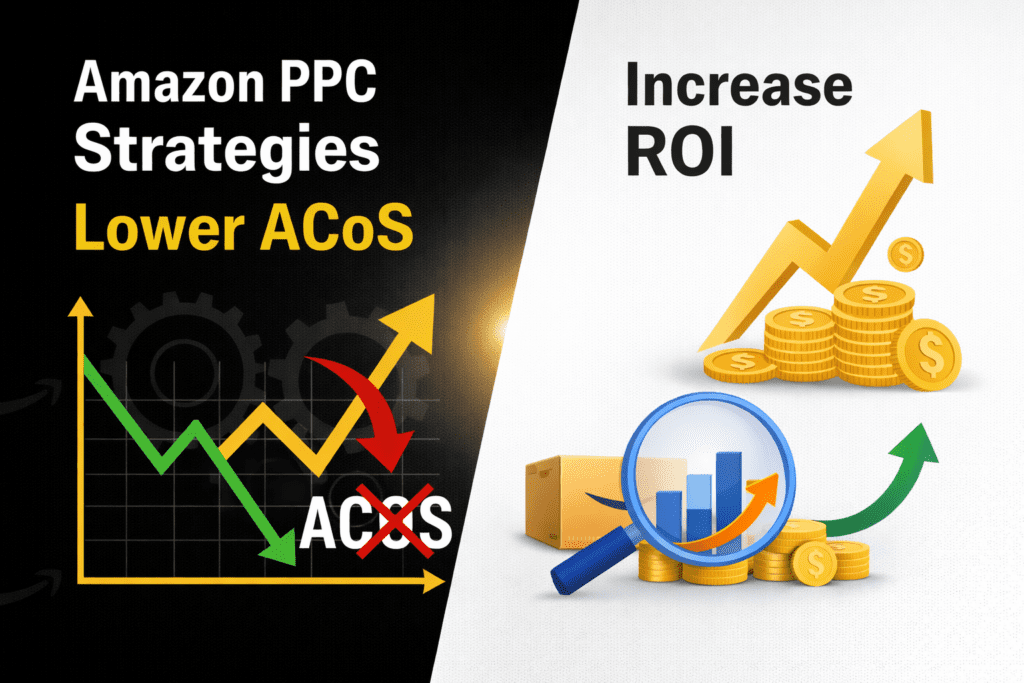
Step 5: Increase ROI Instead of Just Lowering ACoS
Here’s where most sellers think wrong.
They focus only on lowering ACoS.
But smart sellers focus on:
Increasing ROI
What’s the Difference?
- Lower ACoS → reduce cost
- Higher ROI → increase profit
Example:
- Spend ₹1,000 → profit ₹2,000 = strong ROI
- Even if ACoS is moderate
Focus on profit, not just cost.
Step 6: Optimize Bids Based on Performance
Bidding is not static.
It’s dynamic.
What You Should Do:
- Increase bids on high-converting keywords
- Reduce bids on low-performing keywords
- Test different bid levels
This balances visibility and profitability.
Step 7: Use Data, Not Guesswork
This is where professionals win.
What to Analyze:
- Search term reports
- Conversion rate
- ACoS per keyword
- CTR performance
Every decision should be based on data.
Step 8: Improve Organic Ranking (Hidden ACoS Strategy)
Here’s something most sellers ignore:
👉 Better ranking reduces ACoS.
Why?
Because:
- More organic sales
- Less dependency on ads
Learn more:
How to Rank Your Product on Amazon First Page
Real Insight from Ecom Ranker
The biggest mistake sellers make:
Trying to fix ACoS in isolation
But ACoS is not a single problem.
It’s a result of:
- Listing quality
- Keyword strategy
- Campaign structure
- Customer behavior
Fix the system, not just the metric.
Final Thoughts
If you want to lower ACoS:
Don’t just reduce spend
Instead:
- Improve conversion
- Target better keywords
- Optimize campaigns
- Use data
That’s how real growth happens.
Want to Reduce ACoS and Scale Profit?
At Ecom Ranker, we help brands:
- Optimize PPC campaigns
- Reduce ACoS
- Increase ROI
- Scale Amazon sales
Explore: Amazon PPC Management Services
FAQs
What is a good ACoS?
Depends on your margin, but typically 15–30%.
How fast can I reduce ACoS?
With proper optimization, within 2–4 weeks.
Should I pause high ACoS campaigns?
Not always — analyze before pausing.
Can ACoS be zero?
No, but you can reduce dependency through organic ranking.