
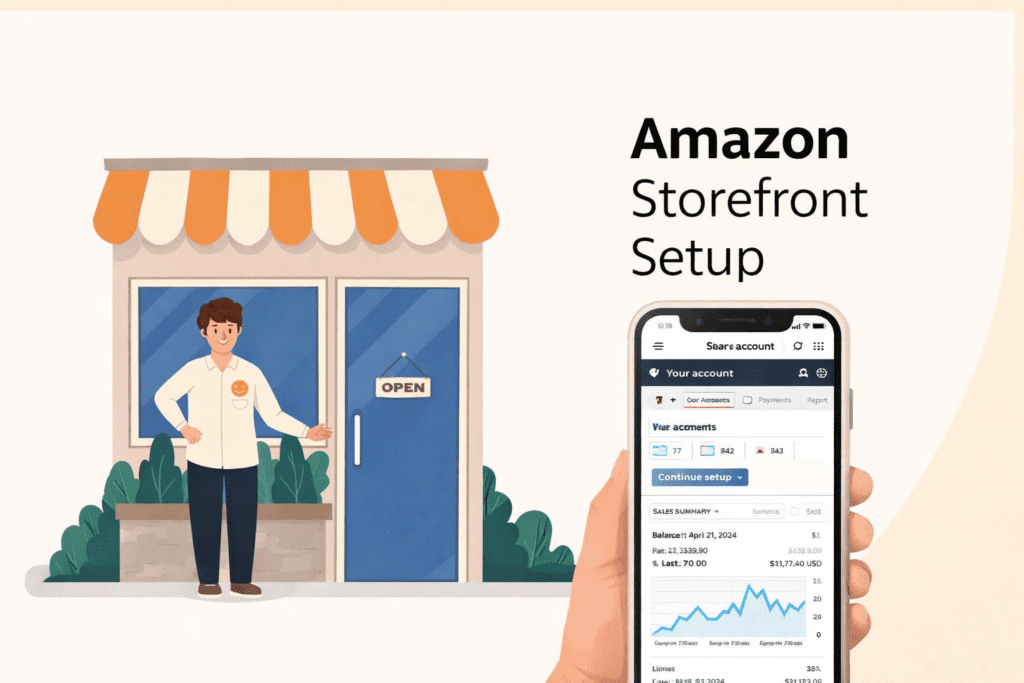
Selling on Amazon today is not just about listing products — it’s about building a recognizable brand experience. An Amazon Storefront gives sellers a powerful way to showcase their products, communicate their brand story, and create a curated shopping experience directly inside Amazon.
Unlike standard product listings that focus on individual items, an Amazon Storefront allows you to present your entire product catalog in one branded space, similar to having your own mini e-commerce website within Amazon.
At EcomRanker, we help brands design and optimize Amazon storefronts that attract shoppers, increase engagement, and ultimately boost sales. If you’re looking to scale your Amazon business, building a high-converting storefront is one of the most important steps.
In this guide, we’ll walk you through everything you need to know — from Storefront setup and design to optimization, analytics, and promotion strategies.
What is an Amazon Storefront?
An Amazon Storefront is a dedicated brand page within Amazon where registered sellers can display their products in a customized layout.
Think of it as your brand’s digital showroom inside Amazon.
It allows sellers to:
- Showcase their full product catalog
- Highlight brand values and storytelling
- Create category-based navigation
- Use lifestyle images, videos, and banners
- Drive traffic from ads, social media, and external marketing
Instead of sending customers to a single product page, you can send them to your entire brand experience.
Many successful brands use storefronts as landing pages for:
- Sponsored Brand Ads
- Influencer campaigns
- Social media promotions
- Email marketing traffic
If you want to maximize the impact of your Amazon brand presence, explore our Amazon Account Management Services at EcomRanker to build and optimize your storefront effectively.
Benefits of Creating an Amazon Storefront
Setting up a storefront offers several strategic advantages for sellers looking to scale their brand.
1. Stronger Brand Identity
A storefront allows you to present your brand visually using banners, videos, lifestyle imagery, and storytelling — something standard product listings cannot do.
This helps customers remember your brand and trust it more.
2. Higher Customer Engagement
Amazon storefronts allow visitors to browse multiple products easily, increasing dwell time and improving conversion opportunities.
3. Better Marketing Opportunities
Your storefront can serve as a landing page for:
- Amazon Sponsored Brand ads
- Google traffic
- Influencer campaigns
- Social media promotions
Driving traffic to a storefront instead of a single product can significantly increase overall sales.
4. Access to Brand-Exclusive Tools
Registered brands also get access to tools like:
Brand Tailored Promotions
These allow sellers to create customized promotions for different customer segments based on purchase history.
Amazon Posts
Amazon Posts function like social media posts within Amazon, helping brands attract followers and promote products visually.
Requirements to Create an Amazon Storefront
Before creating a storefront, you need to meet a few requirements.
1. Amazon Professional Seller Account
Only sellers with a Professional selling plan can create a storefront.
2. Amazon Brand Registry
Your brand must be registered in Amazon Brand Registry with an active trademark.
Brand Registry gives sellers access to:
- Storefront builder
- A+ Content
- Brand analytics
- Advanced advertising tools
3. Organized Product Listings
Your product listings should already be live and properly categorized.
4. Content Assets
Prepare the following assets before building your storefront:
- Brand logo
- High-resolution product images
- Lifestyle images
- Product videos
- Brand description text
Step-by-Step Guide to Creating an Amazon Storefront
Setting up an Amazon storefront is relatively straightforward once your brand is registered.
Step 1 – Access Store Builder
- Log in to Amazon Seller Central
- Go to Menu → Stores → Manage Stores
- Click Create Store
You can also access it through Amazon Advertising → Stores.
Step 2 – Create Your Store
Enter the following details:
- Brand display name
- Upload your brand logo (recommended size: 400 x 400 px)
- Choose a store template
Amazon offers several drag-and-drop templates that make building your store simple without coding.
Step 3 – Design Your Homepage
Your homepage should immediately communicate your brand identity.
Add:
- Hero banner (recommended size: 3000 x 600 px)
- Featured product collections
- Category navigation
- Lifestyle images
- Brand story section
A well-designed storefront significantly improves shopper engagement.
Step 4 – Add Products
Amazon allows multiple product modules including:
- Product Grid
- Product Collection
- Featured Product
- Shoppable Images
You can add products by entering their ASINs.
Organize products logically so customers can easily browse your catalog.
Step 5 – Create Additional Pages
Just like a website, your storefront can include multiple pages.
For example:
- Best Sellers
- New Arrivals
- Category pages
- Seasonal collections
To create a page:
- Click Add Page
- Enter page name
- Add meta description
- Select template
- Publish page
Nested pages can also be created for deeper navigation.
Step 6 – Improve Store Quality
Amazon now rates storefronts based on store quality scores, which depend largely on shopper engagement.
Higher dwell time often leads to higher purchase likelihood.
To improve quality:
- Add more content modules
- Use videos and lifestyle imagery
- Improve navigation structure
- Create engaging product collections
Step 7 – Publish Your Storefront
Before publishing:
- Preview the store
- Check image quality
- Verify links
- Review product details
Once everything looks good, click Submit for Publishing.
Approval usually takes 24–48 hours.
After publishing, your storefront receives a unique URL that can be used in marketing campaigns.
How Amazon Store Builder Works
Amazon Store Builder is a drag-and-drop design tool that allows sellers to create storefront pages without technical knowledge.
With this tool you can:
- Build multi-page storefronts
- Add videos and images
- Insert product collections
- Customize layout blocks
- Optimize for mobile
This flexibility helps sellers create visually engaging shopping experiences that drive higher conversions.
How Much Does an Amazon Storefront Cost?
The good news is that creating a storefront is completely free.
However, you must:
- Have a Professional Seller account
- Be enrolled in Amazon Brand Registry
Other costs related to selling on Amazon may include:
- Referral fees
- Fulfillment costs
- Advertising expenses
Best Practices for Designing a High-Converting Storefront
A successful storefront should combine strong branding with user-friendly navigation.
Here are some proven design tips.
Maintain Consistent Branding
Use consistent:
- Colors
- Fonts
- Logos
- Visual style
This strengthens brand recognition.
Use High-Quality Visuals
High-resolution images and lifestyle photos improve engagement and conversion rates.
Simplify Navigation
Organize products into clear categories to help customers find items quickly.
Add Videos
Videos help customers understand product functionality and benefits faster than text.
Optimize for Mobile
Many shoppers browse Amazon on mobile devices, so ensure your store loads quickly and displays properly.
Optimizing Storefront Content for SEO
SEO optimization is essential to increase visibility inside Amazon.
Focus on:
- Keyword-optimized product titles
- Detailed product descriptions
- Informative bullet points
- Backend search terms
- Optimized A+ Content
You should also regularly review listing performance and update content accordingly.
For expert assistance, explore our Amazon SEO Services at EcomRanker.
Using Amazon Store Analytics
Amazon provides built-in analytics to help sellers understand storefront performance.
Key metrics include:
- Store visits
- Traffic sources
- Units sold
- Orders placed
- Sales per visitor
Monitoring these insights allows sellers to optimize store design and marketing strategies.
How to Promote Your Amazon Storefront
Creating a storefront is only the first step. Driving traffic to it is equally important.
Amazon PPC Advertising
Use Sponsored Brand ads to drive traffic directly to your storefront.
Social Media Marketing
Share your storefront link on platforms like:
- YouTube
Influencer Marketing
Partnering with influencers can significantly boost storefront traffic.
Content Marketing
Publishing helpful blog content can attract external traffic to your Amazon store.
Our team at EcomRanker specializes in building multi-channel marketing strategies to increase Amazon store visibility.
Scaling Your Business with an Amazon Storefront
Once your storefront starts gaining traction, focus on scaling strategies.
Expand Your Product Catalog
Adding complementary products increases cross-selling opportunities.
Optimize Inventory
Ensure your best-selling products remain in stock.
Expand to International Marketplaces
Amazon allows sellers to expand globally with the right logistics strategy.
Use Data-Driven Decisions
Analyze store analytics and advertising reports to refine your approach.
Future Trends in Amazon Storefronts
Amazon storefronts are evolving rapidly as technology improves.
Emerging trends include:
- Augmented Reality shopping
- AI-powered personalization
- Voice commerce with Alexa
- Social commerce integration
- Sustainability-focused branding
Brands that adapt early to these trends will gain a competitive advantage.
Final Thoughts
Building an Amazon storefront is one of the most powerful ways to turn a simple product listing into a full brand experience.
When designed and optimized properly, storefronts can:
- Increase brand trust
- Improve customer engagement
- Drive more conversions
- Boost long-term brand growth
If you want to maximize your Amazon store performance, the team at EcomRanker can help you with storefront design, SEO optimization, and advertising strategy.
Explore our services:
- Amazon Account Management
- Amazon SEO Optimization
- Amazon PPC Advertising
- Amazon Storefront Design
Visit our Home Page to learn how we help brands scale their Amazon business.
FAQs
Do I need a registered brand to create an Amazon Storefront?
Yes. Only brands enrolled in Amazon Brand Registry can create storefronts.
Can I add videos to my Amazon Storefront?
Yes. Amazon allows you to add product videos, brand videos, and lifestyle videos to improve customer engagement.
Is creating an Amazon Storefront free?
Yes. Amazon storefront creation is free for sellers who are part of Amazon Brand Registry.