Selling on Amazon is more competitive than ever. With millions of products competing for visibility, simply listing your item isn’t enough — you also need the right product identifiers to ensure your products are properly indexed and discoverable.
One of the most important identifiers on Amazon is the ASIN (Amazon Standard Identification Number). Every product listed on Amazon has its own unique ASIN, and without it, your product simply cannot exist in Amazon’s catalog.
With Amazon Business now serving more than 6 million customers worldwide, sellers must understand how ASINs work to keep their listings organized, increase visibility, and avoid catalog errors.
If you’ve ever struggled with listing products, creating new ASINs, or managing product identifiers in Seller Central, you’re not alone. In this guide, our Amazon experts at EcomRanker explain everything you need to know about ASINs — including how to find them, create them, and use them strategically to grow your business.
What is an ASIN and Why is it Important for Amazon Sellers?
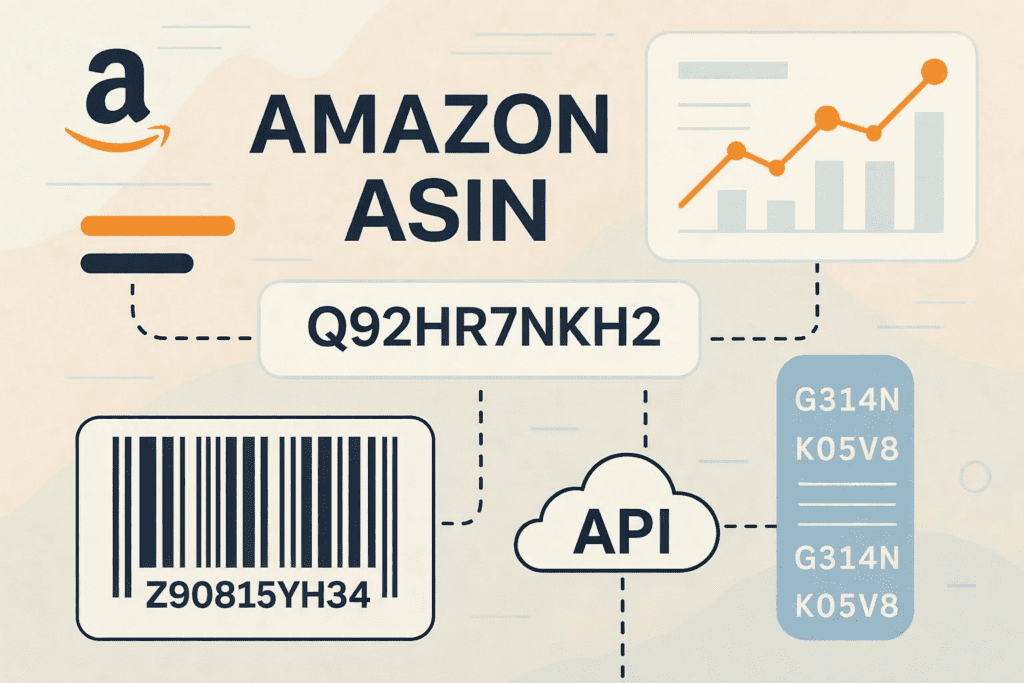
An ASIN (Amazon Standard Identification Number) is a unique 10-character alphanumeric code assigned to every product listed in Amazon’s marketplace.
Think of it as the unique ID that Amazon uses to organize its entire product catalog.
Every product on Amazon has a dedicated product detail page, and that page is connected to a specific ASIN. This system allows Amazon to:
- Organize millions of products efficiently
- Prevent duplicate product listings
- Track inventory and sales performance
- Help customers easily find and compare products
Without an ASIN, sellers cannot create a product listing, run advertising campaigns, or manage inventory.
For sellers, understanding how ASINs work means you can list products faster, improve discoverability, and avoid common listing errors.
Why ASINs Matter for Amazon’s Catalog and Customer Experience
ASINs are not just useful for sellers — they are essential for Amazon’s overall marketplace experience.
Each ASIN connects to a single product detail page where customers can:
- View product descriptions
- Compare product features
- Read reviews
- Check pricing and availability
For sellers, this system ensures that multiple sellers can list offers under the same product page, which helps maintain catalog consistency.
Using existing ASINs correctly can also improve your chances of winning the Amazon Buy Box, which directly impacts sales and visibility.
Anyone serious about succeeding on Amazon must understand how to properly manage ASINs within the catalog.
How to Find, Use, and Manage ASINs
How to Find an ASIN on Amazon (Step-by-Step)
Finding an ASIN is simple once you know where to look. Here are several quick methods sellers use.
1. Check the Product URL
The easiest way to locate an ASIN is by looking at the product page URL.
For example:
amazon.com/dp/B08N5WRWNW
The ASIN is the code that appears after /dp/.
2. Look at the Product Details Section
Scroll down to the Product Information section on any listing page. The ASIN will be listed along with other product identifiers such as UPC or EAN.
3. Check Amazon Seller Central
If you’re a seller, you can find ASINs in your Seller Central inventory dashboard. Each product listed in your catalog will have an assigned ASIN.
4. Use Bulk Inventory Files
For sellers uploading products in bulk, ASINs must be included in the inventory file template when listing products.
Learning how to quickly locate ASINs helps sellers manage large product catalogs more efficiently.
Using Third-Party ASIN Lookup Tools
Sometimes sellers need to analyze large product catalogs or research competitors. This is where ASIN lookup tools become valuable.
Popular tools include:
- Helium 10
- Jungle Scout
- AMZScout
These platforms allow sellers to perform reverse ASIN lookups, analyze competitor listings, and discover high-value keywords.
Using these tools can save significant time when researching products or optimizing listings.
Reverse ASIN Lookup: Discover Competitor Keywords
A reverse ASIN lookup allows sellers to analyze which keywords are driving traffic to competitor listings.
By entering a competitor’s ASIN into tools like Helium 10 Cerebro, sellers can uncover valuable insights such as:
- High-ranking keywords
- Estimated monthly search volume
- Competitor ranking positions
- Keyword opportunities for optimization
This information can be used to refine product listings and improve Amazon SEO performance.
Creating and Adding Products: Existing vs New ASINs
Understanding when to use an existing ASIN and when to create a new one is critical.
When to Use an Existing ASIN
If the product already exists in Amazon’s catalog, sellers should list their offer under the existing ASIN.
This is common for:
- Resellers
- Wholesale sellers
- Multi-seller branded products
To do this:
- Search for the product in Seller Central.
- Select the existing ASIN.
- Add your offer details such as price, quantity, and condition.
This places your listing on the main product page and gives you the opportunity to compete for the Buy Box.
How to Create a New ASIN on Amazon
If your product is not yet listed in Amazon’s catalog, you must create a new ASIN.
Manual Method
- Log into Amazon Seller Central.
- Click Add a Product.
- Select Create a new product listing.
- Enter product details such as title, brand name, UPC/EAN/ISBN, and images.
- Submit the listing for review.
Once approved, Amazon will assign a new ASIN.
Bulk Upload Method
For sellers with large product catalogs, bulk uploads are much more efficient.
Steps include:
- Download the inventory file template from Seller Central.
- Enter product information for each SKU.
- Upload the completed file.
This method is ideal for brands launching multiple products at scale.
Pro Tips: GTINs, Variations, and Avoiding Listing Errors
To successfully create ASINs, sellers must provide valid GTIN identifiers, such as:
- UPC
- EAN
- ISBN
Incorrect codes can lead to listing errors or product suppression.
For products with variations such as size, color, or style, sellers should use parent-child ASIN structures to keep product catalogs organized.
Optimized listings should include:
- High-quality images
- Keyword-optimized titles
- Clear bullet points
- Backend search terms
These elements improve search rankings and conversion rates.
ASIN Best Practices for Optimization and Brand Protection
Optimize Each ASIN for Amazon SEO
Creating an ASIN is only the first step. To generate sales, each product listing must be optimized for Amazon search.
Important optimization elements include:
- Keyword-rich product titles
- Clear and persuasive bullet points
- High-resolution product images
- Informative product descriptions
- Backend search keywords
Proper Amazon listing optimization helps products rank higher in search results and attract more buyers.
Learn more through our Amazon SEO Services and Amazon Listing Optimization Services.
Using ASINs for Inventory Management
ASINs are essential for tracking inventory performance.
They allow sellers to:
- Monitor stock levels
- Track sales performance
- Identify products that need restocking
- Optimize underperforming listings
According to recent seller surveys, inventory management remains one of the biggest operational challenges for Amazon sellers, making proper ASIN tracking essential.
Our Amazon Account Management Services help brands manage inventory and optimize listings across their entire catalog.
Protect Your ASINs with Brand Registry and Brand Gating
Brand protection is critical for Amazon sellers.
Programs like Amazon Brand Registry give brands access to tools that help protect ASIN listings from counterfeit products or unauthorized sellers.
Benefits include:
- Enhanced brand protection
- Ability to remove counterfeit listings
- Greater control over product content
- Advanced reporting tools
If you are building a long-term brand on Amazon, enrolling in Brand Registry is highly recommended.
ASIN vs UPC vs EAN vs ISBN: What’s the Difference?
Amazon uses several product identifiers to manage its catalog.
| Identifier | Purpose |
|---|---|
| ASIN | Amazon’s internal product identifier |
| UPC | Universal Product Code used in North America |
| EAN | European Article Number used globally |
| ISBN | Identifier used for books |
In most cases, Amazon requires a UPC or EAN when creating a new ASIN.
Converting ASINs to UPC or EAN Codes
Some sellers need to convert ASINs into UPC or EAN codes when managing inventory across multiple platforms.
There are several tools and APIs available that help match ASINs with UPC or EAN identifiers.
However, not every ASIN has publicly available UPC or EAN data, so verification is important when managing large catalogs.
Final Thoughts: Mastering ASINs for Amazon Success
Understanding how ASINs work is essential for every Amazon seller.
From creating product listings to optimizing search visibility and protecting your brand, ASINs play a central role in Amazon’s marketplace ecosystem.
Successful sellers use ASINs strategically to:
- Organize product catalogs
- Optimize listings for search
- Track inventory performance
- Protect their brand from counterfeit listings
At EcomRanker, we help brands unlock real growth on Amazon by combining data-driven strategies, creative optimization, and advanced marketplace insights.
Our team supports brands with:
- Amazon SEO services
- Amazon listing optimization
- Amazon PPC management
- Amazon account management
- Amazon product launch strategies
If you’re ready to scale your Amazon business and maximize your product visibility, our experts are here to help.
Book your 1-on-1 growth consultation with EcomRanker today.
Frequently Asked Questions
How do I get an ASIN number for my product?
When you create a new product listing in Amazon Seller Central with a valid UPC, EAN, or ISBN, Amazon automatically generates a new ASIN for your product.
Is creating an ASIN free?
Yes. Creating an ASIN is free when listing products on Amazon, although you may need to purchase valid UPC or EAN codes.
Can ASIN optimization help increase Amazon sales?
Yes. Proper ASIN optimization through keyword research, listing improvements, and strong images can significantly improve search rankings and increase sales.