
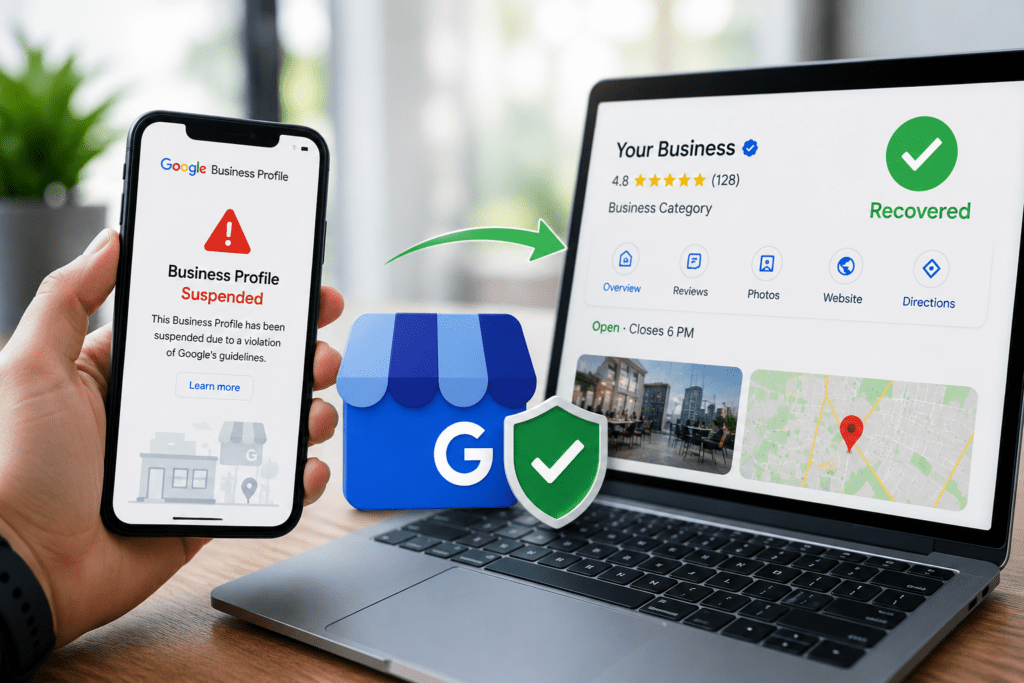
A Google Business Profile suspension can seriously impact a business’s online visibility, customer trust, and local SEO performance. When a profile gets suspended, businesses may disappear from Google Maps, local search results, and the Google Map Pack, leading to a major drop in website traffic, phone calls, and customer inquiries.
For local businesses that rely heavily on Google visibility, a suspended profile can cause immediate business disruptions. Many businesses panic after seeing the suspension notice because they are unsure why the profile was removed or how to recover it properly.
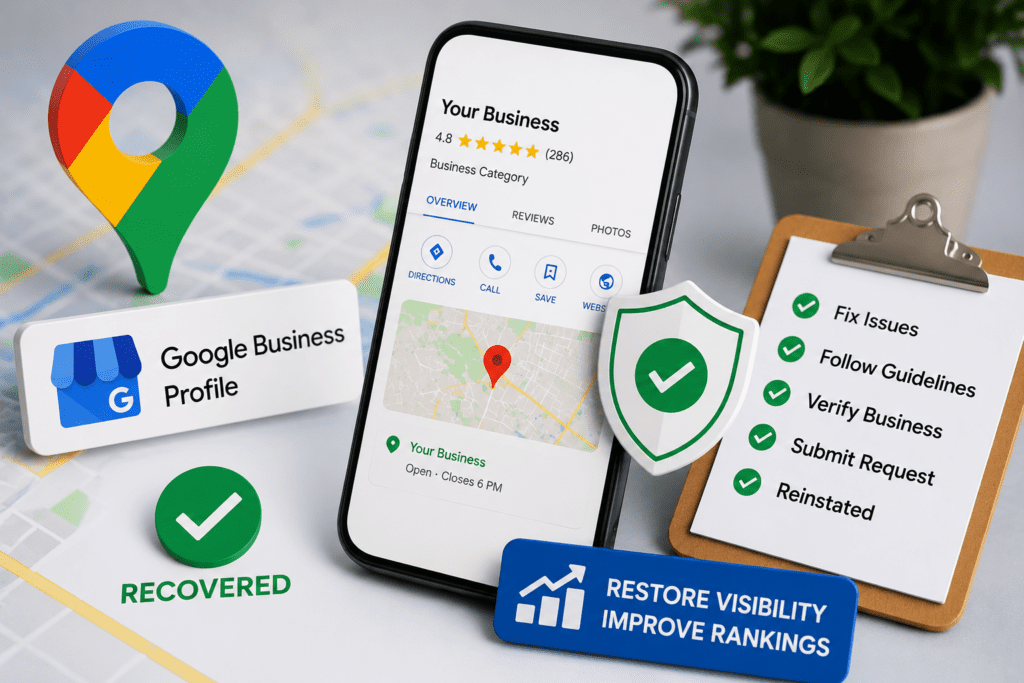
The good news is that most suspended Google Business Profiles can be recovered if businesses identify the issue, fix guideline violations, and submit a proper reinstatement request.
In this complete guide, you will learn:
- Why Google Business Profiles get suspended
- Common suspension mistakes
- How to fix profile issues
- Step-by-step recovery methods
- Best practices to avoid future suspensions
You will also learn important local SEO strategies that help maintain a healthy and compliant business profile.
What Is a Google Business Profile Suspension?
A Google Business Profile suspension occurs when Google removes or disables a business listing because it violates Google’s guidelines or triggers suspicious activity signals.
When a profile is suspended:
- The business may disappear from Google Maps
- Customers may not find the listing in search results
- Reviews and rankings may temporarily become unavailable
- Business management access may be restricted
Google suspensions are designed to protect users from spam, fake businesses, misleading information, and low-quality listings.
Suspensions can happen suddenly, even to legitimate businesses, especially if Google detects unusual changes or policy violations.
Businesses must understand the cause of the suspension before attempting recovery because incorrect reinstatement attempts can delay approval.
Types of Google Business Profile Suspensions
Google Business Profile suspensions generally fall into two categories.
Soft Suspension
A soft suspension means the business listing still appears publicly on Google, but the business owner loses management access to the profile.
In this situation:
- Customers can still view the listing
- The owner cannot update information
- Review management becomes restricted
- Profile editing access is removed
Soft suspensions usually happen because of ownership conflicts or guideline concerns.
Hard Suspension
A hard suspension is more serious because the business listing is completely removed from Google Search and Google Maps.
With a hard suspension:
- The listing becomes invisible publicly
- Rankings disappear
- Traffic and calls drop significantly
- Customers cannot find the business online
Hard suspensions often occur due to serious policy violations or suspicious profile activity.
Recovering from hard suspensions usually requires stronger documentation and careful guideline compliance.
Why Google Business Profiles Get Suspended
There are many reasons why Google may suspend a profile. In most cases, suspensions happen because the listing violates Google Business Profile guidelines.
Understanding these issues is essential for successful recovery.
Using Keyword Stuffing in Business Names
One of the most common reasons for suspension is adding extra keywords to the business name.
For example:
Incorrect:
- EcomRanker Best SEO Agency London
Correct:
Google only allows real-world business names. Adding promotional keywords, locations, or service terms can trigger suspensions because Google considers this misleading behavior.
Businesses trying to manipulate rankings through keyword stuffing are at high risk of suspension.
Using Virtual Offices or Fake Addresses
Google requires businesses to provide legitimate and verifiable business locations.
Profiles using:
- Virtual offices
- Shared coworking spaces
- PO boxes
- Fake addresses
may get suspended if Google cannot verify physical business operations.
Businesses should only use real customer-facing business locations that comply with Google’s location guidelines.
Multiple Listings for the Same Business
Creating duplicate listings is another common reason for suspensions.
Some businesses create multiple profiles hoping to rank in several locations, but Google considers this spam behavior.
Duplicate listings can:
- Confuse customers
- Create inconsistent information
- Manipulate local rankings
Businesses should maintain only one legitimate profile per business location.
Suspicious Profile Changes
Large or sudden changes to a profile can trigger automated suspension systems.
Examples include:
- Changing business names
- Updating addresses frequently
- Switching categories repeatedly
- Adding unrelated services
Google may temporarily suspend listings while reviewing these changes for authenticity.
Businesses should make updates carefully and only when necessary.
Ineligible Business Types
Some businesses are not eligible for Google Business Profiles according to Google guidelines.
Examples include:
- Pure online businesses without local customer interaction
- Temporary businesses
- Rental properties without staffing
- Lead generation listings
Businesses must meet Google’s eligibility requirements before creating a profile.
How to Identify the Suspension Reason
Before submitting a reinstatement request, businesses should carefully identify possible policy violations.
Review:
- Business name accuracy
- Address legitimacy
- Categories
- Website information
- Duplicate listings
- Photos and content
- Service areas
Comparing your listing against Google’s official guidelines helps identify potential problems quickly.
Businesses that fix issues before requesting reinstatement usually experience faster recovery approvals.
Step 1: Review Google Business Profile Guidelines
The first step toward recovery is carefully reviewing Google Business Profile guidelines.
Google provides clear rules about:
- Business eligibility
- Naming policies
- Address requirements
- Categories
- Service-area businesses
- Profile management
Businesses should ensure every part of their profile follows these rules completely.
Ignoring guideline violations can lead to repeated suspension denials.
Step 2: Fix All Profile Violations
After identifying issues, businesses should correct all violations before requesting reinstatement.
Common fixes include:
- Removing extra keywords
- Correcting addresses
- Removing duplicate profiles
- Updating categories
- Fixing inconsistent information
Businesses should avoid making unnecessary edits during the recovery process because excessive changes may create additional review delays.
Accurate and professional profiles have a much higher chance of reinstatement approval.
Step 3: Gather Business Proof Documents
Google often requests business verification documents during the reinstatement process.
Common supporting documents include:
- Business registration certificates
- Utility bills
- Tax documents
- Lease agreements
- Storefront signage photos
- Business licenses
The information on these documents should match the profile details exactly.
Providing strong documentation helps Google verify that your business is legitimate and compliant.
Step 4: Submit a Reinstatement Request
Once all violations are fixed, businesses can submit a Google Business Profile reinstatement request.
The reinstatement form requires:
- Business information
- Suspension details
- Supporting documents
- Explanation of corrections made
Businesses should write clear and professional explanations describing:
- What caused the issue
- What corrections were made
- Why the business now complies with guidelines
Honest and concise communication improves approval chances.
Step 5: Be Patient During the Review Process
Google reviews reinstatement requests manually in many cases.
Approval timelines vary depending on:
- Severity of violations
- Documentation quality
- Business category
- Review queue volume
Some requests may take:
- A few days
- Several weeks
Businesses should avoid submitting multiple requests repeatedly because this may slow down the review process.
Patience and accurate documentation are extremely important during recovery.
Common Mistakes to Avoid During Recovery
Many businesses accidentally delay reinstatement because of avoidable mistakes.
Submitting Incomplete Documents
Missing or unclear documentation weakens verification efforts.
Creating New Profiles
Businesses should never create replacement profiles during suspension because this may trigger additional violations.
Ignoring Guidelines
Submitting requests without fixing violations often leads to denial.
Using Fake Addresses
Fake or unverifiable locations almost always result in rejection.
Keyword Stuffing Again
Repeating optimization mistakes after suspension can lead to permanent removal.
Businesses should focus on long-term compliance rather than short-term ranking manipulation.
How Local SEO Helps Prevent Future Suspensions
A strong local SEO strategy helps businesses maintain compliant and trustworthy profiles.
Important local SEO practices include:
- Accurate NAP information
- Consistent business citations
- Professional website optimization
- Authentic customer reviews
- High-quality business photos
- Proper category selection
Businesses that maintain accurate and transparent online information are less likely to trigger Google suspension systems.
You can also improve your local search visibility by reading our guide on How to Optimize Your Google Business Profile for Better Rankings.
For businesses wanting to strengthen their local rankings further, our detailed article on Local SEO and AIO Strategy Tips explains advanced optimization methods.
Importance of Reviews After Reinstatement
Once your profile is reinstated, customer reviews become extremely important for rebuilding visibility and trust.
Positive reviews help:
- Restore customer confidence
- Improve local rankings
- Increase click-through rates
- Strengthen profile authority
Businesses should focus on generating authentic customer feedback consistently after recovery.
Avoid fake review strategies because they can trigger additional penalties.
How to Protect Your Google Business Profile Long-Term
Preventing future suspensions requires ongoing profile management and compliance.
Businesses should:
- Keep profile information updated
- Avoid spam tactics
- Use legitimate addresses
- Monitor profile edits carefully
- Maintain accurate business categories
- Follow Google guidelines consistently
Regular monitoring helps businesses detect suspicious edits or issues before they become serious problems.
Strong profile management improves both local SEO performance and long-term business visibility.
Final Thoughts
A suspended Google Business Profile can negatively impact traffic, leads, and customer trust, but most suspensions can be resolved successfully with the right recovery process.
Businesses should focus on:
- Understanding suspension reasons
- Fixing guideline violations
- Providing strong documentation
- Following Google policies carefully
- Maintaining accurate business information
Recovering a suspended profile requires patience, accuracy, and professionalism, but businesses that follow proper reinstatement steps can often restore their visibility successfully.
Long-term success depends on maintaining a trustworthy and fully compliant profile that provides real value to customers and follows Google’s local business guidelines consistently.
FAQs About Recovering Suspended Google Business Profiles
1. Why Was My Google Business Profile Suspended?
A Google Business Profile can be suspended for several reasons, including guideline violations, inaccurate business information, keyword stuffing, duplicate listings, fake addresses, or suspicious profile activity. Google’s goal is to maintain trustworthy and accurate local search results, so profiles that appear misleading or non-compliant may be removed temporarily or permanently.
Many suspensions happen automatically through Google’s spam detection systems, even for legitimate businesses. Carefully reviewing your profile against Google Business Profile guidelines is the first step toward identifying the issue and starting the recovery process.
2. What Is the Difference Between a Soft Suspension and a Hard Suspension?
A soft suspension means your business listing is still visible on Google Search and Google Maps, but you lose the ability to manage or edit the profile. Customers can still find your business, but the owner loses access to updates and profile controls.
A hard suspension is more serious because the listing is completely removed from public search results and Google Maps. This often causes a major drop in traffic, calls, and customer inquiries. Hard suspensions usually require stronger documentation and a more detailed reinstatement request.
Understanding the type of suspension helps businesses choose the correct recovery strategy.
3. Can a Suspended Google Business Profile Be Recovered?
Yes, most suspended Google Business Profiles can be recovered successfully if the business fixes all guideline violations and submits a proper reinstatement request. Google reviews recovery requests manually in many cases, especially when businesses provide strong supporting documentation.
The recovery process usually involves:
- Reviewing profile issues
- Correcting violations
- Gathering business proof documents
- Submitting a reinstatement form
- Waiting for Google review approval
Businesses that carefully follow Google’s guidelines often have a much higher chance of reinstatement.
4. How Long Does It Take to Recover a Suspended Google Business Profile?
Recovery timelines vary depending on the severity of the issue, the quality of the submitted documentation, and Google’s current review workload. Some reinstatement requests may be approved within a few days, while others can take several weeks.
Businesses should avoid repeatedly submitting multiple requests because this may delay the review process further. Patience and accurate documentation are extremely important during profile recovery.
Providing clear explanations and complete verification documents usually helps speed up the reinstatement process.
5. What Documents Are Required for Google Business Profile Reinstatement?
Google may request official business documents to verify that your business is legitimate and compliant. Common documents include:
- Business registration certificates
- Utility bills
- Business licenses
- Tax documents
- Lease agreements
- Storefront photos with signage
The information on these documents must match your Google Business Profile details exactly. Clear and professional documentation helps Google confirm your business authenticity and improves reinstatement approval chances.
6. Can Keyword Stuffing Cause Google Business Profile Suspension?
Yes, keyword stuffing is one of the most common causes of Google Business Profile suspensions. Businesses sometimes add extra keywords, locations, or promotional terms to their business name in an attempt to improve local SEO rankings.
For example:
Incorrect:
- Best SEO Agency London – EcomRanker
Correct:
- EcomRanker
Google only allows real-world business names that match official branding. Adding unnecessary keywords violates Google guidelines and may trigger profile suspension.
Businesses should focus on proper local SEO optimization instead of manipulative ranking tactics.
7. Can Using a Virtual Office Cause Suspension?
Yes, using a virtual office, PO box, or fake business address can lead to suspension if the location does not meet Google’s business eligibility requirements. Google requires businesses to use legitimate locations where staff are available during business hours.
Businesses that operate as service-area businesses without a physical storefront should configure their profile properly instead of using fake addresses.
Providing accurate location information helps maintain profile trust and long-term local SEO stability.
8. Should I Create a New Profile After Suspension?
No, businesses should never create a new Google Business Profile to replace a suspended listing. Creating duplicate or replacement listings often violates Google policies and may result in permanent removal or additional suspensions.
Instead, businesses should focus on fixing guideline violations and submitting a proper reinstatement request for the original profile.
Maintaining one legitimate and fully compliant profile is the safest long-term strategy for local SEO success.
9. How Can I Prevent Future Google Business Profile Suspensions?
Businesses can reduce suspension risks by following Google Business Profile guidelines carefully and maintaining accurate business information consistently.
Important prevention strategies include:
- Using your real business name
- Avoiding keyword stuffing
- Keeping NAP information consistent
- Using legitimate addresses
- Updating profile information carefully
- Monitoring suspicious edits
- Following Google policies regularly
A strong and compliant local SEO strategy helps businesses maintain stable rankings while reducing the risk of future suspensions.
10. Does a Suspended Google Business Profile Affect Local SEO Rankings?
Yes, a suspended profile can significantly impact local SEO performance because the business may disappear from Google Maps, local search results, and the Google Map Pack.
This can lead to:
- Reduced website traffic
- Fewer customer calls
- Lower visibility
- Lost leads and sales
- Reduced customer trust
Once the profile is reinstated, businesses should focus on rebuilding rankings through:
- Profile optimization
- Customer reviews
- Updated content
- Accurate business information
- Strong local SEO practices
Consistent optimization after reinstatement helps businesses recover visibility and improve long-term search performance.