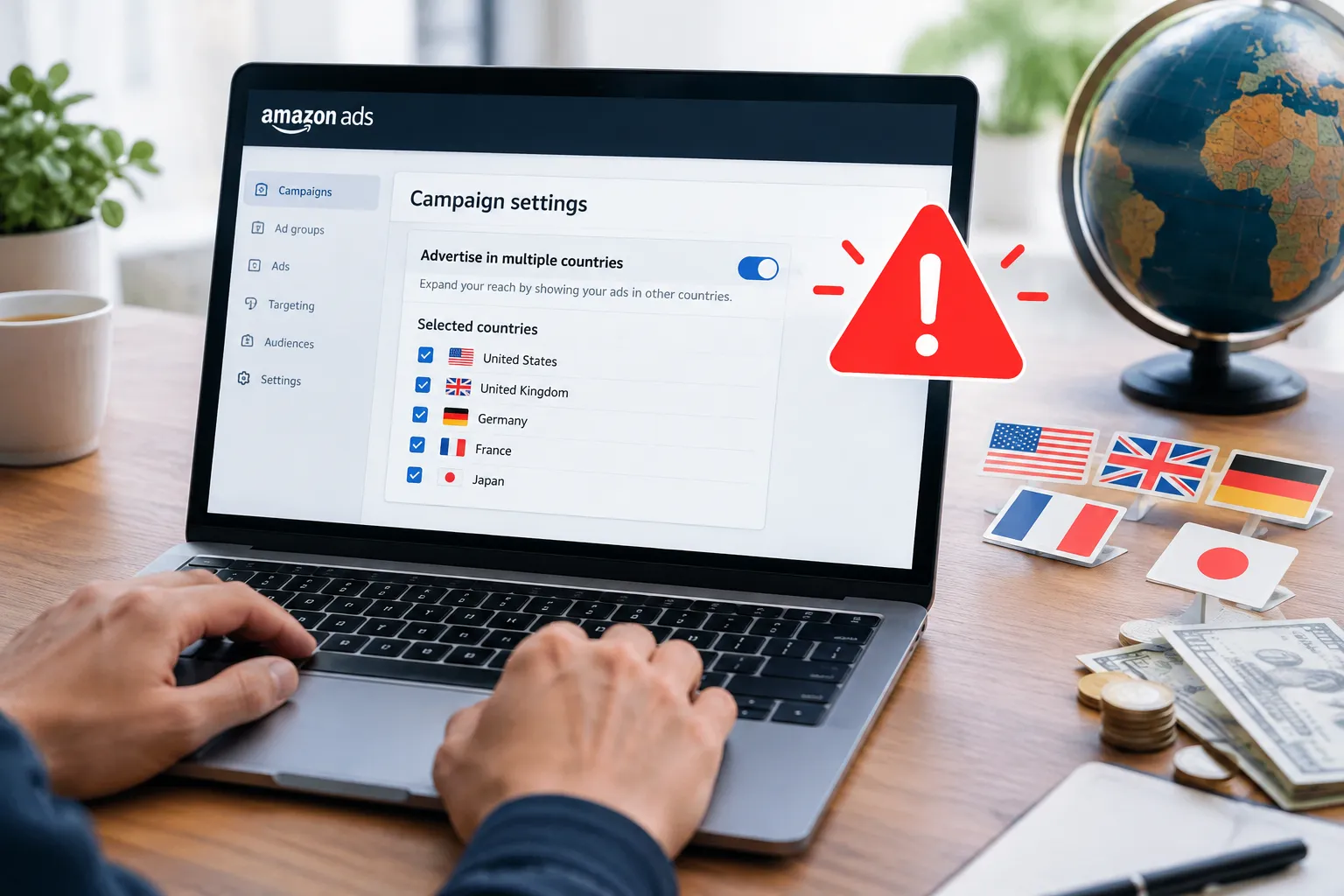
TL;DR: Amazon has added a NEW Country option to the Sponsored Products campaign builder: “Advertise products in multiple countries.” In many accounts it is already selected when you create a campaign. If you only want to sell in your home marketplace, select “Advertise products only in United States” (or United Kingdom, or your base country) before you click Launch. It takes five seconds and can protect a lot of budget.
Most Amazon sellers create campaigns on autopilot. Name, portfolio, budget, targeting, launch. That habit is now a risk.
A new setting in the Sponsored Products campaign builder lets Amazon take your campaign beyond your home marketplace. It adds your eligible matching products in other countries and, in Amazon’s own words on the setting, optimizes keywords, bids and budgets to help drive traffic. If you are not looking for it, you could be paying for clicks in countries you never planned to sell in.
Here is what the setting does, why it matters, and exactly how to switch it off.
What Changed in the Amazon Ads Campaign Builder?
When you create a new Sponsored Products campaign, the Settings panel now includes a Country section with two choices:
- Advertise products only in [your country] – for example, United States. Your campaign runs in your base marketplace only.
- Advertise products in multiple countries (NEW) – Amazon adds your eligible matching products in other countries and optimizes keywords, bids and budgets for them.
Under the multi-country option sits a second setting: “Use AI to expand and optimize in multiple countries.” This lets Amazon automatically optimize and manage the campaign in countries where you have eligible matching products. The setting’s description notes that this may include products sold through the Amazon Global Store program, meaning cross-border sales to shoppers in other countries.
In the screenshots circulating among Amazon PPC professionals this week, the multiple-countries option appears already selected when a new campaign is opened. That is the part that should make every advertiser pause.
This is part of a bigger push by Amazon
Amazon has been building towards one-click global advertising for years. In 2021 it let North American sellers create Sponsored Products auto campaigns for several countries in a single process. Since then it has added a multi-country campaign manager, cross-country reporting, and Global Sponsored Products campaigns. In July 2026 it began upgrading accounts into a single advertiser account for managing ad products globally.
The new Country option is the next step: global reach built directly into the default campaign flow. Useful for brands with a plan. Expensive for brands that do not notice it.
Why This Setting Can Hurt Your Profit
Amazon is not wrong that international expansion can grow sales. The problem is unplanned expansion. Here is what can go wrong when a campaign quietly runs in countries you did not choose:
1. You pay for clicks you cannot convert
A new country means no sales history, no reviews from local shoppers and often a listing that was never translated or optimized for that market. Click-through and conversion rates are usually lower at the start, so your cost per order goes up.
2. Your ACoS and TACoS get distorted
When international spend is mixed into the same campaign, your ACoS vs TACoS picture stops reflecting your home market. You may cut bids on keywords that are actually profitable at home because the blended numbers look poor.
3. Fulfillment, delivery times and returns
Products sold to shoppers abroad, including through the Amazon Global Store, can mean longer delivery estimates, international returns and higher return-related costs. Slow delivery also hurts conversion, which feeds back into ad efficiency.
4. Pricing and currency surprises
Your price in another country may not be competitive once currency conversion, shipping and local fees are included. Budgets are converted to local currency too, so it is easy to lose track of what you are really spending.
5. Tax and compliance exposure
Selling into new countries can bring tax and regulatory obligations, such as VAT registration in Europe or packaging and labeling rules. Advertising there before you are ready can create sales you are not set up to handle.
6. Less control over your strategy
With AI optimization switched on, Amazon decides keywords, bids and budget allocation across countries. For an agency or brand with a carefully built campaign structure, that is control you may not want to hand over.
Bottom line: Advertising in more countries is not bad. Advertising in more countries by accident is.
How to Switch Off Multi-Country Advertising (Step by Step)
Follow these steps every time you create a new Sponsored Products campaign:
- Go to Campaign Manager and click Create campaign, then choose Sponsored Products.
- In the Settings panel, fill in your campaign name, portfolio, start date and end date as usual.
- Scroll to the Country section.
- Select “Advertise products only in United States” (or United Kingdom, or whichever base marketplace you want to run ads in).
- Confirm that “Use AI to expand and optimize in multiple countries” is not selected.
- Set your daily budget for that country only, then finish targeting and bids.
- Before clicking Launch, scroll back up and check the Country section once more.
Audit the campaigns you have already launched
If you have created campaigns recently, check them now:
- Open the multi-country campaign manager and use the country filter to view all countries at once.
- Check the Country column next to each campaign for any market you did not plan for.
- Pause any unintended international campaigns and review the spend and orders they generated.
- Run a multi-country report in your preferred currency to see the full cost.
- Brief everyone who builds campaigns, including freelancers and team members, to check the Country setting every time.
When Should You Actually Use Multi-Country Advertising?
There is a right time to turn it on. Use this quick check:
| Question | If YES | If NO |
| Do you have localized listings (language, keywords, images) in the target country? | Good sign | Keep it off |
| Do you have inventory or a reliable fulfillment route in that country? | Good sign | Keep it off |
| Is your landed price competitive after currency, shipping and fees? | Good sign | Keep it off |
| Are you set up for local tax and compliance (e.g., VAT)? | Good sign | Keep it off |
| Do you have a separate budget and target ACoS for that country? | Good sign | Keep it off |
If you answered yes to all five, a planned international Amazon expansion with country-specific campaigns can be a strong growth lever. If not, keep your campaigns on your base country and expand deliberately.
A Pattern Worth Watching: Amazon’s “On by Default” Settings
This is not the first time Amazon has introduced a reach-expanding option that advertisers must actively change. In August 2026, Sponsored Products started serving inside Amazon Influencer creator content, with the “Increase reach” setting as the default for ads served off Amazon.
The lesson for sellers is simple: every new campaign setting is a decision, even if you never click it. Review defaults, read the small print in the campaign builder, and keep your Amazon PPC management process tight.
Quick Checklist: Before You Launch Any New Campaign
- Country set to your base marketplace only (unless expansion is planned)
- AI multi-country optimization not selected
- Budget set in the correct currency
- Off-Amazon placement settings reviewed
- Campaign named with the country code (e.g., US-SP-Auto-Brand) so reports stay clean
Need Help Protecting Your Amazon Ad Spend?
Small setting changes like this are where budgets quietly leak. At EcomRanker, we manage Amazon advertising for brands across the US, UK, UAE and India, and we review every campaign setting so your money goes where you intend.
Book a free Amazon PPC audit and we will check your account for unintended multi-country campaigns, wasted spend and missed opportunities.