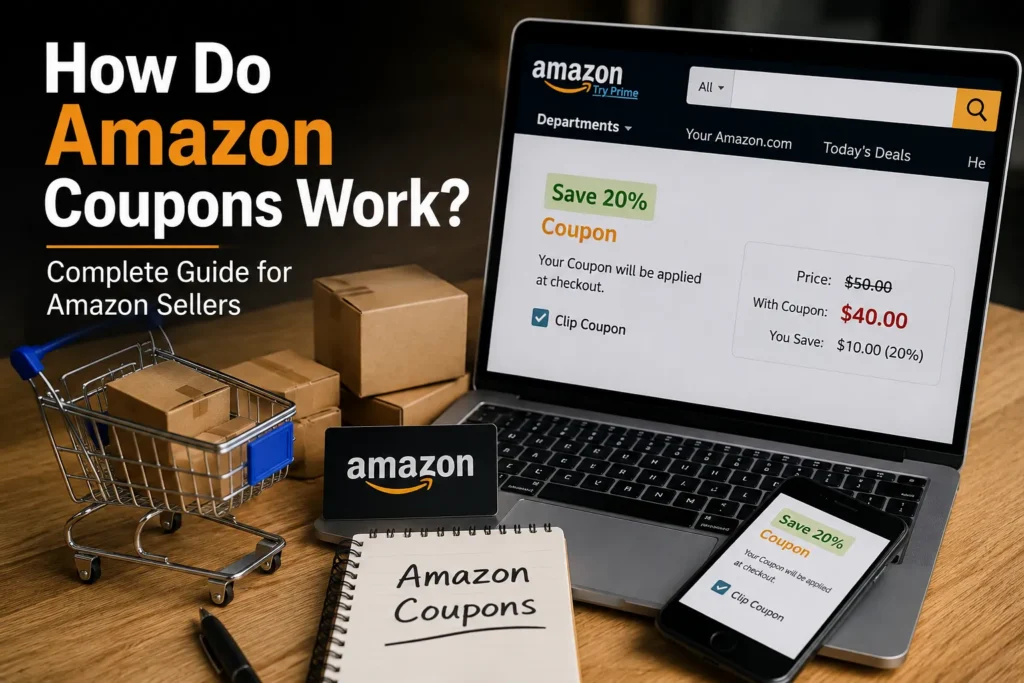
Amazon coupons show up as a small green badge, they get “clipped” with one click, and the discount applies automatically at checkout. That’s the short answer. But how coupons actually work behind the scenes — how sellers fund them, what Amazon charges, which products qualify, and how deep a discount can legally go — is where most guides stop short. This guide covers both sides: what happens when a shopper clips a coupon, and exactly what a seller needs to set one up correctly in 2026.
What Are Amazon Coupons?
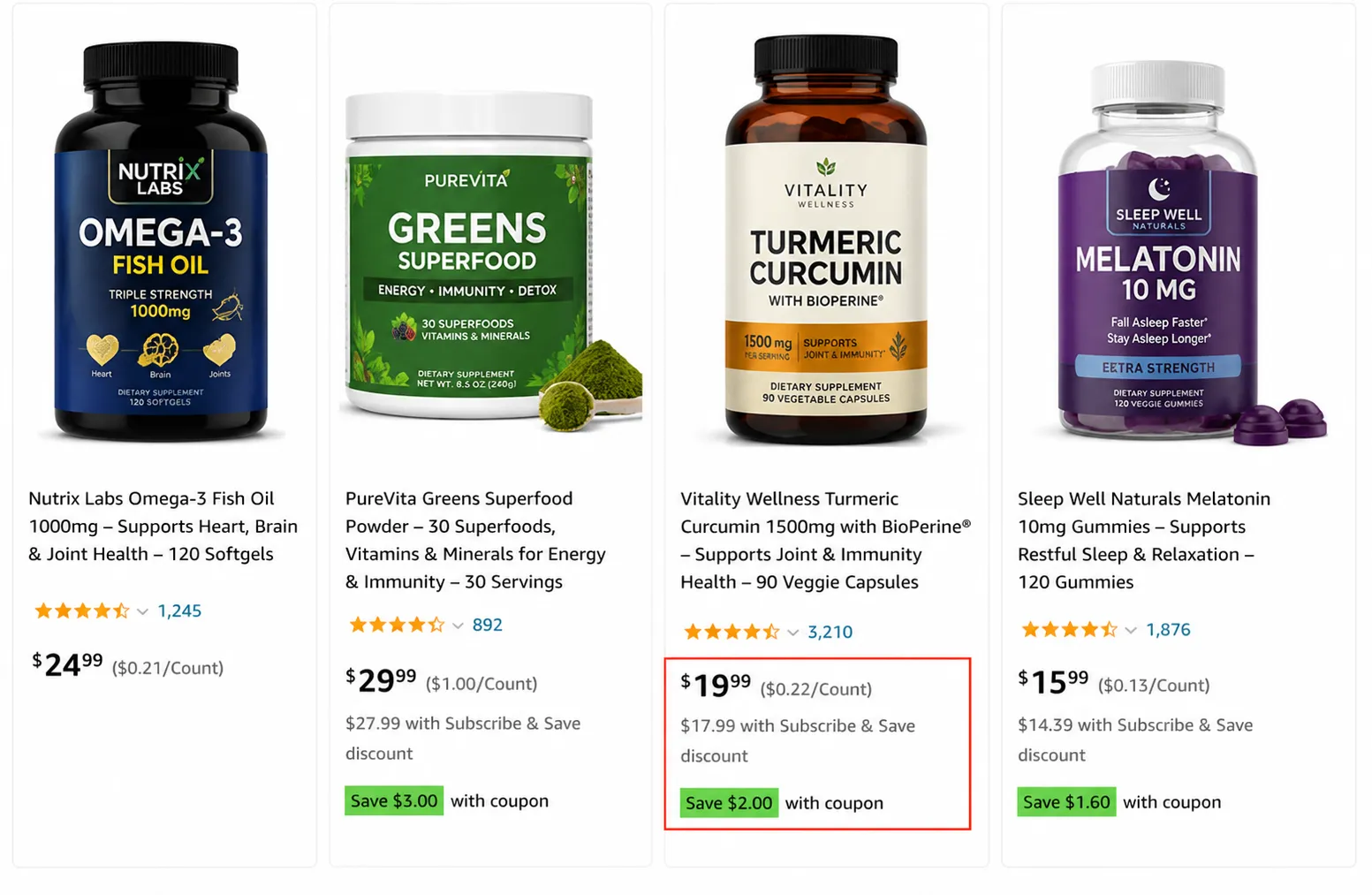
An Amazon coupon is a seller-funded, time-limited discount attached to a specific product listing. It appears as a green (sometimes orange) “Save X%” or “Save $X” badge directly under the price on the product page and in search results. Unlike a promo code, a shopper doesn’t type anything — they click a checkbox, and the discount is held against their account until they check out.
Coupons are distinct from Deals, Promotions, and Promo Codes, even though sellers and shoppers often use the terms interchangeably. We’ll break down the difference later in this guide.
How Amazon Coupons Work for Shoppers (Step by Step)
From the buyer’s side, the mechanics are simple:
- The shopper sees a green coupon badge on a search result or product detail page.
- They click the checkbox next to the coupon to “clip” it.
- The coupon attaches to their account/cart session — it does not apply to the visible price yet.
- They add the item to their cart and proceed to checkout.
- The discount is deducted automatically at checkout, and the final price reflects the savings.
Two details trip shoppers up: coupons are usually single-use per customer, and most have a limited total budget — once the seller’s allotted spend runs out, the badge disappears even if the coupon hasn’t technically expired.
How Amazon Coupons Work for Sellers (Behind the Scenes)
On the seller side, a coupon is a promotional campaign you fund yourself. Here’s the full mechanic:
- You (the seller) set the discount — a percentage off or a fixed dollar amount.
- You set a total budget for the campaign. Every time a shopper redeems the coupon, that budget is reduced by the discount amount plus a referral fee.
- You choose which ASINs are eligible and set a start/end date.
- Amazon reviews the coupon against its pricing and eligibility rules before it goes live (typically within a few hours).
- Once approved, the badge appears automatically — you don’t control exactly when it starts showing to individual shoppers.
- When your budget is exhausted, the coupon stops appearing, even mid-campaign.
This is the piece most “how to use Amazon coupons” content skips: you’re not just discounting the item, you’re also paying Amazon a small referral fee on every redemption, on top of the value of the discount itself.
Types of Amazon Coupons
Percentage Off
The most common type. The shopper sees a percentage discount (e.g., “Save 15%”) applied at checkout.
Money Off (Fixed Amount)
A flat dollar or currency amount off (e.g., “Save $5”). Several sellers report this converts slightly better because shoppers don’t have to do the math themselves.
Subscribe & Save Coupons
Available on eligible Subscribe & Save products, this stacks an additional discount on top of the standard Subscribe & Save rate — useful for driving recurring/repeat purchase behavior specifically.
Reorder Coupons
Targeted at customers who’ve purchased the product before but haven’t recently reordered — a re-engagement tool rather than a cold-traffic tool.
Amazon Coupon Discount Rules & Eligibility (2026)
Amazon tightened coupon pricing rules in recent policy updates, and these are the requirements sellers most often get tripped up on:
- Discount range: coupons must be between 5% and 50% off the current price.
- Sales history: the ASIN generally needs an established sales/price history so Amazon can calculate a “Was Price” or recent lowest price.
- Price ceiling: the current price typically can’t exceed the “Was Price” by more than a set margin, and the coupon price must sit meaningfully below both the Was Price and the recent lowest price.
- New/low-review products: newer ASINs with limited sales history can still qualify under separate criteria — generally a minimum star rating and feedback threshold rather than a full price history.
- Account standing: Professional seller accounts in good standing with an adequate feedback rating are eligible; coupons aren’t available to every seller type.
Exact thresholds shift with policy updates, so always confirm current numbers against your Seller Central coupon eligibility screen before launching — Amazon will flag the specific rule an ASIN fails if it’s suppressed.
Step-by-Step: How to Create an Amazon Coupon in Seller Central
- Log in to Seller Central and go to the Advertising menu.
- Select Coupons from the dropdown.
- Click Create a new coupon.
- Choose the eligible ASIN(s) — you can add multiple products to a single coupon, or run it on one ASIN for a targeted test.
- Select the discount type: Percentage Off or Money Off, and enter the value (within the 5–50% range).
- Set your total campaign budget — this is the cap on total spend across all redemptions.
- Choose your audience if applicable (all buyers, Prime members, or a targeted segment).
- Set the start and end date for the campaign.
- Submit for approval. Once approved, the coupon typically goes live within a few hours.
- Track redemptions, spend, and remaining budget from the Coupons dashboard.
Amazon Coupon Fees: What It Actually Costs
Coupons aren’t free promotion — you’re paying on two fronts:
- The discount itself (the % or $ off you’re funding on every redemption).
- A referral fee Amazon charges per redemption, on top of the discount.
For example: on a $30 item with a 10% coupon ($3 off) that redeems 200 times, you’re funding $600 in discounts, plus the per-redemption referral fee on top — so budget for the fee as a real cost line, not an afterthought, when you’re calculating whether a coupon campaign is still profitable at your margin.
Referral fee structures vary by marketplace and have changed more than once in recent years — check the fee schedule in Seller Central under Coupons before launching so your margin math uses current numbers.
Amazon Coupons vs. Promo Codes vs. Deals vs. Promotions
| Tool | How It Works | Best Used For |
| Coupon | One-click clip; discount auto-applies at checkout; visible green badge | Ongoing conversion lift, everyday visibility |
| Promo Code | Alphanumeric code entered manually at checkout | Email lists, influencer campaigns, external traffic |
| Lightning Deal / Best Deal | Time-boxed, higher-visibility placement on the Deals page | Short bursts, event-driven spikes (Prime Day, BFCM) |
| Promotion (BOGO / tiered) | Discount scales with quantity purchased | Increasing average order value / clearing inventory |
Can You Stack Amazon Coupons?
Sometimes. Amazon periodically allows coupon stacking with other mechanisms — for example, a manufacturer coupon alongside a Subscribe & Save discount, or a coupon combined with a sitewide promotion. Stacking isn’t guaranteed and isn’t controlled by the seller; it depends on the specific promotion types Amazon has active at the time and whether the individual campaigns are flagged as stackable. Don’t build a pricing strategy that assumes stacking will apply — treat it as a bonus when it happens, not a default.
Best Strategies to Use Amazon Coupons Effectively
1. Pair Coupons With PPC
A coupon without traffic doesn’t move volume. Running Sponsored Products or Sponsored Brands alongside a live coupon compounds the visibility
2. Use Coupons During Product Launch
Early-stage listings benefit most — coupons accelerate the first wave of sales and reviews that the A9/A10 algorithm weighs heavily in the first 30–60 days.
3. Fix the Listing Before You Discount
A coupon amplifies whatever conversion rate your listing already has. If images, copy, or reviews are weak, a coupon increases clicks without increasing sales proportionally.
4. A/B Test Discount Depth
Test 10% against 20%, and percentage-off against money-off, on the same ASIN in different windows. Redemption rate and net margin per unit — not just clicks — should decide the winner.
5. Use Coupons to Move Slow Inventory
Aging stock approaching long-term storage fees is a good candidate for a deeper, shorter coupon window rather than a permanent price cut.
Common Mistakes Sellers Make With Coupons
- Launching a coupon on a listing that isn’t optimized yet, so the discount doesn’t convert
- Running coupons continuously, which trains repeat customers to wait for a discount instead of buying at full price
- Not tracking redemption rate and ROI, so an unprofitable coupon keeps running unnoticed
- Launching during high-competition periods like Prime Day without paid traffic support, so the coupon gets buried
- Underestimating the referral fee and finding the campaign was break-even or a loss once fees are included
Metrics to Track During a Coupon Campaign
- Sales volume — units moved during the coupon window vs. baseline
- Conversion rate — sessions to purchase, with and without the coupon live
- Redemption rate — clipped vs. actually purchased
- ROI — net margin after discount cost and referral fees, not just top-line revenue
Frequently Asked Questions
How do Amazon coupons work exactly?
A seller creates a discount (percentage or fixed amount) in Seller Central and funds it from their own budget. Shoppers see a green badge, click to “clip” the coupon, and the discount applies automatically at checkout — no code entry required.
Are Amazon coupons free for sellers?
No. The seller funds the full discount amount and pays Amazon a referral fee on every redemption, on top of the discount value. Check current fee rates in Seller Central before launching.
Do Amazon coupons improve organic ranking?
Not directly, but indirectly — coupons increase conversion rate and sales velocity, both of which the A9/A10 algorithm factors into organic placement. The ranking lift comes from the sales the coupon generates, not the coupon itself.
Can new sellers with no reviews use coupons?
Yes, in many cases. Amazon has separate eligibility criteria for newer ASINs with limited or no review history, generally tied to star rating and account standing rather than sales history.
What’s the difference between a coupon and a promo code?
A coupon is clipped with one click and applies automatically at checkout. A promo code is an alphanumeric string the shopper has to type in manually — typically shared through email, social media, or influencer content rather than surfaced on-listing.
What’s the maximum discount allowed on an Amazon coupon?
Coupon discounts must currently fall between 5% and 50% off the item’s current price. Discounts outside that range will be rejected or suppressed.
Can I stack an Amazon coupon with Subscribe & Save?
Sometimes — Amazon periodically permits stacking coupons with Subscribe & Save or other active promotions, but it isn’t guaranteed or seller-controlled. Treat any stacking as situational, not a strategy to plan around.
How long does it take for a coupon to go live after submission?
Typically within a few hours of approval, though timing can vary. Amazon reviews the coupon against pricing and eligibility rules before it appears publicly.
Why did my Amazon coupon stop showing up?
The most common reasons are: your campaign budget ran out, the coupon’s date range ended, or the ASIN became ineligible due to a pricing rule (for example, the current price no longer sits far enough below the Was Price).
Advanced Strategy: Coupon + SEO + PPC as a Growth System
A coupon on its own is a short-term conversion lever. Combined with Amazon SEO, listing optimization, and PPC management, it becomes part of a compounding system: better listing → better conversion → more effective ad spend → more sales velocity → improved organic rank → less dependency on ads over time. This is the mechanism behind the Amazon flywheel strategy, and it’s the same system we build for brands during product launches.
How EcomRanker Helps Sellers Scale With Coupons
We don’t run coupons in isolation. Our approach pairs coupon strategy with account management, advertising, and SEO so a discount campaign produces a lasting ranking and conversion gain rather than a short-term spike that disappears when the budget runs out.
Final Thoughts
Amazon coupons are simple on the surface — clip, apply, save — but running them profitably requires understanding the fee structure, eligibility rules, and the fact that a coupon only amplifies whatever conversion rate your listing already has. Get the listing right first, fund the coupon with real margin math, and pair it with traffic so the discount actually gets seen.