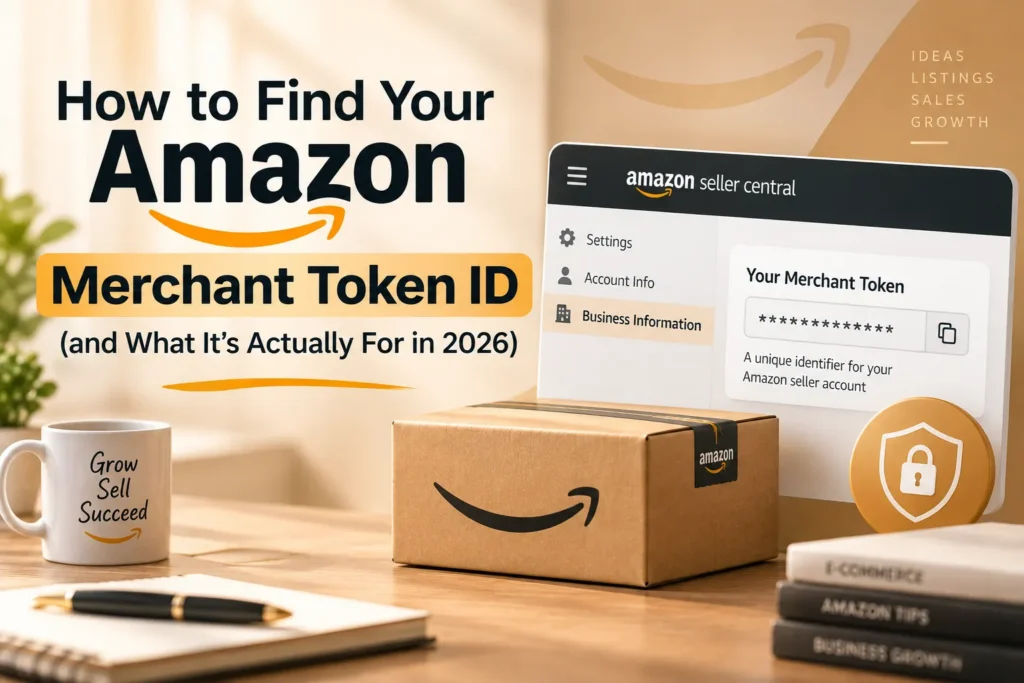
Your Amazon Merchant Token ID is a unique identifier tied to your seller account, used to connect third-party tools and the Selling Partner API (SP-API) to your data securely. It’s found in Seller Central under Account Info, doesn’t change for the life of your account, and — despite what some older guides still say — has nothing to do with Amazon MWS anymore, since that service was fully retired in March 2024.
Key Takeaways
- The Merchant Token ID is a unique, permanent identifier for your seller account, distinct from your Seller ID, used to authenticate third-party tools and API access without sharing your login credentials.
- It’s used for the Selling Partner API (SP-API) and verified third-party integrations today — not Amazon MWS, which was fully retired on March 31, 2024. Any guide still referencing MWS as a current use case is describing a service that no longer exists.
- It’s found in Seller Central under Settings → Account Info → Business Information → Your Merchant Token.
- It doesn’t change over the life of your account, so you only need to look it up once and store it securely.
- Treat it as confidential — share it only with verified applications from Amazon’s Selling Partner Appstore, and audit which tools have access periodically.
What the Merchant Token ID Actually Is
The Merchant Token ID is a unique alphanumeric code Amazon assigns to every seller account, functioning as a secure identifier that lets third-party applications, inventory tools, and reporting systems connect to your specific account without needing your actual login credentials. With millions of active sellers on the platform, Amazon needs a reliable way to ensure every integration, report, and API call is tied to the correct account — the Merchant Token is that mechanism. It remains the same for the entire life of your seller account, so once you’ve located it, you won’t need to look it up again unless you’re setting up a new integration.
What It’s Used For Today (Not MWS)
This is worth stating clearly, since some existing guides on this topic — including ones claiming a recent update — still describe the Merchant Token as being used for Amazon Marketplace Web Service (MWS). That’s outdated information: MWS was fully retired by Amazon on March 31, 2024, and all developers were required to migrate to the Selling Partner API (SP-API) well before that date. If you’re reading a guide that presents MWS as a current, active service requiring your Merchant Token, that guide hasn’t been genuinely updated to reflect Amazon’s own developer documentation.
Today, your Merchant Token ID is used for:
- The Selling Partner API (SP-API) — the current standard for programmatic access to your account data, reports, and order management
- Verified third-party applications listed in the Selling Partner Appstore — inventory management, repricing, analytics, and advertising tools
- Seller Support verification — Amazon’s support team can use it to quickly locate and verify your account for issues like tax exemptions or account health inquiries
- Feed and catalog management — ensuring bulk file uploads and listing feeds are correctly tied to your specific storefront
Step-by-Step: Finding Your Merchant Token ID
- Log in to Seller Central using your account credentials.
- Click the gear icon (Settings) in the top-right corner of the dashboard.
- Select “Account Info” from the dropdown menu.
- Scroll to the “Business Information” section on the Account Info page.
- Click the link labeled “Your Merchant Token” (sometimes displayed as Merchant ID) — your unique alphanumeric code appears immediately.
Copy it into a secure location if you’re setting up an integration, rather than leaving the Account Info page open, and avoid pasting it anywhere publicly accessible.
Merchant Token vs. Seller ID — Don’t Confuse Them
| Factor | Merchant Token | Seller ID |
| Visibility | Private — not meant to be public | Often visible in storefront URLs and public-facing details |
| Primary use | API authentication, third-party integrations | General account/storefront identification |
| Where to find it | Settings → Account Info → Business Information | Often visible in your storefront URL or account details |
| Sensitivity | Treat as confidential | Less sensitive, commonly public |
These two identifiers get confused often enough that it’s worth stating plainly: they are not interchangeable, and a tool or support request asking specifically for your Merchant Token is not asking for the same thing as your (often already-public) Seller ID.
Security Best Practices
- Treat the Merchant Token as confidential — never post it in public forums, social media, screenshots, or support tickets shared outside verified Amazon channels
- Only share it with verified applications listed in the Amazon Selling Partner Appstore, since unverified third-party tools requesting it carry real account-security risk
- Conduct periodic access audits — review which tools currently have access and revoke anything you no longer actively use, including for consultants or agencies you’ve stopped working with
- Restrict who on your team can view it — limit Account Info access to owners or senior admins rather than junior staff or virtual assistants
- Monitor Account Health after connecting any new tool to confirm it’s behaving as expected and not triggering unexpected policy flags
Troubleshooting: Can’t Find It or It’s Not Working?
If the “Your Merchant Token” link isn’t visible under Business Information, confirm you’re logged in with sufficient account permissions — this information is generally restricted to account owners or admins, not all user roles. If a third-party tool rejects the token you’ve provided, double-check for accidental extra spaces or characters when copying it, and confirm the specific service you’re connecting actually uses SP-API rather than a discontinued integration method. If problems persist, Seller Support can verify your account using the token directly.
How EcomRanker Handles Integrations and Account Security
We manage tool integrations and API access as a security-conscious process, not just a convenience setup — verifying every third-party application against the Selling Partner Appstore, limiting Merchant Token access to what’s actually necessary, and auditing existing integrations periodically so unused access doesn’t linger as an unnecessary risk.
Setting up new integrations or want your current third-party access reviewed for security? Get in touch for an account security check.
Frequently Asked Questions
1 . What is an Amazon Merchant Token ID?
A unique alphanumeric identifier tied to your seller account, used to securely connect third-party tools, inventory systems, and the Selling Partner API to your account data without sharing your login credentials.
2 . Is the Merchant Token used for Amazon MWS?
No, not anymore. Amazon MWS was fully retired on March 31, 2024. The Merchant Token is used today for the Selling Partner API (SP-API) and verified third-party integrations.
3 . Where do I find my Merchant Token ID?
In Seller Central, go to Settings → Account Info → Business Information, then click “Your Merchant Token” to reveal your unique code.
4 . Does my Merchant Token ever change?
No, it remains the same for the entire life of your seller account.
5 . Is the Merchant Token the same as my Seller ID?
No. The Seller ID is often public-facing, appearing in storefront URLs, while the Merchant Token is a private identifier used for API authentication and should be kept confidential.
6 . Can I share my Merchant Token with anyone who asks?
No. Only share it with verified applications listed in the Selling Partner Appstore. Sharing it with unverified parties violates Amazon’s Terms of Service and creates real account-security risk.
7 . What should I do if I lose or forget my Merchant Token?
Log back into Seller Central and navigate to Settings → Account Info → Business Information → Your Merchant Token to retrieve it again — it doesn’t change, so it will be the same code.
8 . Why does Seller Support ask for my Merchant Token?
It allows Amazon’s support team to quickly locate and verify your specific account, speeding up resolution for issues like tax exemptions, account health inquiries, or Brand Registry matters.
9 . Should I limit who on my team has access to the Merchant Token?
Yes. Restrict Account Info access to owners or senior admins, and avoid granting junior staff or virtual assistants unnecessary access to this level of account information.