Selling on Amazon has become increasingly competitive. With millions of products competing for visibility, sellers must continuously adopt smarter strategies to increase their conversion rate and average order value.
One of the most powerful yet underused features available to brand-registered sellers is Amazon Virtual Bundles.
Amazon introduced virtual bundles to help sellers combine complementary products without physically packaging them together. This feature allows sellers to create bundled product listings using existing FBA inventory, making it easier to offer product combinations that improve the shopping experience.
At EcomRanker, we’ve worked with Amazon sellers for more than a decade, and we’ve seen how virtual bundles can significantly increase revenue when implemented strategically. When combined with strong listing optimization and customer-focused product strategies, bundles can become a powerful sales driver.
In this guide, we’ll cover everything you need to know about Amazon Virtual Bundles, including how they work, how to create them, their benefits, challenges, and the best practices that successful Amazon brands use.
What Are Amazon Virtual Bundles?
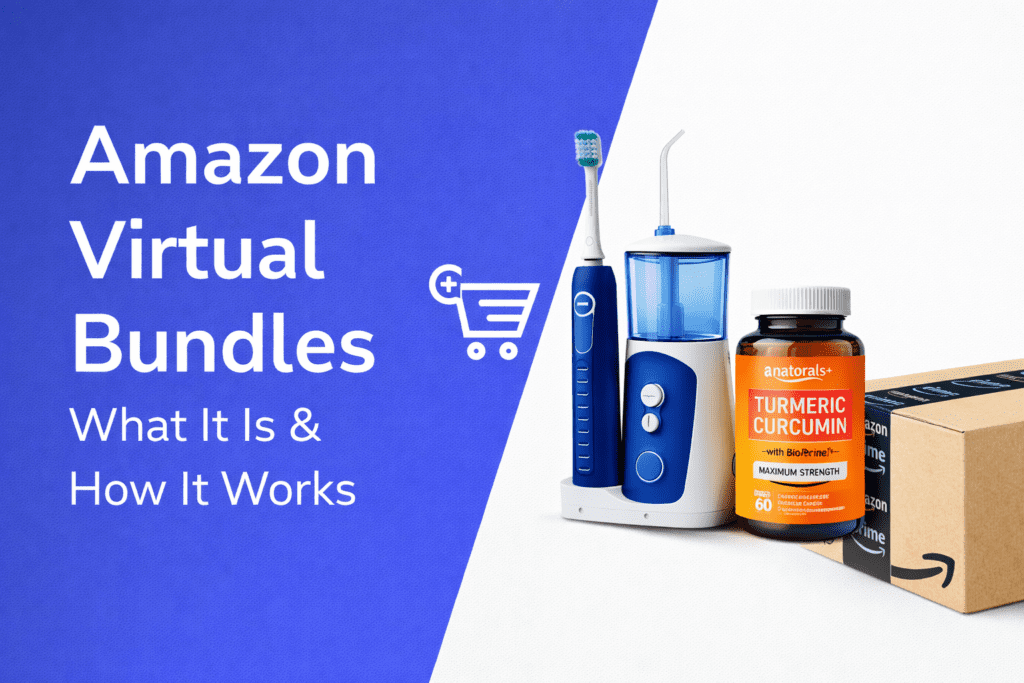
Amazon Virtual Bundles allow brand-registered sellers to group two to five complementary ASINs into a single product listing without physically packaging the items together.
Instead of creating a new physical product bundle and sending it to Amazon warehouses, the bundle exists virtually on the product page.
When a customer purchases the bundle, Amazon automatically:
• picks each product from your FBA inventory
• packs the items together
• ships them as one order
This means sellers can create bundle offers without increasing operational complexity.
Virtual bundles are especially useful for brands that sell related products such as skincare sets, kitchen accessories, fitness equipment, or tech accessories.
Many sellers combine virtual bundles with strategies discussed in our Amazon Flywheel strategy guide, where improving product selection and customer experience creates long-term growth momentum.
Why Amazon Introduced Virtual Bundles
Amazon constantly improves its marketplace features to increase customer convenience and boost overall sales.
Virtual bundles were introduced to solve two major challenges:
- Customers often purchase complementary products together.
- Sellers struggled to offer bundles without creating additional inventory.
By allowing virtual bundling, Amazon simplified the process for sellers while also improving the customer experience.
Shoppers now see bundle offers directly on the product page, often placed near the price section where they are easy to notice.
This increased visibility has made virtual bundles far more effective compared to earlier versions of the feature.
How Amazon Virtual Bundles Work
Understanding how Amazon Virtual Bundles function is essential before implementing them into your strategy.
A virtual bundle works like a standard product listing, but instead of representing a single product, it represents a curated set of items.
Each bundle includes:
• a bundle title
• bundle images
• bullet points describing the included products
• bundle pricing
• product descriptions
When customers purchase the bundle, Amazon automatically fulfills the order using the individual items stored in your FBA inventory.
Because Amazon handles fulfillment, sellers do not need to worry about packaging, labeling, or preparing new bundled inventory.
This makes virtual bundles one of the easiest ways to increase order value without additional operational effort.
Seller Eligibility Requirements
Not every seller can create virtual bundles.
Amazon restricts this feature to brand-registered sellers.
To use Amazon Virtual Bundles, sellers must meet the following requirements:
• Enrolled in Amazon Brand Registry
• Products must be fulfilled through FBA
• Products must be in “New” condition
• Each product must have active FBA inventory
Some items cannot be included in bundles.
These include:
• gift cards
• digital products
• music or video downloads
• refurbished items
Currently, the feature is primarily available in the Amazon US marketplace.
However, Amazon continues expanding tools for brand-registered sellers, so additional regions may support bundles in the future.
Pricing Amazon Virtual Bundles
Pricing is one of the most critical factors for bundle success.
Amazon requires that bundle pricing be equal to or lower than the combined price of the individual products.
If the bundle price exceeds the sum of the individual items, the bundle may lose Buy Box eligibility.
For example:
Product A: $20
Product B: $15
Combined price: $35
Bundle price example: $30
Offering a small discount encourages customers to purchase the bundle instead of individual items.
However, sellers must monitor pricing carefully because bundle prices do not automatically adjust when individual product prices change.
Many sellers who manage pricing carefully also follow strategies discussed in our Amazon seller guide for handling gift returns, which explains how pricing and product presentation influence customer satisfaction and return rates.
Step-by-Step: How to Create Amazon Virtual Bundles
Creating virtual bundles in Seller Central is straightforward.
Follow these steps:
Step 1: Log in to Amazon Seller Central.
Step 2: Open the main menu.
Step 3: Navigate to
Brands → Virtual Bundles.
Step 4: Click Create a new bundle.
Step 5: Add products to the bundle.
Amazon allows between two and five ASINs per bundle.
Step 6: Customize bundle details.
This includes:
• bundle title
• bullet points
• description
• pricing
• images
Step 7: Save and publish the bundle.
Bundles typically appear on Amazon within 24 hours.
Benefits of Amazon Virtual Bundles
Virtual bundles offer several advantages for sellers.
When used strategically, they can significantly improve sales performance.
Increase Average Order Value
One of the biggest benefits of bundling is increasing average order value (AOV).
Instead of selling a single product, sellers encourage customers to purchase multiple items together.
Higher order value improves overall revenue without needing additional traffic.
Win the Amazon Buy Box
Bundles often face less competition compared to individual product listings.
Since most sellers do not create identical bundles, you are more likely to control the listing.
This increases the chances of winning the Buy Box and generating consistent sales.
Sell Slow-Moving Inventory
Every Amazon seller eventually deals with slow-moving products.
Virtual bundles allow sellers to pair slower items with best-selling products.
For example:
Popular product + low-selling accessory.
The combined value makes the bundle more attractive.
Improve Customer Convenience
Customers often prefer buying bundled products because it saves time.
Instead of searching for multiple items individually, they can purchase everything they need in one listing.
This convenience improves the overall shopping experience.
Introduce New Products
Virtual bundles also allow sellers to introduce new products.
Pairing a new product with a best seller increases exposure and encourages customers to try the new item.
Challenges of Amazon Virtual Bundles
While bundles provide many advantages, sellers should also understand potential challenges.
Inventory Dependency
Bundles depend on the inventory levels of each included product.
If one item goes out of stock, the entire bundle becomes unavailable.
This can interrupt sales momentum.
Limited Customization
Amazon provides limited control over how bundles appear on product pages.
Sellers must rely on strong images and compelling titles to make bundles stand out.
Pricing Complexity
Bundle pricing requires careful monitoring.
If individual product prices change, the bundle price may need manual adjustment.
Limited Analytics
Amazon provides limited reporting specifically for bundles.
Sellers must monitor performance using:
• sales reports
• inventory reports
• conversion metrics
Amazon Virtual Bundles Best Practices
Successful sellers follow proven strategies to maximize bundle performance.
Use Brand Analytics
Amazon Brand Analytics provides valuable data such as:
• frequently bought together products
• search trends
• customer behavior
Using this information helps sellers create bundles customers actually want.
Create High-Quality Bundle Images
Bundle images should clearly show what customers will receive.
Professional images increase click-through rates and improve conversions.
Highlight Savings
Showing savings encourages customers to purchase the bundle.
Using strike-through pricing can create urgency.
Choose Complementary Products
Bundles should make logical sense.
Examples include:
• skincare routines
• kitchen tool sets
• fitness accessory kits
• home organization bundles
The goal is to offer real value.
Monitor Bundle Performance
Track bundle performance regularly.
Test different:
• product combinations
• pricing strategies
• images
• titles
Optimization is ongoing.
Why Virtual Bundles Are Becoming More Important
Amazon continues focusing on features that improve customer experience.
Virtual bundles simplify purchasing decisions while increasing product exposure.
As more brands join Amazon, bundles provide a competitive advantage.
Many successful sellers now include virtual bundles as part of their long-term Amazon growth strategy.
Final Thoughts
Amazon Virtual Bundles provide a powerful opportunity for brand-registered sellers to increase sales without additional advertising costs.
By combining complementary products into a single listing, sellers can increase average order value, improve product visibility, and provide greater convenience for customers.
With Amazon placing bundles more prominently on product pages, now is an ideal time to implement this strategy.
At EcomRanker, we help Amazon sellers implement advanced growth strategies including listing optimization, bundling strategies, and advertising optimization to maximize long-term success.
FAQs About Amazon Virtual Bundles
What are Amazon Virtual Bundles?
Amazon Virtual Bundles allow brand-registered sellers to combine multiple complementary FBA products into a single listing without physical packaging.
How many products can be included in a bundle?
Amazon allows between two and five products per bundle.
Can virtual bundles be advertised?
Yes. Virtual bundles can be promoted using Amazon Sponsored Products campaigns.
Do bundles require extra inventory?
No. Amazon uses existing FBA inventory to fulfill bundle orders.
Can bundles be edited after publishing?
Yes. Sellers can edit titles, images, pricing, and descriptions through Seller Central.