If you run Sponsored Products or Sponsored Brands campaigns on broad or phrase match, a meaningful slice of your budget is going to searches that were never going to convert. Audits across UK, US, and UAE accounts consistently turn up the same pattern: 30–40% of ad spend sitting on search terms with clicks, no sales, and no reason to still be live. Negative keywords are how you shut that off — permanently, not just for this week’s budget.
This guide covers what Amazon negative keywords are, the two match types and where each belongs, how to mine them from your Search Term Report, the mistakes that quietly undo good targeting, and what’s changed in 2026 now that AI-mediated shopping (Alexa for Shopping, Rufus) is reading your search-term data differently than it did a year ago.
What Are Amazon Negative Keywords?
Amazon negative keywords are terms you add to a Sponsored Products or Sponsored Brands campaign to block your ad from showing when a shopper’s search includes them. Regular keywords tell Amazon where to show your ad. Negative keywords tell Amazon exactly where not to.
They only affect paid placements — adding a negative keyword has no effect on your organic ranking or your product’s eligibility to appear in unpaid search results. What it does affect indirectly is your account’s performance data: fewer irrelevant clicks means a cleaner conversion rate, and Amazon’s ad algorithm rewards campaigns that convert well with better placements and, over time, lower effective CPCs.
Example: you sell women’s winter coats and run “winter coat” as a broad match keyword. That keyword can also trigger your ad for “boy’s winter coat,” “winter coat pattern,” or “winter coat repair.” None of those shoppers are your buyer. Add “boy’s,” “pattern,” and “repair” as negatives and the wasted impressions stop.
Negative Exact vs. Negative Phrase Match
Amazon supports two negative match types, and mixing them up is one of the most common reasons sellers either over-block or under-block traffic.
| Match Type | How It Works | Best For | Example |
| Negative Exact | Blocks only the specific search term entered (allows for plurals and minor misspellings). Word limit: 10. | Killing one specific known-bad search term without touching anything else | Negative exact “bath towel” blocks “bath towel” but still allows “blue bath towel” |
| Negative Phrase | Blocks any search containing that exact word sequence, in that order. Word limit: 4. | Cutting off a whole category of irrelevant intent (informational, competitor, wrong-audience searches) | Negative phrase “kids shoes” blocks “red kids shoes” and “kids shoes for sports” |
Rule of thumb: use exact match at the ad group level for surgical removal of one proven loser. Use phrase match at the campaign level when a broad match or auto campaign keeps surfacing an entire irrelevant theme (competitor brand names, “kids,” “free,” “DIY”).
Campaign Level vs. Ad Group Level
- Campaign-level negatives apply to every ad group inside that campaign — use for exclusions that should never apply anywhere in the campaign (e.g., a competitor brand you never want to be associated with).
- Ad group-level negatives apply only to that specific ad group — use for granular cleanup that shouldn’t affect sibling ad groups targeting a different match type or product variation within the same campaign.
- A common structural mistake: applying a broad negative at the campaign level that accidentally blocks a valid long-tail term in one of the ad groups. Check overlap before adding at the campaign level.
Why Negative Keywords Matter More in 2026
Amazon’s advertising revenue crossed roughly $68 billion in 2025, and average CPC on Sponsored Products now sits around $1.13 — both up meaningfully from a year prior. More sellers are bidding on the same placements, so every irrelevant click costs more than it used to, and the margin for wasted spend keeps shrinking.
The bigger 2026 shift is on the discovery side. Alexa for Shopping and Rufus now mediate a growing share of Amazon search queries, interpreting shopper intent conversationally rather than matching literal keyword strings. That changes what shows up in your Search Term Report: you’ll increasingly see longer, more natural-language queries, and cleaning those up with negatives matters more, because a noisy search-term signal now trains an AI-routing layer, not just a keyword-matching engine. Accounts with disciplined negative keyword hygiene are seeing that discipline compound — cleaner signal in, better-qualified traffic out, across both traditional and AI-mediated search.
How to Find Negative Keywords: The Search Term Report Method
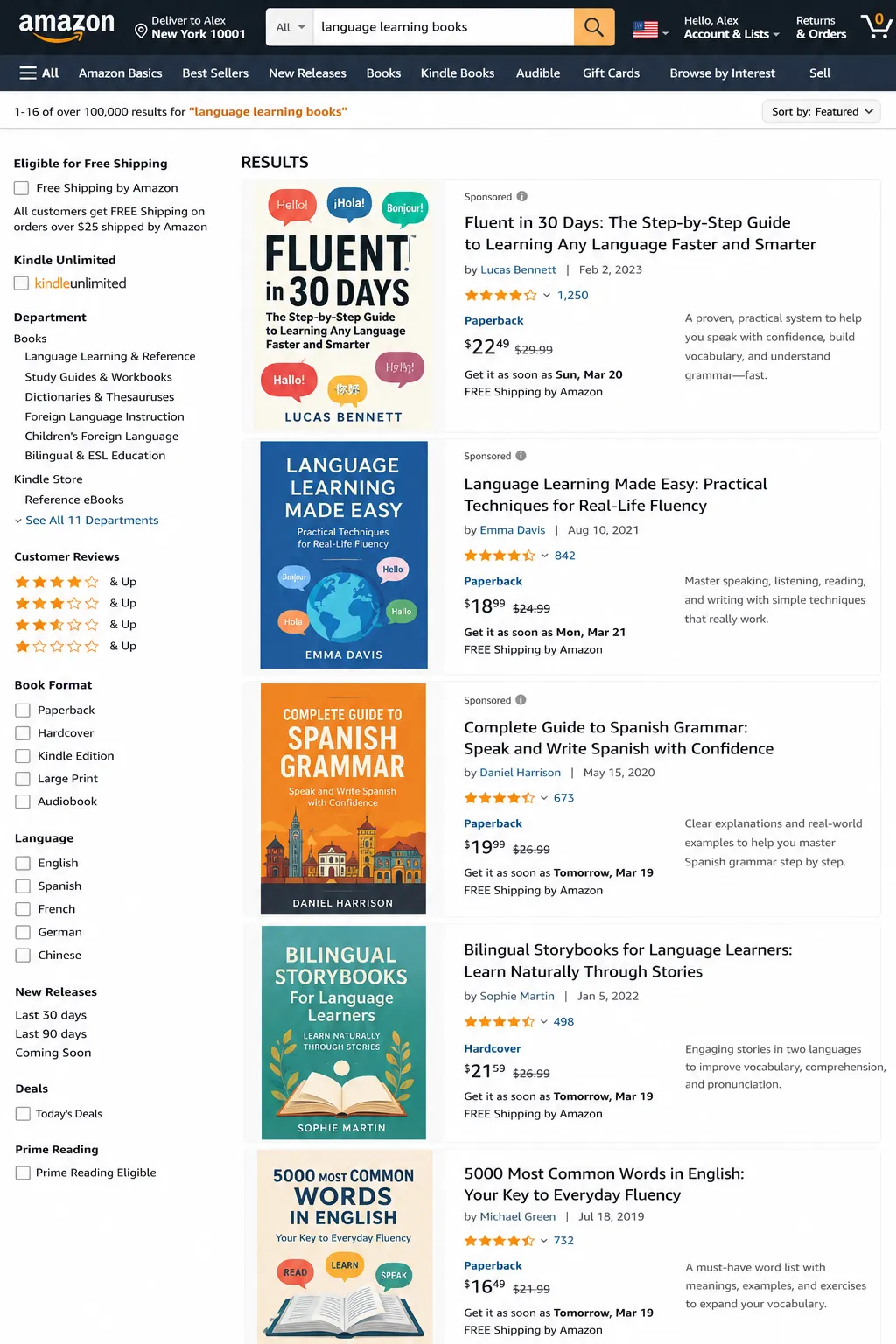
Never guess at negative keywords. Your Search Term Report — Campaign Manager → Reports → Search Term Report — shows the actual queries that triggered your ads, with spend, clicks, and orders per term. This is the only reliable source for negative keyword decisions.
Step-by-step process
- Export the report weekly for active campaigns, monthly for lower-spend accounts.
- Sort by spend, descending — your most expensive non-converters deserve attention first.
- Apply a statistical significance threshold before cutting a term: wait for at least 15–20 clicks with zero sales, or an ACoS well above your target, before adding it as a negative. A term with 3–4 clicks and no sales yet isn’t proof of anything.
- Look for patterns, not just individual bad terms. If you keep seeing variations of “DIY,” “how to,” “tutorial,” “review,” or “vs,” that’s informational intent worth blocking as a phrase-match theme, not five separate exact-match entries.
- Flag low-intent qualifiers like “cheap,” “free,” “used,” “rental,” or “budget” if you sell a premium product — these rarely convert against premium pricing.
- Run a reverse ASIN lookup on close competitor listings (via Helium 10, Jungle Scout, or similar) to catch competitor brand names you’re accidentally bidding on through broad match.
Common Amazon Negative Keyword Categories
A useful starting checklist to screen your Search Term Report against, organized by why the term signals a non-buyer:
- Low purchase intent: cheap, cheapest, budget, affordable, discount, free (when selling premium products)
- Informational / research intent: how to, DIY, tutorial, review, vs, comparison, meaning, definition
- Wrong product category or use case: kids, toy, replacement, repair, part, refurbished (when not applicable to your listing)
- Competitor brand terms: direct competitor names, unless you’re deliberately conquesting
- Job/employment or unrelated intent noise: jobs, careers, wholesale, bulk (unless B2B is a real segment for you)
Treat this as a starting screen, not a copy-paste list — validate every term against your own Search Term Report before blocking it. What’s a dead-weight term for one category can be a legitimate buyer signal in another.
Mistakes That Quietly Undo Good Negative Keyword Work
- Cutting terms before statistical significance — you lose potentially valuable long-tail traffic on a false signal.
- Forgetting to carry negative keyword lists over to new campaigns — sellers rebuild the same negatives from scratch every launch instead of maintaining a master exclusion list.
- Accidentally blocking a branded term through an overly broad phrase-match negative applied at the campaign level.
- Treating negative keyword management as a one-time cleanup instead of an ongoing weekly or monthly review — search behavior shifts, and yesterday’s clean campaign accumulates new noise.
- Not cross-negating between campaign types — a term proven to convert in a manual exact-match campaign should be negated in the auto campaign and broad-match discovery campaigns to stop internal competition (keyword cannibalization) and protect ACoS on your best-performing terms.
How to Add Negative Keywords in Seller Central
- Campaign level: open the campaign in Campaign Manager → “Negative keywords” tab → add terms and select exact or phrase match.
- Ad group level: open the specific ad group → “Negative keywords” tab → add terms scoped to that ad group only.
- Bulk upload: for accounts managing negatives across many campaigns, use the Bulk Operations spreadsheet to add negatives at scale rather than one campaign at a time.
Good to know: Adding a negative keyword doesn’t refund clicks you’ve already paid for, and it isn’t instant — reporting and ad serving update on their own cadence, typically within 24–72 hours.
Tools That Speed Up Negative Keyword Research
| Tool | Best For |
| Search Term Report (native) | The ground-truth source — always start here |
| Helium 10 / Jungle Scout | Reverse ASIN competitor lookups, automated search-term flagging |
| Pacvue / SellerApp | Enterprise-scale bulk negative management across many campaigns |
| AdBadger | Automated negative keyword detection and application rules |
Frequently Asked Questions
Do negative keywords affect organic Amazon ranking?
Not directly. Negative keywords only control paid ad eligibility. The indirect link is that cleaner ad traffic tends to convert better, and stronger conversion rate is one of the inputs Amazon’s organic ranking algorithm weighs — so disciplined negative keyword use can support organic performance over time without being an organic ranking lever itself.
How many clicks before I should add a negative keyword?
Wait for statistical significance — generally at least 15–20 clicks with zero sales, or a small number of sales at an ACoS far above target. Cutting a term after 2–3 clicks risks removing traffic that simply hasn’t had time to convert.
What’s the difference between negative exact and negative phrase match?
Negative exact blocks only that specific search term (allowing for plurals/minor misspellings). Negative phrase blocks any search containing that exact word sequence in order, casting a wider net. Use exact for surgical removal, phrase for blocking a whole irrelevant theme.
Can I add too many negative keywords?
Yes. Over-aggressive negative keyword lists can choke off valid long-tail discovery, particularly in auto and broad match campaigns, which rely on some volume of exploratory traffic to surface new converting terms. Validate against data before blocking, and periodically review whether old negatives are still relevant.