
If you have searched for “Amazon Marketing Services” or “AMS Amazon”, you have probably noticed two things. The term is everywhere, and almost nobody agrees on what it covers today. Some guides describe a product that Amazon retired years ago. Others mix it up with Amazon Managed Services, an unrelated cloud product. This guide clears that up and then goes much further: it explains how Amazon Marketing Services works in 2026, which ad formats exist, what they cost, how to measure them and how to run them profitably.
We have managed Amazon advertising for brands across the US, UK, UAE and India since 2017, so everything below comes from running real accounts through real algorithm changes. Whether you are launching your first product or you already spend five figures a month, you will find a clear framework you can act on this week.
Key takeaways
- Amazon Marketing Services (AMS) is the original name for Amazon’s pay-per-click advertising platform. Amazon now calls it Amazon Ads, but sellers and agencies still search for and use the AMS label.
- The core of Amazon advertising is three sponsored formats: Sponsored Products, Sponsored Brands and Sponsored Display. Amazon DSP and Sponsored TV extend your reach beyond search.
- You pay per click, not per impression, on sponsored ads. Your cost depends on an auction where bid, relevance and expected performance all matter.
- ACoS, ROAS and TACoS are the three metrics that decide whether your ads are profitable. Learn your break-even point before you spend a pound or a dollar.
- Ads and organic rank feed each other. Smart advertising lifts sales velocity, which strengthens organic ranking, which lowers your long-term ad cost.
- 2026 added AI-driven features including sponsored prompts inside Amazon’s shopping assistant, AI-curated Sponsored Brands collections and a unified ads platform that is rolling out in stages.
What is Amazon Marketing Services (AMS)?
Amazon Marketing Services (AMS) is Amazon’s advertising platform for sellers, vendors and brands. It lets you pay to place your products in front of shoppers who are searching, browsing or comparing on Amazon and, with some formats, on websites and apps beyond Amazon. Most of the formats use a cost-per-click (CPC) model, which means you are charged only when a shopper clicks your ad.
The name has a history worth knowing, because it explains why you will see the same product described in so many ways:
- Amazon Marketing Services (AMS) was the self-service advertising console used by vendors and, later, third-party sellers.
- Amazon Advertising Platform (AAP) was the separate programmatic offering that eventually became Amazon DSP.
- Around 2018, Amazon merged its advertising offerings under the Amazon Advertising name, and the brand later became simply Amazon Ads.
Today you manage everything in the Amazon Ads console and, for advanced programmatic buying, in Amazon DSP. In late 2026 Amazon began folding these experiences into a more unified, AI-assisted platform, which we cover in the trends section. Despite the rename, the phrase “AMS” remains popular because it is short, familiar and still used by most agencies, freelancers and sellers. When someone says “we run AMS”, they mean they run Amazon sponsored ads.
Why Amazon advertising matters more than ever
Amazon is not just a store. It is the place where a very large share of product searches in many categories begin. That makes the search results page some of the most valuable retail real estate in the world, and it is increasingly crowded. On a typical results page, several of the first positions are sponsored. If you are not advertising, your organic listing may sit below the fold for the keywords that matter most.
Amazon advertising also does something Google Ads cannot: it connects the ad click directly to a purchase inside the same platform, with the shopper’s payment details already on file. That tight loop is why conversion rates on Amazon are often far higher than on a typical ecommerce website, and why Amazon can report sales attributed to each keyword, product and placement.
AMS vs Amazon Ads vs Amazon PPC: clearing up the terminology
Before going deeper, here is a quick glossary so you can read any article, report or agency proposal without confusion.
| Term | What it means in practice |
| AMS (Amazon Marketing Services) | The legacy name for Amazon’s advertising platform. Still used informally to mean Amazon sponsored ads. |
| Amazon Ads / Amazon Advertising | The current official name for the whole advertising business, from sponsored ads to streaming TV. |
| Amazon PPC | Industry shorthand for the pay-per-click sponsored ads: Sponsored Products, Sponsored Brands and Sponsored Display. |
| Sponsored ads | Amazon’s term for the self-service CPC formats you manage in the console. |
| Amazon DSP | The demand-side platform for programmatic display, video and audio buying on and off Amazon. |
| AWS Managed Services (also abbreviated AMS) | An unrelated cloud infrastructure service. If you see “AWS AMS”, it has nothing to do with advertising. |
If you want a specialist to run the paid side for you, our Amazon PPC management and Amazon advertising services cover every format in this guide.
How Amazon advertising works
Understanding the mechanics saves you money, because most wasted ad spend comes from misunderstanding how the auction behaves.
The auction and cost per click
Every time a shopper searches or loads a product page, Amazon runs a rapid auction among eligible ads. The winners are determined by a combination of your bid, the relevance of your product to the search and the likelihood that a shopper will click and buy. A very relevant, high-converting product can win a slot with a lower bid than a poorly matched competitor. That is why listing quality matters as much as bid size.
What you actually pay is usually less than your maximum bid. In a second-price style auction, you typically pay just enough to beat the next advertiser, which is why raising a bid does not always raise your cost per click by the same amount.
Where ads appear
- Top of search results, above the organic listings, the most visible position.
- Rest of search, lower on the results page.
- Product detail pages, on the product pages of competing or complementary items.
- Brand Stores, category pages and shopping assistant responses, depending on format.
- Off-Amazon placements such as partner websites, apps, Prime Video and Twitch, for Sponsored Display, DSP and streaming formats.
Relevance, not just budget
Amazon’s search ecosystem, often called A9 and now commonly referred to as A10, aims to show shoppers the products most likely to convert. Your ad is judged on the same principle. If your title, images, price, reviews and availability do not match the shopper’s intent, you will pay more for fewer clicks. This is why serious advertisers invest in Amazon listing optimization before they scale spend.
Attribution windows
When a shopper clicks your ad and buys, Amazon attributes the sale to the ad within a defined window. Sponsored Products typically uses a seven-day window, while Sponsored Brands and Sponsored Display use a longer fourteen-day window. A sale ten days after a Sponsored Brands click still counts. This matters when you read reports: very recent days will keep rising as sales are attributed, so judge performance on data that has had time to mature.
Who can use Amazon Marketing Services? Eligibility explained
You do not need a large business to start, but you do need to meet a few conditions.
Sellers
Professional sellers in Seller Central can advertise their own products. Your listing must generally be eligible for the Buy Box, because Amazon will not show an ad for an offer that cannot win the purchase button. Sponsored Products is open to most professional sellers with eligible listings.
Brand owners
Sponsored Brands, Sponsored Display and several creative tools require enrolment in Amazon Brand Registry. Brand Registry also unlocks A+ Content, Brand Stores and brand protection tools, so enrolment is worth prioritising if you own a trademark.
Vendors
Vendors who sell wholesale to Amazon manage advertising through Vendor Central or through the advertising console, depending on how the account is set up. Vendor accounts often have access to additional features and reporting. Our Vendor Central management service covers this model, while Seller Central management covers the third-party route.
Practical requirements
- An active Amazon seller or vendor account in good standing.
- At least one live, advertising-eligible product listing.
- A valid payment method for ad charges.
- Compliance with Amazon’s advertising policies, including rules on claims, imagery and restricted categories.
- Healthy account metrics. Poor account health can limit your ability to advertise.
The types of Amazon advertising, explained in depth
This is the heart of the topic. Each format has a different job, a different audience and a different cost profile. Knowing which to use, and in what order, is the single biggest lever on your return.
Sponsored Products
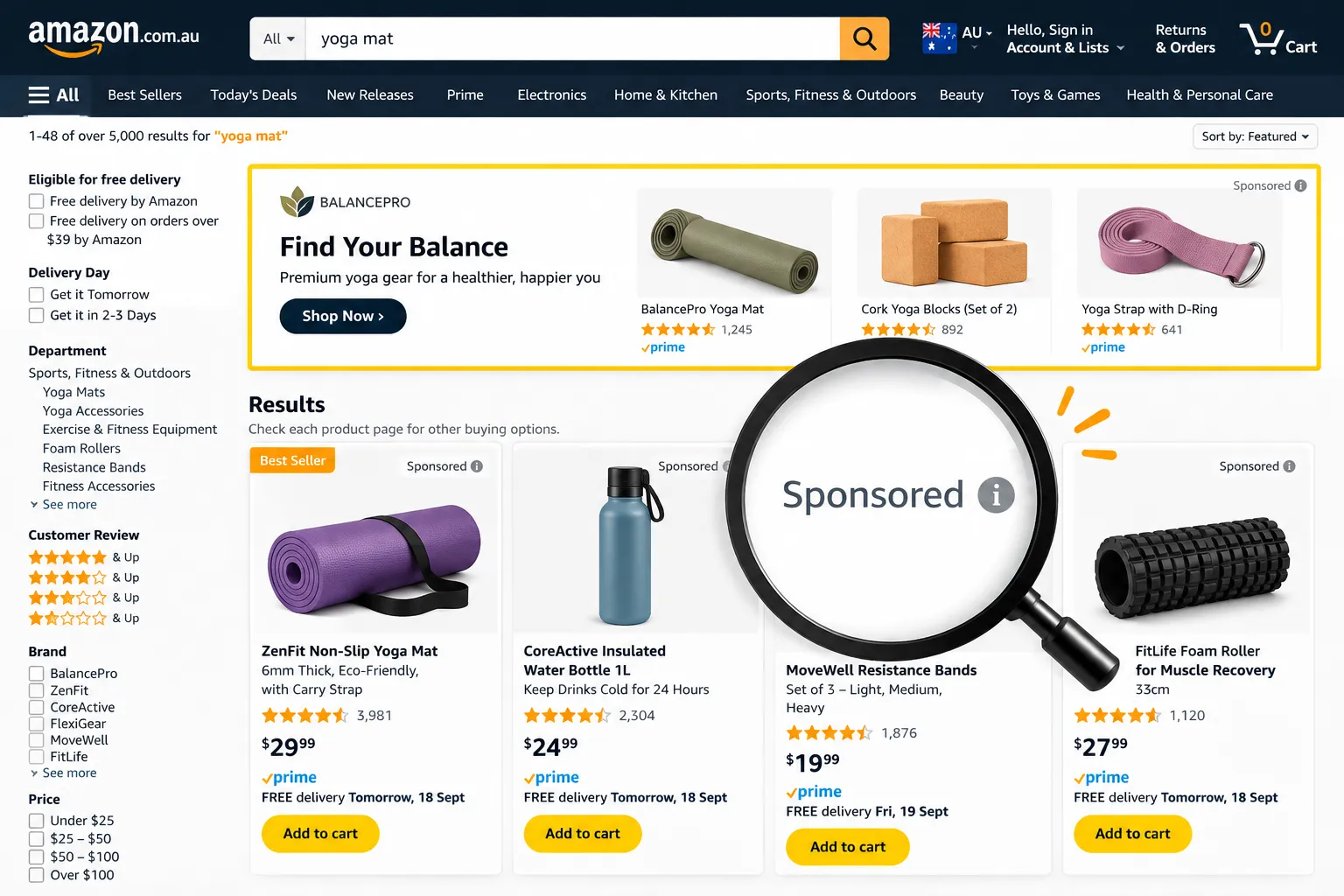
Sponsored Products is the workhorse of Amazon advertising and the right starting point for almost every seller. These ads promote a single product listing and appear in search results and on product detail pages. They look like organic listings with a small “Sponsored” label, which is why they convert well.
How it works. You choose a product, pick keywords or let Amazon target automatically, and set a bid and a daily budget. When a shopper searches a matching term, your listing can appear in the results.
Targeting options.
- Automatic targeting, where Amazon matches your product to relevant searches and products using your listing content. It is the easiest way to begin and a powerful research tool.
- Manual keyword targeting, where you choose the exact keywords and match types.
- Manual product targeting, where you target specific ASINs or categories, including competitor listings.
Best for. New product launches, capturing high-intent buyers, improving organic rank through early sales velocity and defending your own branded searches.
What to watch. Sponsored Products can drain budget quickly on broad, generic keywords. Mitigate this with disciplined negative keywords and regular search term reviews.
Sponsored Brands
Sponsored Brands puts your brand, not just one product, at the top of the search results. These banner-style ads usually show your logo, a custom headline and several products, and they can send shoppers to your Brand Store or a curated product collection.
Recent change. In early 2026, Amazon reworked Sponsored Brands product collections so that new campaigns require three to ten products and the system curates which items to display based on shopper intent. That reduces manual creative control but can improve relevance. Check your console, because rollouts differ by marketplace.
Best for. Brand awareness, category defence, promoting a range of products and driving traffic to your Store. They tend to work best once you have several products and strong reviews.
What to watch. Sponsored Brands usually costs more per click than Sponsored Products and carries a higher typical ACoS, so use it to build share and discovery, and judge it against that purpose rather than only against direct sales.
Sponsored Brands Video
Sponsored Brands Video places short, auto-playing video ads directly in search results. Video earns attention in a results page that is otherwise static images and text, and it lets you demonstrate a product in seconds. Videos can be vertical or horizontal depending on placement, and they work best when they show the product in use within the first few seconds, with captions because many shoppers watch without sound.
Best for. Products that benefit from demonstration, such as kitchen gadgets, beauty tools, fitness equipment and anything with a “how does it work?” question. They are also an effective way to stand out in crowded categories where static ads blend together.
Sponsored Display
Sponsored Display is the flexible, audience-driven format. Unlike Sponsored Products and Sponsored Brands, it does not rely only on keywords. It can target shoppers by their behaviour, such as people who viewed your product but did not buy, and by product or category pages. Ads can appear on Amazon product pages, in shopping surfaces and on third-party websites and apps.
Core use cases.
- Retargeting shoppers who viewed your listing but left without purchasing.
- Defending your product pages from competitors who target your ASINs.
- Cross-selling complementary products to people who recently bought from you.
- Reaching new audiences based on interests, lifestyle and in-market signals.
What to watch. Sponsored Display typically carries a higher cost per click and higher ACoS than Sponsored Products, and view-based attribution rules have changed more than once, so read the report notes carefully. Many brands use it as a conversion assist rather than a primary sales driver. In 2026 Amazon has also been consolidating display, video and audio buying into a single experience, so expect the interface and naming to keep shifting.
Amazon DSP
Amazon DSP is the programmatic platform for buying display, video and audio ads at scale. It reaches shoppers on Amazon-owned properties and across the wider web, including Prime Video, Fire TV, Twitch and publisher partners. It is priced on a CPM basis (cost per thousand impressions) rather than per click, and it supports sophisticated audience building using Amazon’s first-party shopping signals.
Best for. Brands with proven conversion rates, enough budget to learn, and a clear funnel strategy. DSP excels at full-funnel plays: reaching new audiences, retargeting visitors across the web and re-engaging past purchasers.
What to watch. DSP rewards clean data and patience. Spend it before your listings, reviews and Sponsored Products foundation are strong and you will pay to send traffic to a listing that cannot convert. Our Amazon DSP management service is built for brands that have reached that point.
Sponsored TV and streaming ads
Sponsored TV lets sellers and brands run video ads on streaming inventory such as Prime Video, Twitch and Fire TV. Historically, TV advertising was reserved for large brands with large budgets. Amazon has lowered the barrier with self-service options and, in several markets, no minimum spend. For an ecommerce brand, the appeal is reaching shoppers in a high-attention environment with product-led creative and then retargeting those viewers with search and display ads.
What to watch. Streaming is a top-of-funnel format. Measure it by reach, new-to-brand customers and halo effects on branded search and organic sales, not by last-click ACoS alone.
Amazon Stores and Brand Stores
A Brand Store is a free, multi-page branded storefront inside Amazon that is available to Brand Registry owners. It is not an ad format itself, but it is a critical destination for Sponsored Brands and Sponsored Display traffic. A well-built Store lets you tell your brand story, group products by use case and measure shopper behaviour with Store insights. Traffic sent to a Store often converts better than traffic sent to a single product page when shoppers are still comparing options. See our Amazon Brand Store and Brand Story services for how we build them.
AI shopping prompts and conversational ads
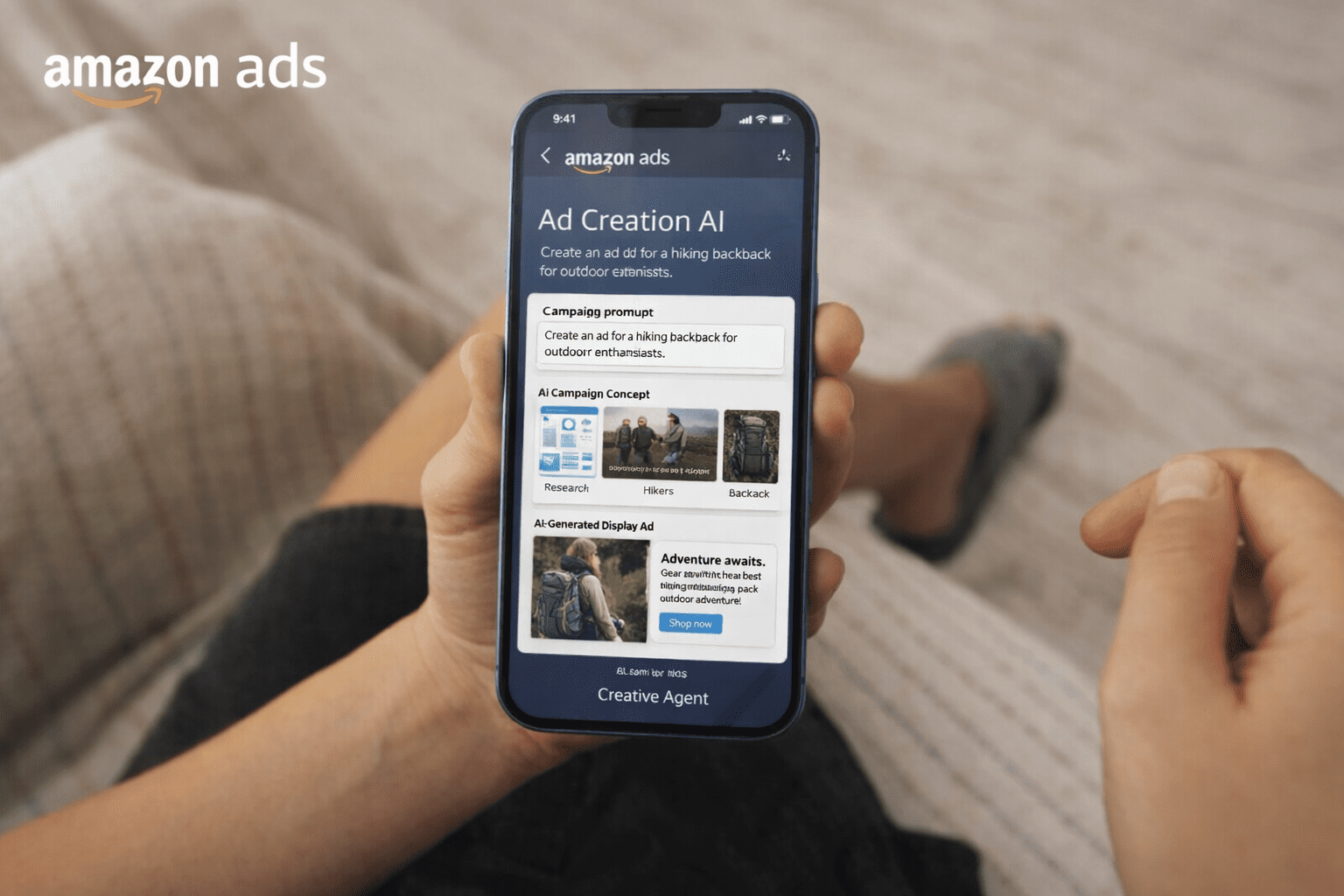
The newest development is advertising inside Amazon’s AI shopping assistant. Amazon’s assistant has been evolving quickly, and in 2026 it reportedly merged with Alexa to become Alexa for Shopping in the US. Sponsored Products and Sponsored Brands prompts are AI-written conversational ad extensions that open a product conversation when clicked. Industry reports indicate these became billable on a cost-per-click basis from late March 2026.
For advertisers this creates a new cost line to watch in reporting and a new reason to write listings that answer natural-language questions. Shoppers increasingly ask things like “what is the best backpack for a long flight?” rather than typing short keywords. Listings with clear, specific, benefit-led content are better positioned to be recommended. Because rollout details differ by marketplace and change often, always confirm what is live in your own console.
Amazon ad types compared at a glance
| Ad type | Pricing model | Main goal | Funnel stage | Brand Registry needed |
| Sponsored Products | CPC | Sales and rank | Middle to bottom | No |
| Sponsored Brands | CPC | Brand visibility, discovery | Top to middle | Yes |
| Sponsored Brands Video | CPC | Demonstration, attention | Top to middle | Yes |
| Sponsored Display | CPC (some CPM) | Retargeting, cross-sell | Middle to bottom | Yes |
| Amazon DSP | CPM | Reach, retargeting at scale | Full funnel | Not for all inventory |
| Sponsored TV / streaming | CPM | Awareness | Top | Varies |
Which ad type should you run first?
A sensible sequence for most brands looks like this:
- Start with Sponsored Products. Use a mix of automatic and manual campaigns to find the keywords that convert and to build early sales velocity.
- Add Sponsored Brands once you have three or more strong products. Use it to defend your brand terms and win category searches.
- Layer in Sponsored Display for retargeting and defence once you have meaningful traffic to retarget.
- Graduate to DSP and streaming when your listings convert well, your budget supports learning and you have a funnel plan.
A typical early budget split is weighted heavily towards Sponsored Products, often around sixty percent or more, with the remainder divided between Brands and Display as they prove themselves. Treat that as a starting point, not a rule. Our funnel-based advertising strategy page explains how we adjust the mix as an account matures.
Targeting options: how to reach the right shopper
Targeting decides who sees your ad, so it decides whether your spend produces sales or just clicks.
Keyword targeting and match types
Keywords are the foundation of search-based ads. When you add a keyword, you also choose a match type that controls how closely a shopper’s search must match it.
- Broad match shows your ad for searches that contain your keyword terms in any order, plus related variations. It gives the widest reach and the least control.
- Phrase match shows your ad when the search contains your keyword phrase in order, with additional words before or after.
- Exact match shows your ad only for the keyword or very close variants. It gives the most control and is usually where profitable scaling happens.
A common approach is to use broad and phrase for discovery, then promote proven search terms to exact match campaigns with higher bids.
Negative keywords
Negative keywords tell Amazon which searches you do not want to appear for. Adding irrelevant or unprofitable terms as negatives is the fastest way to cut wasted spend. Review your search term report weekly and add negatives for terms that generate clicks but no orders, especially when they signal the wrong intent, such as “free”, “used”, or a different product type.
Product and category targeting
Product targeting lets you place ads on the pages of specific ASINs or categories. Targeting competitor products can capture shoppers who are comparing options, while targeting complementary products can drive cross-sales. Use refinements such as price range and review rating to avoid showing against listings where you cannot compete.
Audience targeting
Sponsored Display and DSP allow audience-based targeting. You can target people who viewed similar products, shoppers in-market for your category or lifestyle and interest segments. Audiences are most powerful for mid-funnel reach and retargeting.
Automatic vs manual campaigns
Automatic campaigns are quick to launch and surface search terms you might never have guessed, but they offer less control. Manual campaigns give you precision over keywords, bids and match types. Most healthy accounts run both: automatic for discovery, manual for scale. Our keyword and market intelligence work shows how we mine search data to feed manual campaigns.
How to set up Amazon Marketing Services: step by step
Here is a practical setup path for a new Sponsored Products campaign, which is where most sellers should begin.
Step 1: Prepare your listing before you spend
Ads amplify what already exists. If your listing has weak images, a vague title or poor reviews, advertising will simply buy you expensive clicks that do not convert. Before launching, confirm that your main image is strong, your title and bullets include your core keywords and benefits, your price is competitive and your product is in stock and Buy Box eligible. Review our guides on Amazon listing images and main image CTR to lift click-through before you bid.
Step 2: Access the advertising console
In Seller Central, open the advertising menu and select campaign manager. Vendors can use their Vendor Central advertising menu or the standalone Amazon Ads console. Confirm your payment method and your advertiser profile for each marketplace you sell in.
Step 3: Define the campaign goal
Decide what the campaign is for before you build it. Typical goals are launching a new product, ranking for a key term, defending your brand name or liquidating inventory. The goal determines your target ACoS, your budget and how long you should give the campaign before judging it.
Step 4: Create the campaign and choose targeting
Select Sponsored Products, name the campaign clearly (for example, “SP | Product name | Auto | Launch”), choose the products to advertise and select automatic or manual targeting. Use consistent naming conventions from day one, because they make reporting far easier as the account grows.
Step 5: Set bids and budget
Set a daily budget you are comfortable with and a starting bid based on the suggested range, adjusted for your margin and the competitiveness of the term. Choose a bidding strategy: dynamic bids down only, dynamic bids up and down, or fixed bids. New accounts often begin with down only to limit risk, then test up and down once conversion data is reliable.
Step 6: Add keywords and negatives
For manual campaigns, add your researched keywords by match type. Add negatives from day one for clearly irrelevant terms, including your own competing product types and obvious mismatches.
Step 7: Launch and let data accumulate
Resist the urge to change settings every day. Give a campaign several days to a couple of weeks, depending on volume, before making major decisions. Daily tinkering resets learning and makes results impossible to interpret.
Step 8: Review search terms and optimise
After the first week, download your search term report. Promote converting terms to exact match, add negatives for wasted spend and adjust bids. Then repeat on a weekly cadence. If you would rather hand off this loop, our Amazon PPC management team runs it daily.
Amazon advertising costs, bids and budgets
There is no fixed price for Amazon ads. Because it is an auction, your cost depends on your category, the competitiveness of each keyword, your relevance and the time of year. As a rough orientation, cost per click can sit below one dollar in low-competition niches and climb well above two or three dollars in crowded categories such as supplements, electronics and beauty. Sponsored Brands and Sponsored Display usually cost more per click than Sponsored Products. Treat any published average as directional and rely on your own account data.
How much should you budget?
A useful way to think about budget is the margin you can afford to invest in growth. Work backwards from your goals:
- Decide the sales you want from advertising each month.
- Divide by your expected conversion rate to estimate the clicks required.
- Multiply the clicks by your expected cost per click.
For example, if you want 100 ad-attributed orders a month at a ten percent conversion rate, you need about 1,000 clicks. At an average cost per click of one dollar fifty, that is roughly 1,500 dollars of spend. Launch phases usually need a higher budget relative to sales because you are buying data and rank, while mature products can run leaner.
Bidding strategies
- Dynamic bids, down only: Amazon lowers your bid when a click looks less likely to convert. Safest for tight margins.
- Dynamic bids, up and down: Amazon raises bids for high-likelihood clicks, up to a cap, and lowers them for low-likelihood clicks. Useful for scaling and launches.
- Fixed bids: your bid stays as set. Gives the most predictability and the least automation.
Placement adjustments
You can increase bids for top-of-search or product page placements. Top-of-search often converts better but costs more, so test modest adjustments and keep the ones that stay profitable.
What agencies charge
Agencies usually charge a percentage of ad spend (commonly around ten to fifteen percent), a flat monthly retainer, or a hybrid. The right model depends on your spend level and scope. For a deeper breakdown of what to expect and how to compare proposals, see our Amazon marketing agency page.
The metrics that matter: ACoS, ROAS, TACoS and more
You cannot manage what you do not measure, and in Amazon advertising a handful of metrics tell you almost everything.
ACoS (Advertising Cost of Sales)
ACoS = (ad spend ÷ ad-attributed sales) × 100. If you spend 20 dollars and the ads generate 100 dollars in sales, your ACoS is twenty percent. Lower is better, but only relative to your margin. Use our ACoS calculator to check yours.
ROAS (Return on Ad Spend)
ROAS = ad-attributed sales ÷ ad spend. It is the inverse of ACoS. A twenty percent ACoS equals a ROAS of 5, meaning five dollars of sales for every dollar spent. Try the ROAS calculator.
TACoS (Total Advertising Cost of Sales)
TACoS = (ad spend ÷ total sales, including organic) × 100. This metric shows how dependent your business is on ads. A falling TACoS while total sales grow is a sign that advertising is lifting organic performance. Use the TACoS calculator to track it.
Break-even ACoS
Your break-even ACoS equals your profit margin before advertising. If a product sells for 30 dollars and leaves 10 dollars after product cost, shipping and Amazon fees, your margin is about 33 percent, so an ACoS above 33 percent loses money on each ad-driven sale. Your target ACoS should sit below that, with room for profit. During a launch you may deliberately run above break-even to buy rank, but only with a plan to bring it down.
Supporting metrics
- Impressions: how often your ad was shown. A low count signals low bids or poor relevance.
- Click-through rate (CTR): clicks divided by impressions. Weak CTR usually points to an unattractive main image, price or title.
- Conversion rate (CVR): orders divided by clicks. Weak CVR usually points to listing, price or review problems rather than ad problems.
- Cost per click (CPC): your average price per click.
- Orders and units: the real volume driven by the campaign.
- New-to-brand metrics: how many buyers are new to your brand, essential for judging growth rather than repeat harvesting.
Benchmarks, with a warning
Typical ACoS ranges often cited by the industry sit around the mid-twenties to thirty percent for Sponsored Products, thirty to forty for Sponsored Brands and higher for Sponsored Display. These vary hugely by category, price, margin and maturity. Your break-even ACoS matters more than any benchmark.
How to structure your Amazon campaigns
A clear structure turns a messy account into one you can read, scale and hand over to a colleague. There is no single correct design, but the following pattern works for most sellers.
The launch-and-harvest model
- Automatic campaign for discovery. Run one automatic campaign per product (or per tight product group) with a modest budget. Its job is to uncover search terms and competing products you had not considered.
- Manual broad and phrase campaigns for expansion. Add your best researched keywords, plus winners harvested from the automatic campaign.
- Manual exact campaigns for scale. Move proven, converting search terms into exact match campaigns with higher bids. This is where profitable growth concentrates.
- Product targeting campaigns. Target competitor and complementary ASINs separately so you can set different bids and read results cleanly.
- Branded defence campaigns. Always protect your own brand terms and product names. Competitors may bid on them, and a low-cost defence campaign usually has a very low ACoS.
Separate by intent, not by convenience
Keep brand, generic, competitor and complementary traffic in separate campaigns. Mixing them hides which type of traffic is profitable and forces one bid to fit very different intents.
Use a consistent naming convention
A name such as “SP | ProductX | Exact | Generic | Q4” tells you the ad type, product, match type, intent and season at a glance. Naming discipline sounds boring and pays back every single week.
Budget caps and pacing
Campaigns that run out of budget early in the day miss afternoon and evening shoppers, who often convert well. Review the budget-capped warnings in your console and move money towards campaigns that are profitable and constrained, while trimming campaigns that spend freely without converting.
An optimisation playbook you can follow every week
Optimisation is a rhythm, not an event. Here is the cadence we use across accounts.
Daily checks (10 minutes)
- Look for budget-capped campaigns and unusual spikes in spend.
- Confirm key products are in stock and still own the Buy Box. Advertising an out-of-stock or suppressed offer burns money.
- Watch for sudden drops in impressions that signal a bid, budget or listing issue.
Weekly optimisation (60 to 90 minutes)
- Search term report review. Promote converting terms to exact match. Add negatives for terms with meaningful clicks and no orders.
- Bid adjustments. Raise bids on keywords with healthy ACoS and room to grow, lower them on those above break-even.
- Placement review. Check top-of-search against product pages and adjust modifiers.
- Budget reallocation. Shift budget from low performers to high performers.
- Creative check. For Sponsored Brands and Display, review headlines, images and video performance.
Monthly strategic review
- Compare ACoS, ROAS and TACoS against targets and last month.
- Assess organic rank movement for priority keywords.
- Review new-to-brand percentage and customer acquisition cost.
- Audit the product mix: which ASINs deserve more investment and which should be paused?
- Plan for seasonality, promotions and inventory.
Rules of thumb that keep you out of trouble
- Do not judge a keyword on a handful of clicks. A common guideline is to wait until a keyword has accumulated roughly enough clicks to expect an order at your normal conversion rate, then decide.
- Change one major variable at a time so you can see what caused a result.
- Never cut a bid to zero out of frustration. Lower it, test and learn.
- Protect profitable campaigns. Do not tinker with what is working just because you are looking at the dashboard.
Why Amazon SEO and advertising work best together
Many sellers treat organic ranking and paid advertising as separate worlds. In practice they form a loop, which we call the flywheel.
- Advertising drives early sales velocity on target keywords.
- Sales velocity and conversion strengthen your organic ranking because Amazon rewards listings that turn searches into purchases.
- Higher organic rank brings free traffic, which raises total sales and lowers TACoS.
- Lower reliance on ads frees budget to push the next product or keyword.
The loop only turns if your listing is optimised. The title, bullet points, backend search terms, images and A+ Content all affect both organic rank and ad conversion. That is why our Amazon SEO services and Amazon PPC management teams work from the same keyword data. You can see the combined approach in our Amazon SEO, PPC and growth system.
Listing elements that lift ad performance
- Main image: the biggest driver of click-through rate. It must be clear, well-lit and distinct from competitors.
- Title: include the core keyword and the key benefit, but keep it readable on mobile.
- Bullet points: answer the top objections and lead with benefits.
- A+ Content and Brand Story: build trust and raise conversion. Our A+ Content team creates modules that support the ad-to-purchase journey.
- Reviews and ratings: products with strong ratings convert better and lower the effective cost of every click.
- Price and promotions: coupons and deals badges can lift click-through and conversion.
If you are not sure where your listings stand, a quick conversion rate optimization review often finds easy wins before you increase ad spend.
Advanced strategies for experienced advertisers
Once the basics are stable, these tactics separate average accounts from strong ones.
Use Brand Analytics for keyword and market insight
Brand Analytics, available to Brand Registry owners, shows what shoppers search for, which products they click and which they buy. Search query performance and market basket data reveal keywords you are missing, competitors you are losing to and complementary products worth cross-selling. Feed those insights back into campaign structure and listing copy.
Defend your brand and product pages
Competitors can place ads on your product detail pages. Use Sponsored Brands and Sponsored Display to occupy that space first and to remind shoppers why they came to you. Our brand protection and defence service pairs advertising defence with enforcement tools.
Conquest competitors thoughtfully
Targeting competitor ASINs can win shoppers who are in comparison mode, but it works best when your product has a clear advantage on price, reviews or features. Run it as a separate campaign with its own budget, and judge it by new-to-brand sales rather than only by ACoS. Pair it with Amazon competitor analysis so you target the right listings.
Dayparting and seasonality
Shopper behaviour changes by time of day, day of week and season. Increase budgets ahead of known peaks such as Prime Day, Black Friday and Cyber Monday, gifting seasons and category-specific surges. Remember that cost per click often rises sharply in peak periods, so plan inventory and budgets early.
Amazon Marketing Cloud and clean-room analysis
Amazon Marketing Cloud is a privacy-safe environment for analysing campaign data across ad types and, for DSP advertisers, understanding the customer path across touchpoints. It suits brands with enough scale to benefit from custom analysis, such as measuring how streaming exposure affects later search behaviour.
New-to-brand and lifetime value thinking
A sale from a returning customer is worth less to growth than a sale from a new one. Track new-to-brand percentage, and consider lifetime value when setting target ACoS for products that drive repeat purchases, such as consumables and subscriptions.
Full-funnel planning
Combine upper-funnel reach (streaming, DSP, video) with mid-funnel consideration (Sponsored Brands, Display) and lower-funnel conversion (Sponsored Products). The best results come from connecting these layers, so that someone who sees your video later meets a Sponsored Brands ad, then buys through a Sponsored Products click. Our Amazon scaling and growth strategy work is built around exactly this connected approach.
Common Amazon advertising mistakes (and how to avoid them)
- Advertising an unprepared listing. Weak images, thin content and few reviews turn ads into a leaky bucket. Fix the listing first.
- Ignoring negative keywords. Without them, a large share of spend goes to irrelevant searches.
- Judging performance too early. Decisions on too few clicks lead to bad cuts and false winners.
- Running one giant campaign. It hides which keywords, products and intents actually work.
- Chasing the lowest ACoS. An extremely low ACoS often means you are under-bidding and missing profitable volume. Aim for the right ACoS, not the lowest one.
- Neglecting branded defence. Competitors will take your brand traffic if you leave it open.
- Ignoring inventory. Running ads on products that are about to stock out wastes money and can damage rank when you disappear.
- Not tracking TACoS. Looking only at ACoS misses the organic lift, which is where the long-term value sits.
- Set-and-forget management. Amazon moves constantly. Accounts that are not reviewed weekly drift into waste.
- Treating all marketplaces the same. Competition, costs, language and shopper behaviour differ between the US, UK, UAE and India.
Amazon advertising across markets: US, UK, UAE and India
The principles are universal, but local details change the results.
United States
The US is the largest and most competitive marketplace, with the deepest ad inventory and the most mature set of tools. Costs per click are generally higher, and competition is fierce in categories like health, beauty, home and electronics. Success usually depends on sharp listing quality, strong reviews and disciplined bid management. See our Amazon agency US page for how we support US sellers.
United Kingdom
UK shoppers are price-aware and quality-conscious, and UK-specific language matters. Keywords like “trainers” versus “sneakers” or “nappies” versus “diapers” change which searches convert. UK sellers must also handle VAT and product compliance. Our Amazon agency UK team manages localised keyword research, GBP pricing strategy and compliance alongside advertising.
United Arab Emirates
The UAE is a high-growth, comparatively lower-competition marketplace with strong demand in electronics, lifestyle and consumer goods. Arabic and English listings both matter, and early advertisers can gain strong positions at lower cost. Explore our Amazon agency UAE services if you are considering expansion.
India
India is a large, price-sensitive and fast-growing marketplace. Local fulfilment, GST compliance and category knowledge shape results, and advertising costs can be far lower than in the US. Our Amazon agency India team supports both domestic brands and international sellers entering the market.
In-house, freelancer or agency: who should run your Amazon ads?
There is no universal answer, but the trade-offs are clear.
| Option | Best when | Watch out for |
| In-house | You have high spend, a dedicated hire and strong internal Amazon knowledge | Hiring cost, single point of failure, slow exposure to new tactics |
| Freelancer | You have a small account and a defined, narrow need | Capacity limits, limited cover for holidays, less depth across disciplines |
| Agency | You want a full team across PPC, SEO, creative and account health | Choosing a generalist who treats Amazon as an add-on |
When you compare agencies, look for Amazon-specific experience, transparent reporting that ties ad spend to profit, a clear onboarding process and no pressure to sign long contracts before seeing analysis. EcomRanker has specialised in Amazon since 2017, and every engagement begins with a free Amazon account audit so you can judge our thinking before you commit. If you want a dedicated team across the whole account, our full-service Amazon account management covers advertising, SEO, content and account health under one lead. You can also browse our Amazon PPC agency page for the paid-media-only model.
Amazon advertising trends to watch in 2026 and beyond
1. AI-written and AI-delivered ads
Conversational shopping is now a real ad surface. Sponsored prompts inside Amazon’s assistant, AI-curated Sponsored Brands collections and AI-generated creative tools all reduce manual control and increase the importance of clean, detailed product data. Brands that supply clear attributes, benefits and answers to common questions will be recommended more often.
2. A more unified ads platform
At Amazon’s unBoxed event in late September 2026, the company announced a move towards a single AI-driven ads experience that brings together sponsored ads, DSP and full-funnel buying, with parts rolling out from late October. Expect console changes through the end of 2026 and into 2027. The practical advice is to keep your account structure clean and your naming consistent, because automation works best on tidy inputs.
3. Retail media beyond Amazon
Amazon is extending its shopping data to streaming and partner sites, which makes full-funnel measurement more important. Brands that can connect upper-funnel exposure to later purchases will justify bigger budgets.
4. Rising competition and rising costs
More sellers and more ad surfaces mean pressure on cost per click in many categories. The brands that win will be the ones with stronger listings, better conversion and healthier organic rank, because those lower the effective cost of every ad dollar.
5. Greater focus on profit, not just sales
Smart sellers are moving from “maximise revenue” to “maximise profit per ad dollar”, using TACoS, new-to-brand data and lifetime value to set targets. Because many of these features are newly launched or still rolling out, confirm availability in your own console before you build a plan around them.
A 30-60-90 day Amazon advertising plan
Days 1 to 30: Foundation
- Audit listings, images, pricing and reviews. Fix obvious conversion blockers.
- Calculate break-even ACoS for each product.
- Launch automatic and broad/phrase manual Sponsored Products campaigns, plus a branded defence campaign.
- Add negative keywords weekly and begin building your search term library.
Days 31 to 60: Refinement
- Promote converting terms to exact match campaigns and raise bids on winners.
- Launch Sponsored Brands (and Video where relevant) to your Brand Store or collection.
- Start product targeting tests against complementary and competitor ASINs.
- Track organic rank movement for priority keywords.
Days 61 to 90: Scale
- Add Sponsored Display for retargeting and defence.
- Reallocate budget towards the profitable campaigns and ad types.
- Evaluate TACoS trend and new-to-brand growth.
- Decide whether you are ready for DSP or streaming tests, based on conversion data and budget.
If you want an experienced team to run this plan with you, request a free Amazon PPC audit and we will show you where your first 30 days should focus.
Frequently asked questions about Amazon Marketing Services
What is Amazon Marketing Services (AMS)?
Is AMS the same as Amazon PPC?
How much do Amazon ads cost?
What is a good ACoS on Amazon?
Do I need Brand Registry to advertise on Amazon?
What is the difference between ACoS and TACoS?
How long does it take to see results from Amazon ads?
Which Amazon ad type should a new seller start with?
Can I run Amazon ads outside the Amazon website?
Should I hire an agency to manage my Amazon advertising?
Conclusion: turn Amazon Marketing Services into a profit engine
Amazon Marketing Services may have changed its name, but its purpose is the same: put the right product in front of the right shopper at the right moment, and pay only when they show interest. In 2026 the platform is broader, more automated and more AI-driven than ever, which makes strategy and discipline more important, not less.
Start with a strong listing, begin with Sponsored Products, learn your break-even ACoS, structure campaigns by intent, review search terms weekly and let advertising and organic ranking feed each other. Add Sponsored Brands, Display, DSP and streaming as your data and budget mature, and keep an eye on the AI-led changes arriving through the end of 2026.
If you would rather have specialists do the heavy lifting, EcomRanker has helped brands grow on Amazon across the US, UK, UAE and India since 2017. Explore our Amazon marketing agency services, review our case studies, or contact us for a free Amazon account audit. We will review your advertising, your listings and your organic opportunities, and send you a prioritised plan with no obligation.